77
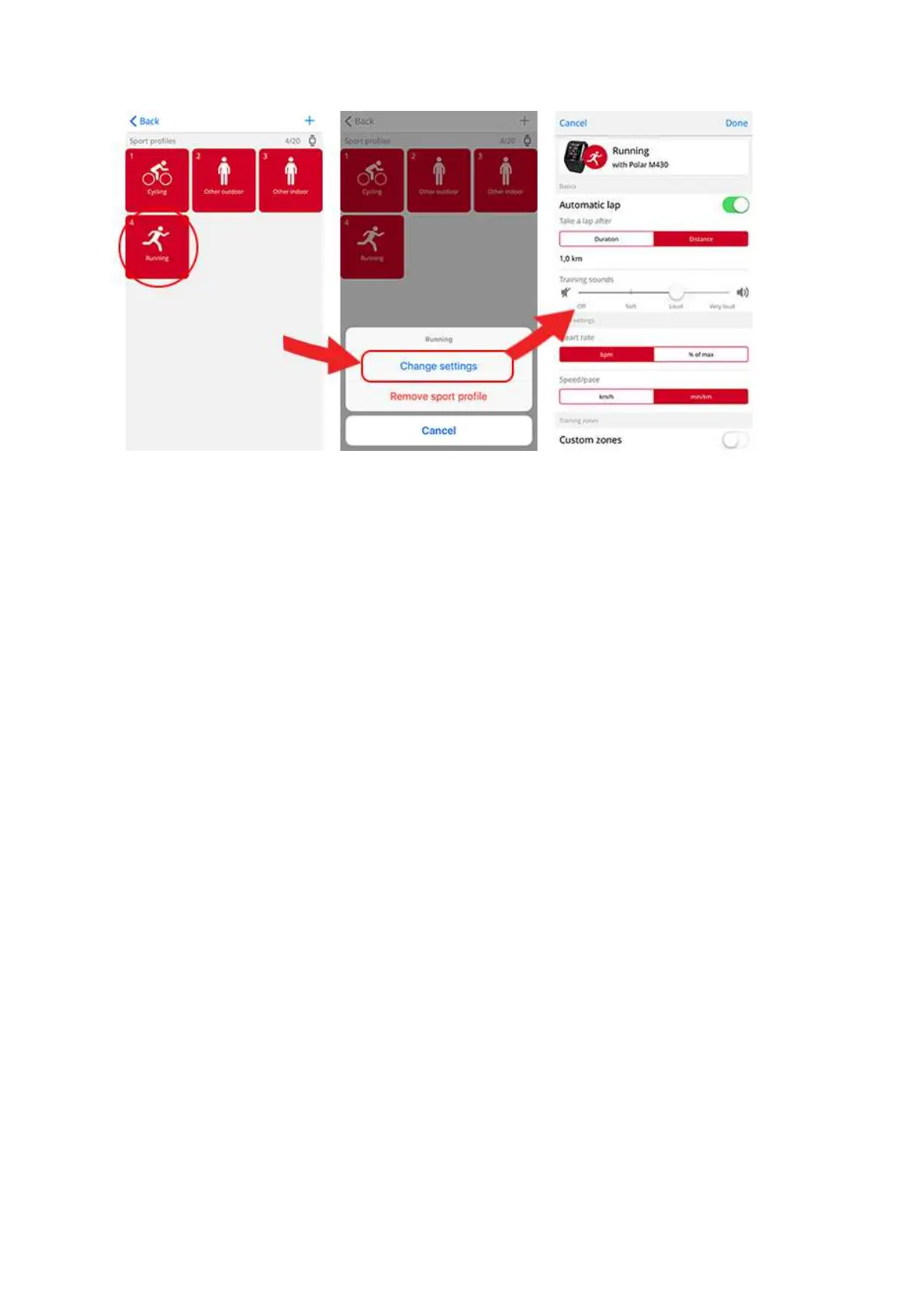
In the Flow web service:
1. Click your name/profile photo in the upper right corner.
2. Choose Sport Profiles.
3. Click Edit under the sport you want to edit.
In each sport profile, you can edit the following information:
Basics
• Automatic lap (Can be set to duration or distance-based or turned off)
Heart Rate
• Heart rate view (Beats per minute or % of maximum)
• Heart rate visible to other devices (This means that compatible devices using Bluetooth Smart wireless
technology, e.g. gym equipment, can detect your heart rate. You can also use your M430 during Polar
Club classes to broadcast your heart rate to the Polar Club system.)
• Zonelock
• Heart rate zone settings (With the heart rate zones you can easily select and monitor training intens-
ities. If you choose Default, you cannot change heart rate limits. If you choose Free, all limits can be
changed. Default heart rate zone limits are calculated from your maximum heart rate.)
Speed/Pace settings




 To Next Page