59
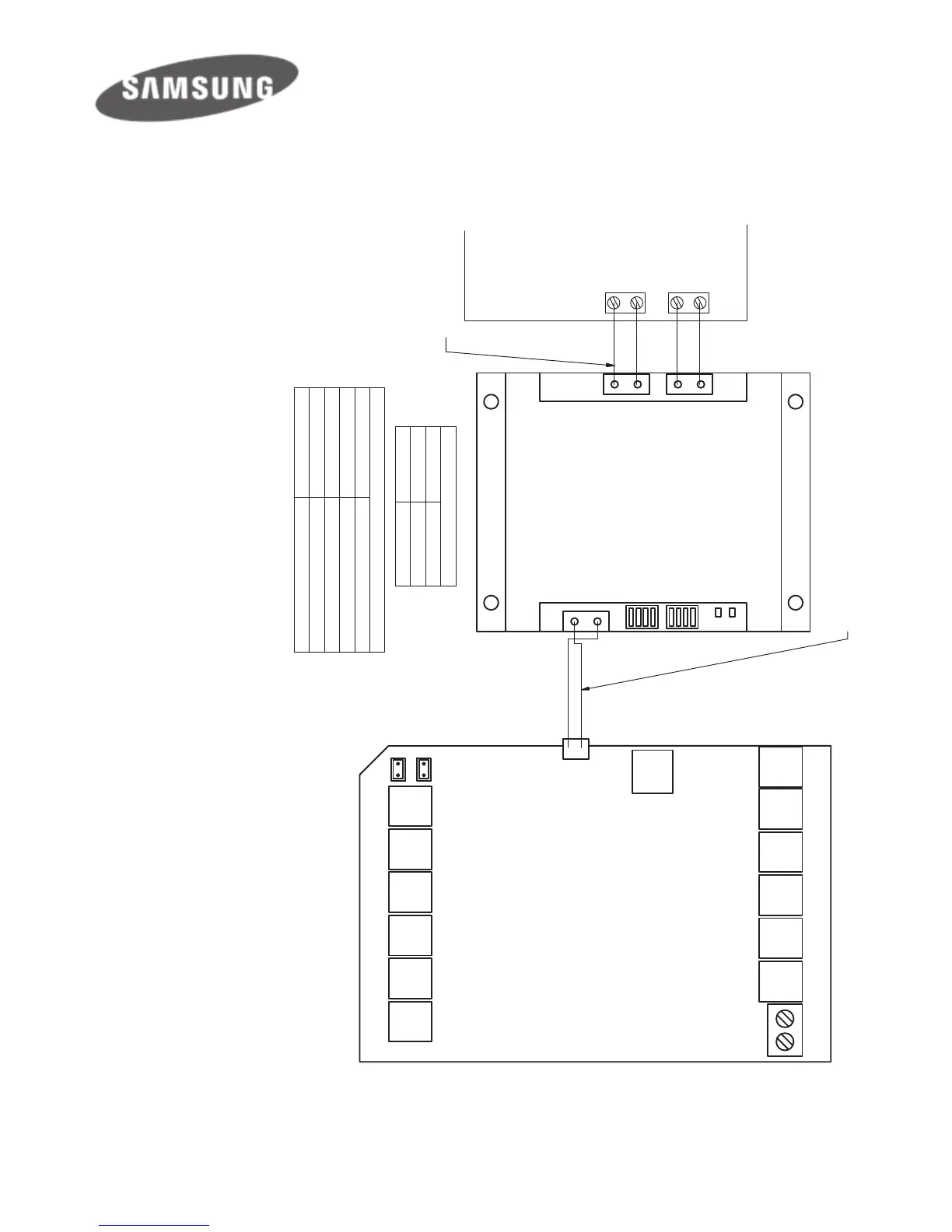
NOTE: If Samsung wall
controller is used with the
gateway, the Samsung wall
controller has to be set to
Master and the gateway has
to be set to Slave by switching
position 4 of S2 to 0 (O).
In this situation AirTouch 4
sensors cannot be used for
AC Temperature Control.
R
S
4
8
5
A
+
B
-
H
o
m
e
K
it
S/A2
E/M T Z1 Z2 Z3 Z4
Z8 Z7 Z6 Z5 B2 B1
L N
RS485
A+ B-
S1
S2
S/A1-2: Supply Air Sensors
E/M: Extension Module
T: Touchscreen
Z1...Z8: Zone Dampers
L and N: 24V AC Power Supply
B1 and B2: Bypass Dampers
HomeKit: HomeKit Module
RS485: AC Gateway
AC Gateway
F3 F4
F3 F4
AirTouch 4
S/A1
V1 V2
V1 V2
657211 (RS485 Cable) from Polyaire
(Provided with the gateway)
Master/Slave Setting
S2
Gateway As
0000
Slave
0001
Master
Four stripped wires
(field prepared)
AC Indoor PCB
Gateway Address Setting
S1
Gateway Address
1000 1
0100
2
1100 3
0010 4
657217
Note:
1. 0-Off, 1-On, x-On
2. This applies to gateways made in China
No-NASA (
657217
)
Wiring Diagram - New Version
Wiring Diagrams contd.


 To Next Page