14
POLYPRINTDTG.COM
QUICK USER GUIDE
| 09_STEP
Turn the gear, at the side of the printer clockwise until wiper ts inside.
| 10_STEP
Press Shift + Maintenance Button at Platen Control panel to exit
Maintenance Mode.
| 11_STEP
Move the head to parking position and continue turning the gear
clockwise until head is locked. Press Start Position Button to continue.
| 12_STEP
Wait for Texjet® printer to reboot. Bypass the Notice screens
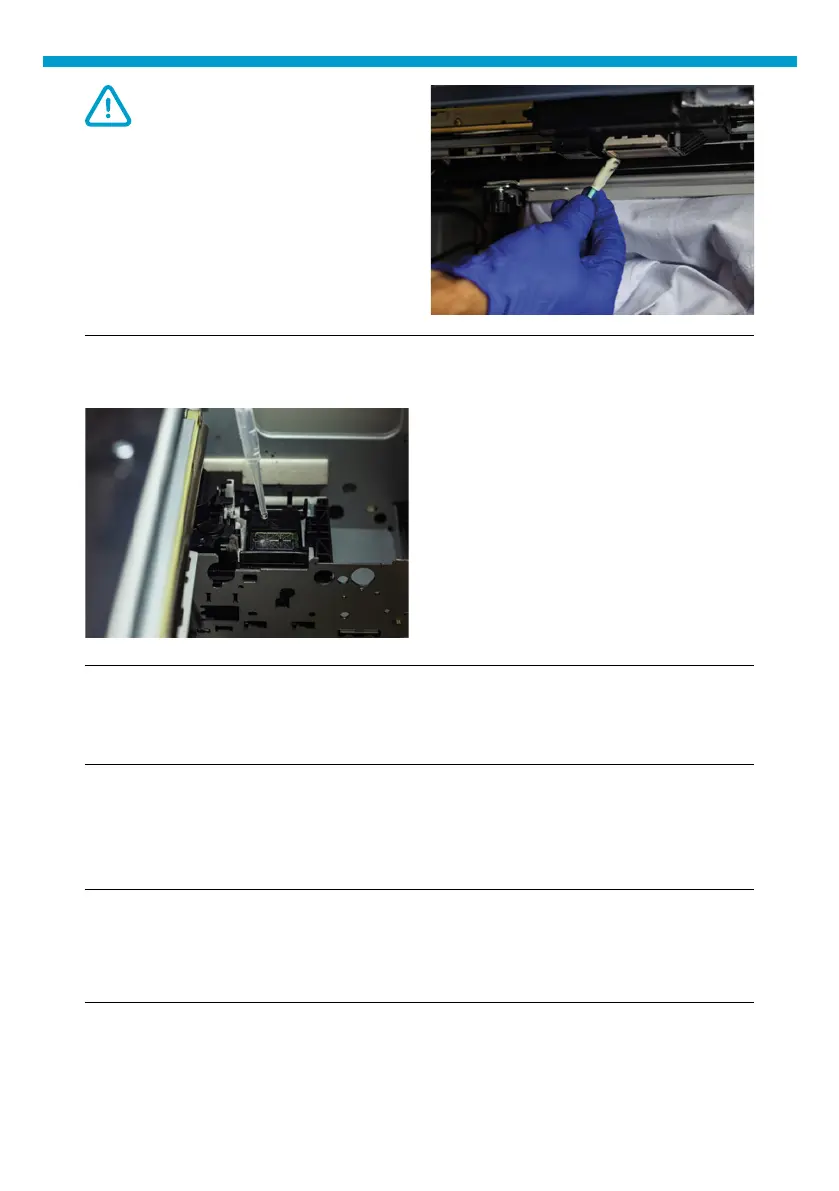
CAUTION:
Avoid touching the head
mirror while performing the
maintenance, as it might be
scratched. This will result to
the permanent loss of several
nozzles.
With the pipette provided with the
TexJet Series Printer, ll the capping
station with cleaning liquid.
Fig.19: Capping station lling process.
| 08_STEP
Fig.18: TexJet® Printhead cleaning.



 To Next Page