6
POLYPRINTDTG.COM
QUICK USER GUIDE
NOTE: Ink level must not exceed the max indication found on the side
of the cartridge.
Platen Movement
CAUTION:
If the cartridges are used for the rst time, remove the orange protective
tap from each cartridge.
CAUTION:
Do not move the platen manually
by force. Keep hands clear while
TexJet® echo² is in operation.
Emergency Stop Button
The purpose of the Emergency Stop Button is to stop the platen in a quick
and safe way, when there is a risk of injury or stopping the workow is required.
To continue working the TexJet
®
series printer unlock it, by turning the button
switch until it is released and follow the instructions on the Platen Control Panel.
To move the platen, use the Platen Control panel buttons.
| 03_STEP
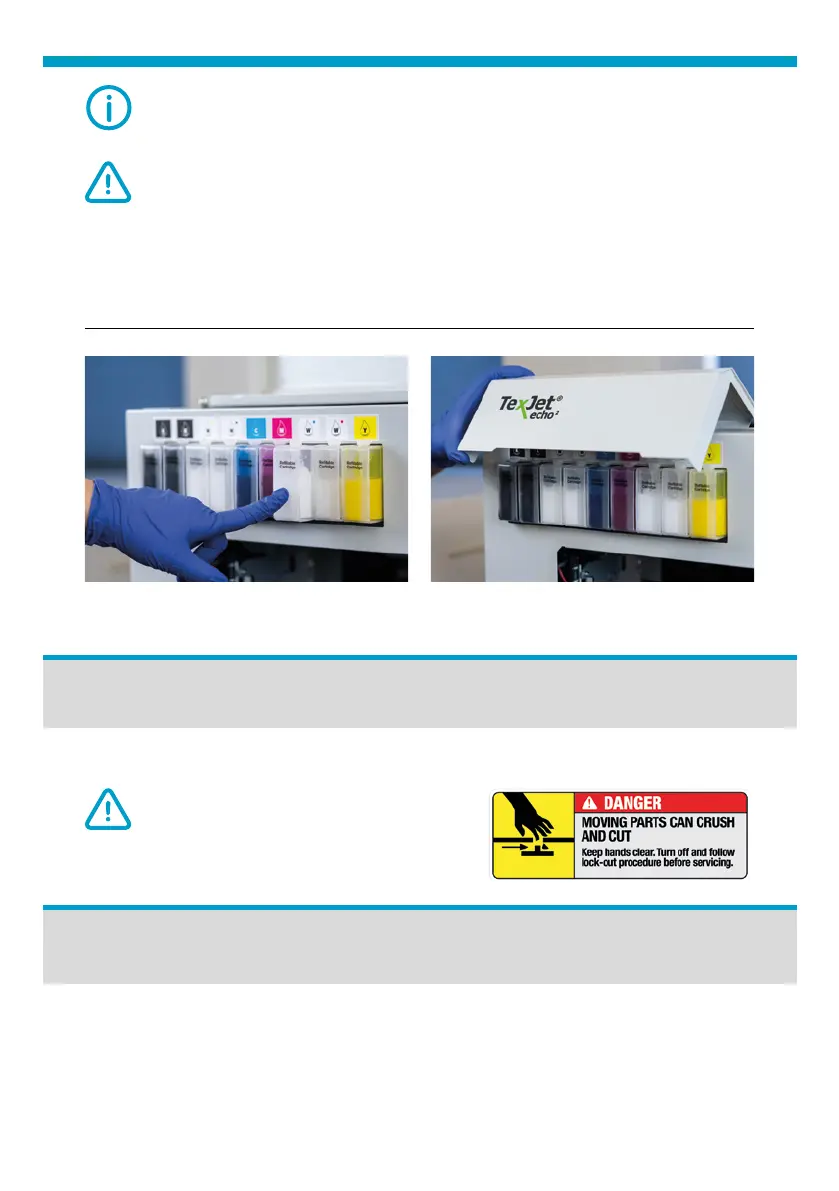
Put the cartridge back to the correct slot and close the cartridge cover.
Fig.10: Install Ink cartridge. Fig.11: Close Ink cartridge cover.



 To Next Page