4
POLYPRINTDTG.COM
QUICK USER GUIDE
NOTE: If there are still gaps in the pattern refer to page 18 for
instructions on cleaning the Print Head.
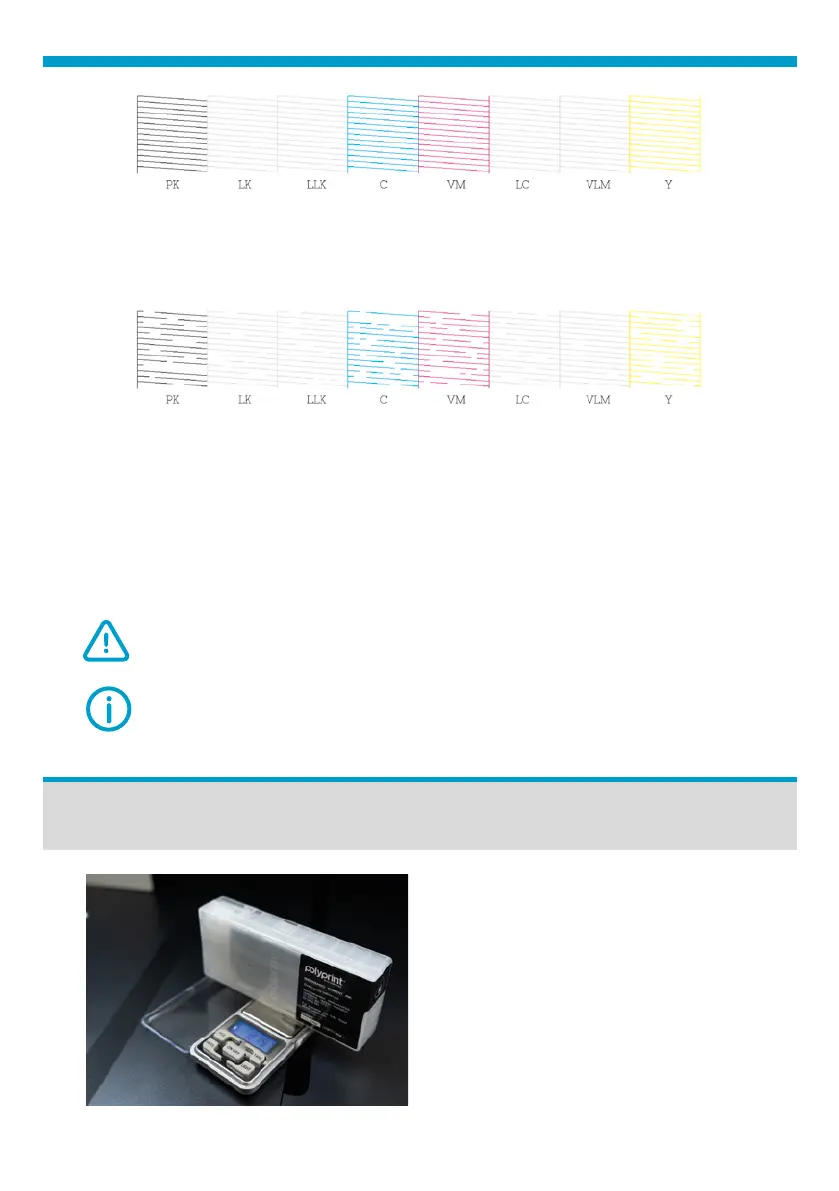
Fig.5: Nozzle check correct sample .
Fig.6: Nozzle check failed sample.
Sealed Ink Cartridge
If there are no gaps, or few nozzles per channel missing, the printer is
ready to print.
If there are gaps in the pattern, (more than 10 nozzles in one channel),
perform a Head Cleaning. If almost all nozzles in a channel-s are missing
perform a Heavy Head Cleaning.
From the Settings Icon, tap on Maintenance, Heavy Ηead Cleaning
and nally tap Head Cleaning.
CAUTION: Check Maintenance Tank Level before performing Heavy
Head Cleaning. Check Maintenance Cartridge Reset. (page 8)
In order to check the remaining ink
in the sealed ink cartridges, use the
scale provided with TexJet® echo².
Place each cartridge on the scale as
shown in the picture below.
Fig.7: Sealed Ink Cartridge scale.



 To Next Page