Polyprint S.A. Texjet+
Polyprint S.A – Texjet plus operation manual English V1.9
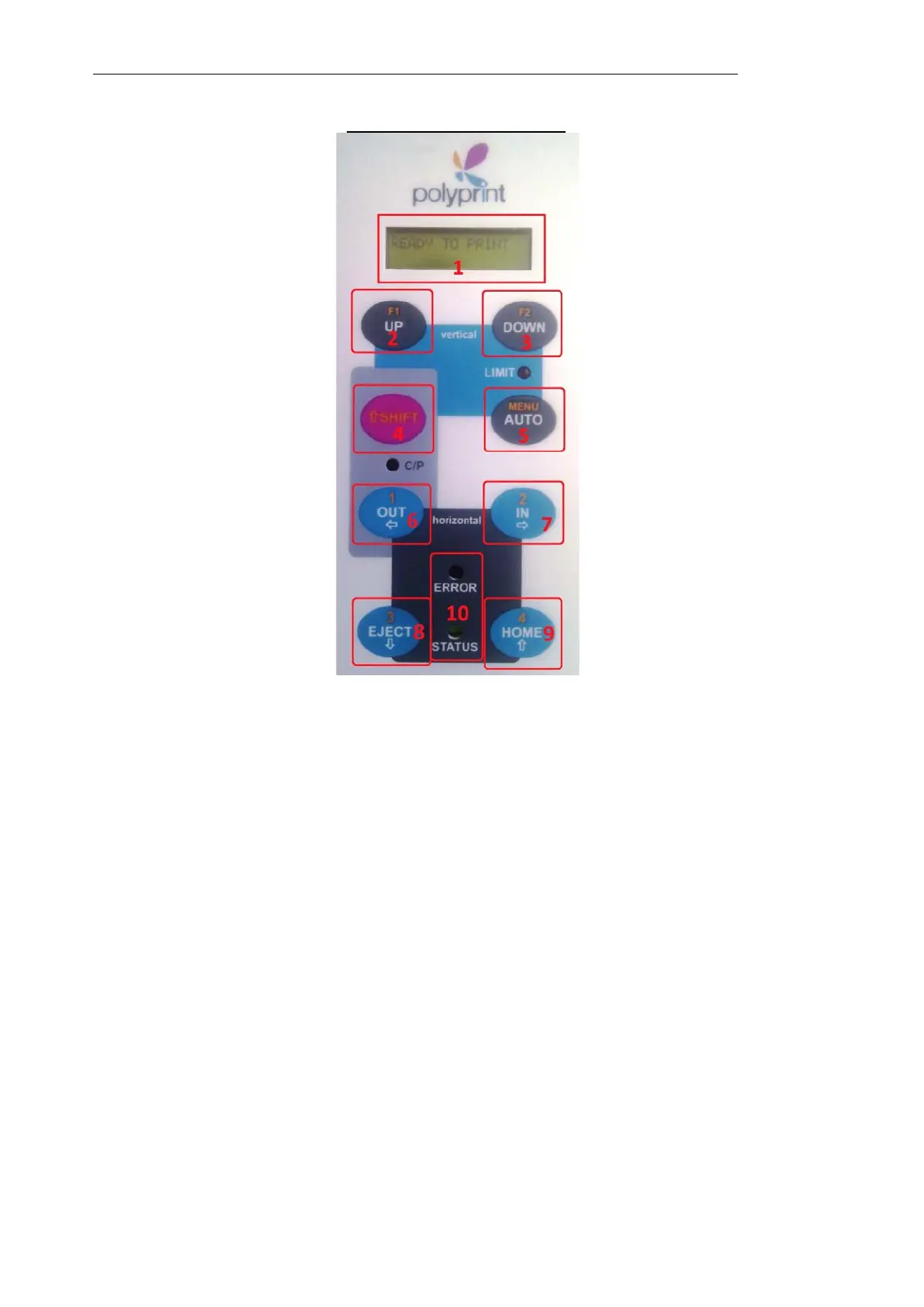
TexJet’s plus Panel Display
(2
nd
function line Normal Operation)
The large green button’s function is an exact duplicate of the ‘HOME’ button
No9.
1. TexJet’s Plus Display
2. Move table Up
With Shift: enable the special function, to recover from load paper error
Keeping hold during power ON: Diagnostic mode.
3. Move table Down
With Shift: enter/exit the maintenance mode for the printer
4. Shift operation button
5. Automatic height adjustment
6. Move table manually Out
With Shift: enable the automatic table movement for the dark t-shirts
7. Move table manually In
8. Move table automatically at the Eject position
9. Move table automatically at the Home position
With Shift: disable the automatic table movement for the dark t-shirts
10. LED lights Error/Status/Copies/Limit indicators. The keyboard is only activated
when the ‘Status’ LED light remains always ON.



 To Next Page