Polyprint S.A. Texjet+
Polyprint S.A – Texjet plus operation manual English V1.9
Name and location of the components
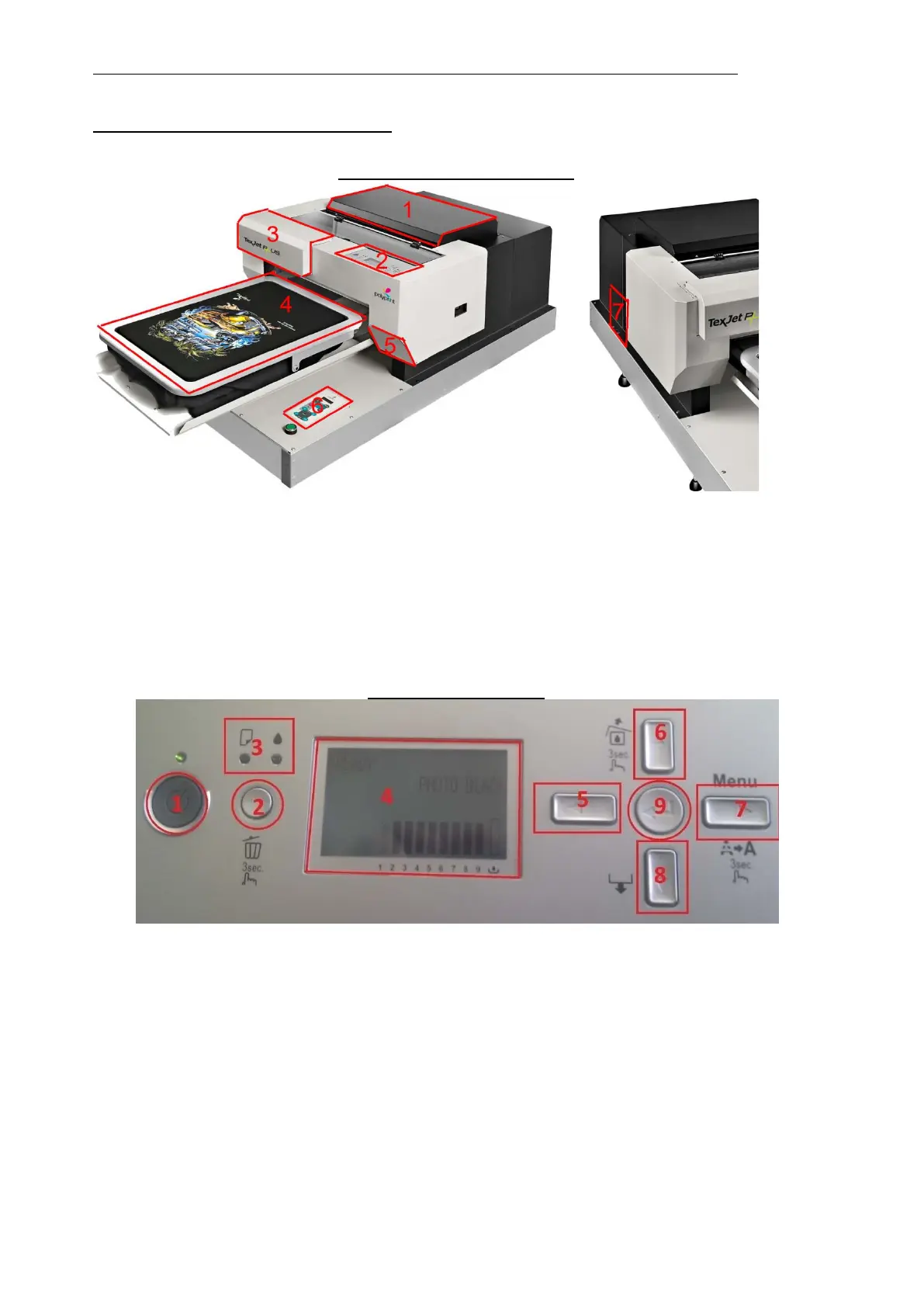
TexJet+ Exterior components
1. Top Board Cover
2. Epson Panel Display
3. Cartridge Holder Cover
4. T-shirt Tray
5. Maintenance Tank
6. Texjet Plus Panel Display
7. Cable Connection Interface
Epson’s Panel Display
1. Power ON/OFF
2. Delete button (for 3 secs)
3. LED light error indicators
4. Epson Display (shows the printer status, ink levels, menu, error messages etc)
5. Left arrow (also ‘back’)
6. Up arrow
7. Right arrow (also ‘menu’ button. Press it for 3’’ for normal head cleaning)
8. Down arrow
9. Enter button (press it to select the respective option when prompted)



 To Next Page