Polyprint S.A. Texjet+
Polyprint S.A – Texjet plus operation manual English V1.9
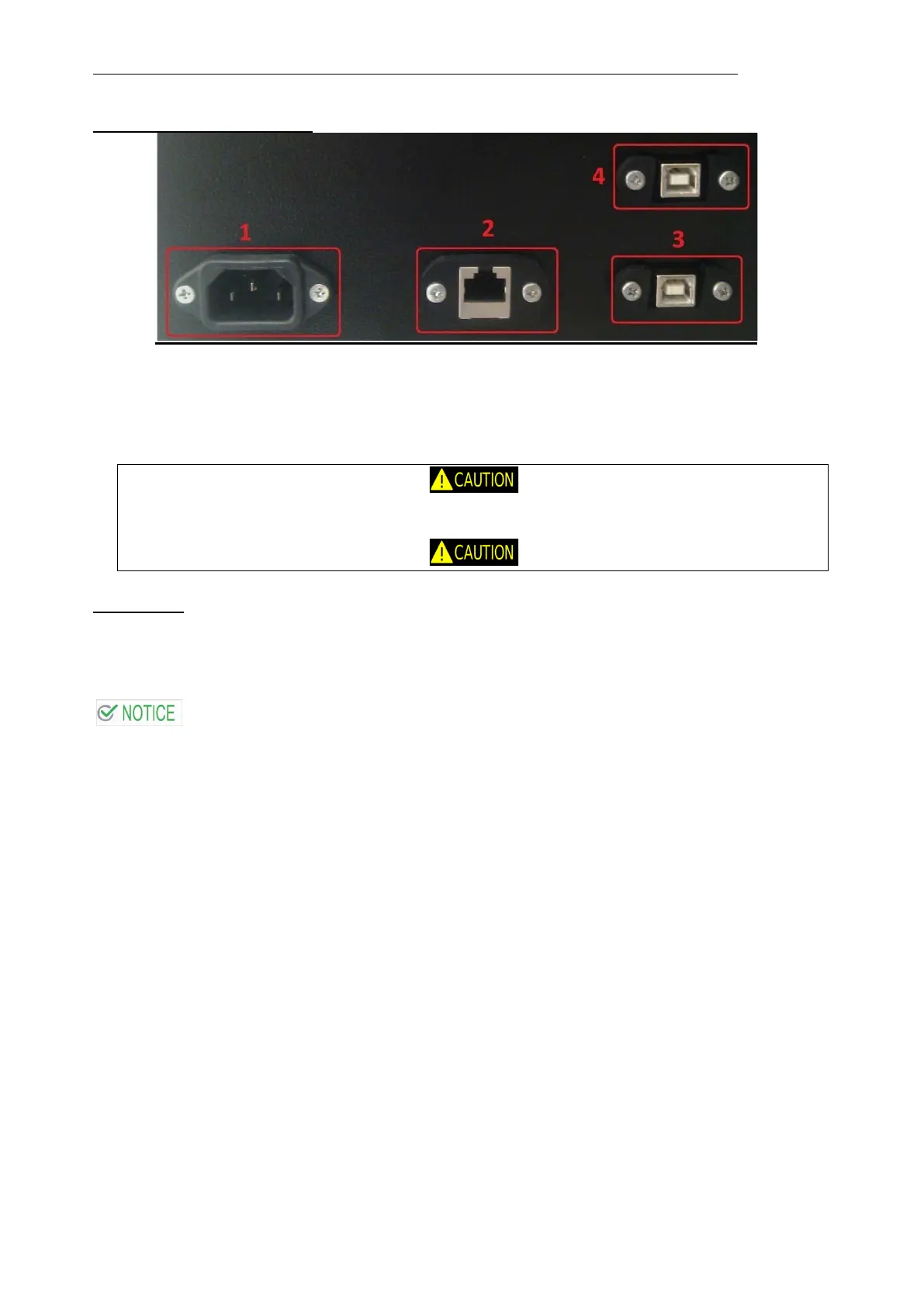
Cable Connection Interface
1. Power Supply (220V-240V)* socket
2. Network (Ethernet-LAN) connection socket
3. USB connection socket (used for printing)
4. USB connection socket (used only for firmware update)
*** ***
For countries with 110V power network, the user must use a voltage converter
(110V220V).
*** ***
Use the USB cable to connect the machine to the computer.
Data cable:
To connect the printer to a USB port, you need a standard shielded USB cable. To print at full
speed it is necessary to use an USB2 interface.
If you use an inappropriate cable or connect peripheral devices between the
printer and the computer, the connection may become unstable.



 To Next Page