13
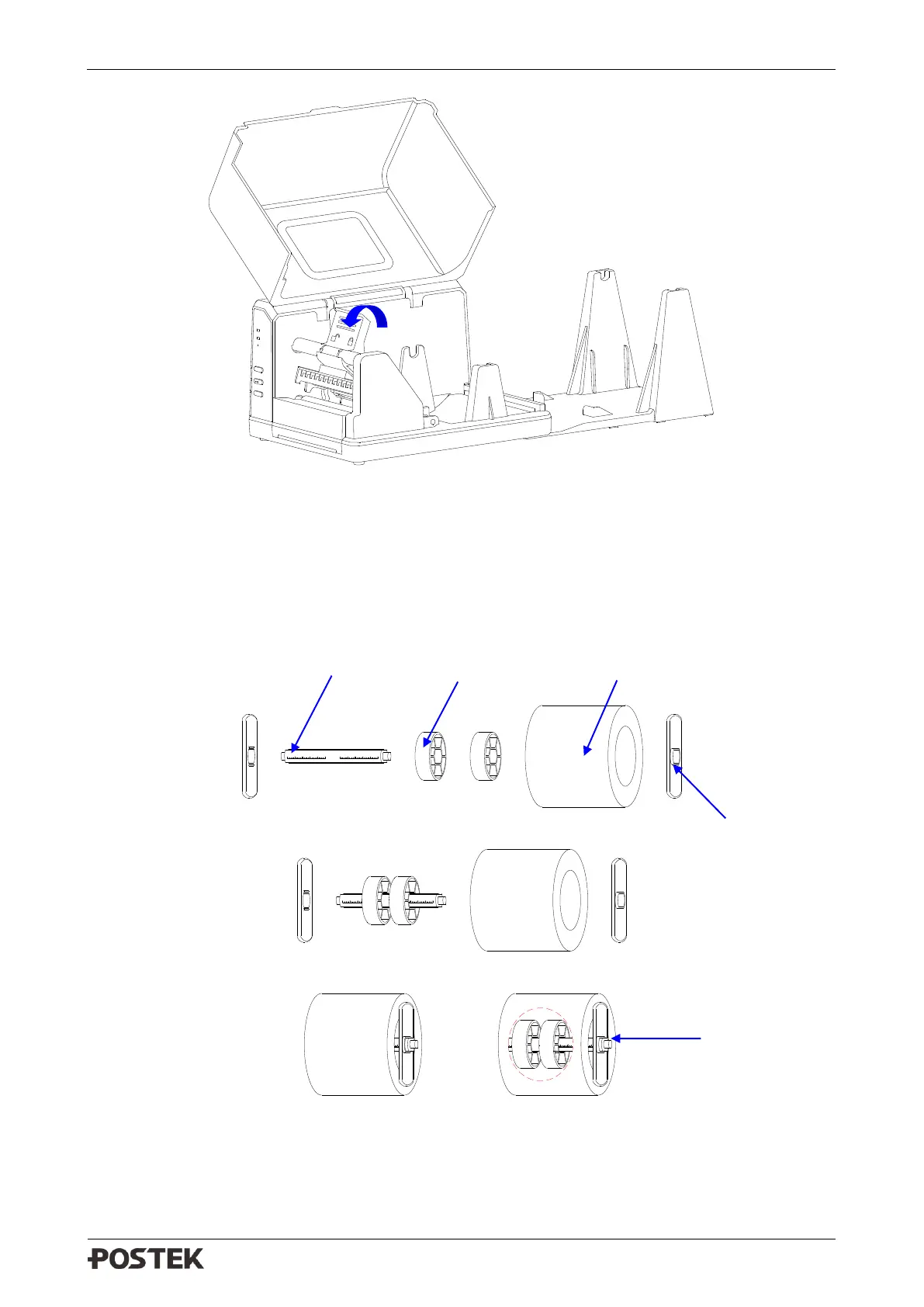
Figure 2-9 Lift the Handle
3. Load a roll of media (labels facing up) on the Media Spindle, then slide the two Media Roll
Guides, with smooth sides facing toward the media, onto the Media Spindle from each end until
both Media Roll Guides touch the media. When placing a roll of media with a 3″ ID core,
please slide the two Core Adapters onto the Media Spindle first, as shown in Figure 2-10.
4.
Figure 2-10 Place Media Roll on Media Spindle
5. Place the entire unit onto the External Media Stand.



 To Next Page