Color Temp/Color Space/Gamma Menu (OBM-U090)
Camera Log
Selects a camera log for the input signal.
[Off]: Sets off the camera log.
[Default]:
The log which is selected in [Default Log Sel.]
menu is applied.
[User]: The log which is selected in [User Log Sel.]
menu is applied.
[Import Log Data]: Allows the user to save the Log
LUT in USB memory sck to the monitor.
The saved LUT can be used in User Log.
Default Log Sel.
Allows the user to select a camera log among
C-Log, Log-C EI 160~3200, S-Log2 To LC-709,
S-Log2 To LC-709TypeA, S-Log2 To Slog2-709,
S-Log2 To Cine+709, S-Log2 To LC-709, S-Log3
To LC-709TypeA, S-Log3 To Slog2-709, S-Log3
To Cine+709, J-Log1.
User Log Sel.
Selects User Log 1 to 4.
**Note
- If you insert the USB memory sck which contains
the user log data to the monitor and push Enter in
[Import Log Data] menu, the data is saved to the
monitor.
- The file name of the user log data is displayed on
the OSD up to 15 characters, and the log data file
should be placed on the top folder of the USB
memory sck.
Ex) If the file name is ‘S-log3 to LC709_A.cube’,
it is displayed as ‘S-log3 to LC709’ on the OSD.
Back Light
Adjusts the level of the back light.
If the back light value is increased, the screen
becomes brighter.
** If the seng in Color Temp. menu and Color
Space menu is changed, the value of Back Light
returns to the default value of the color
calibraon in the factory.
OBM-U/X Series
4K LCD Professional Monitor
with 12G-SDI, Quad Link 4K
20
Page 3/3
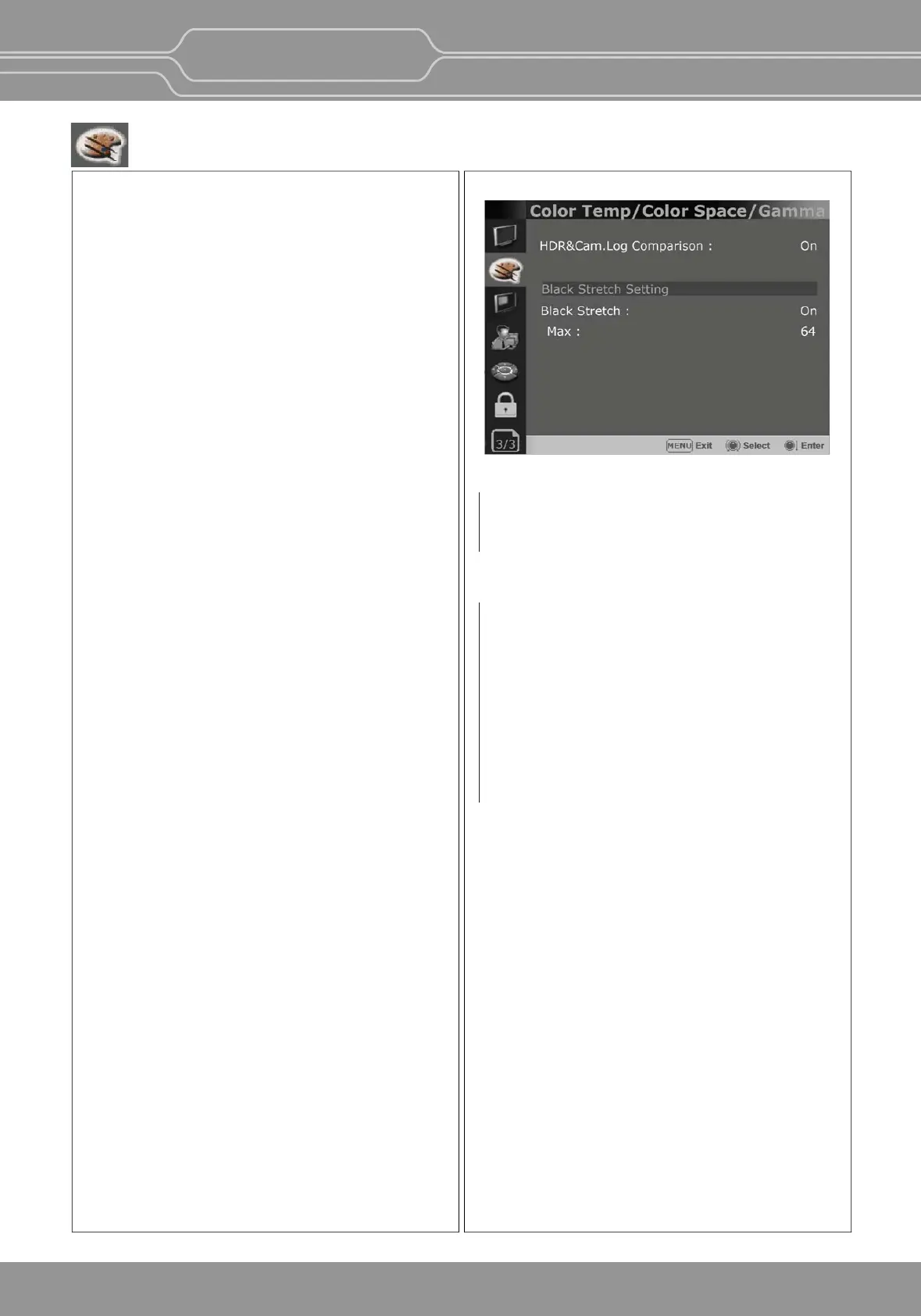
HDR&Cam.Log Comparison
Splits the screen side-by-side to apply HDR or
Camera log to the le side and compare it with the
right side.
Black Stretch
This mode can be used to increase shadow detail
without changing the absolute black level, and
without affecng mid-tones. The Black Stretch
increases the visibility of subjects in dark areas,
not degrading image quality in bright areas.
Max
Adjusts the maximum range to apply the Black
Stretch.
The range is adjustable from 0 to 1023.


 To Next Page