14
6.10.2 EPG recording
You will never miss your favourite program
again by selecting programs to be recorded
iva the EPG.
Press the EPG key to display the Electronic
Program Guide. Highlight the program you
wish to record using the left and right arrow
keys.
Press OK key on the selected program to set
the EPG recording.
You can edit or delete the scheduled EPG
recording event in the schedule window
which is now displayed.
1. Press LEFT/RIGHT key to choose the
channel.
2. Press LEFT/RIGHT key to choose the
Schedule Mode.
3. Press”0…9” number key on the remote control to set the Event time.
4. Press OK key to confirm.
5. Press EXIT key to exit.
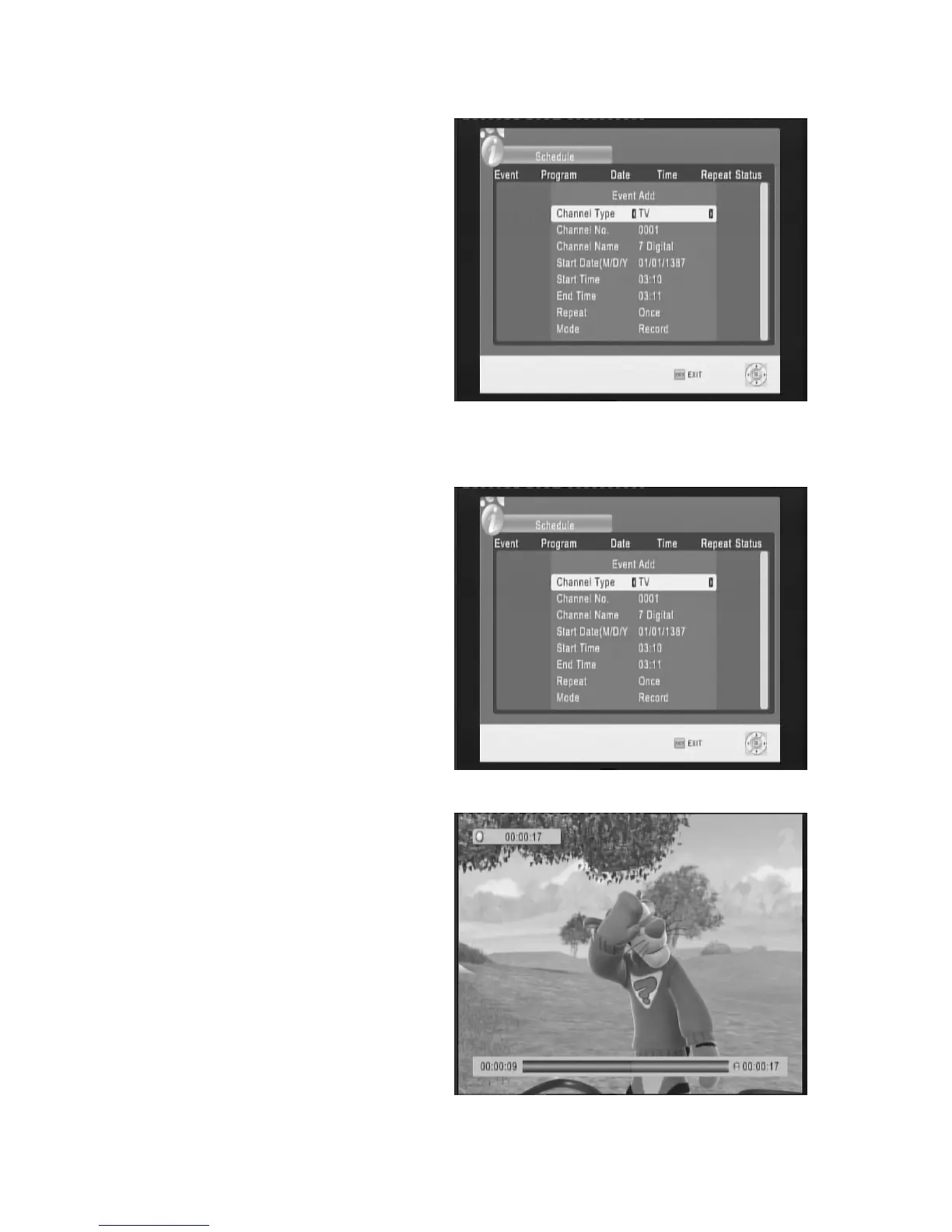
6.10.3 Timer recording
You can set a manual timer recording to
record at specific time.
Press the EPG key and press the INFO key.
This will display the Schedule window. In this
menu select the parameters of the time frame
to be recorded. Channel Type, Channel No.,
Start Time and End time, Repeat and Mode.
6.10.4 Timeshift
Press the REC key to start Recording first,
then Press Play key to start timeshift function.
In the function of timeshift you can Press the
YELLOW key to FF. or Press the GREEN key
to REW .It support the speed X2、X4、X8、
X16、X32, and you can Press the pause key
to pause the program during watch program
You can Press the STOP key to stop the
timeshift function, and you must press the
STOP key again to stop the Recording



 To Next Page