15
6.10.5 Playback recorded program
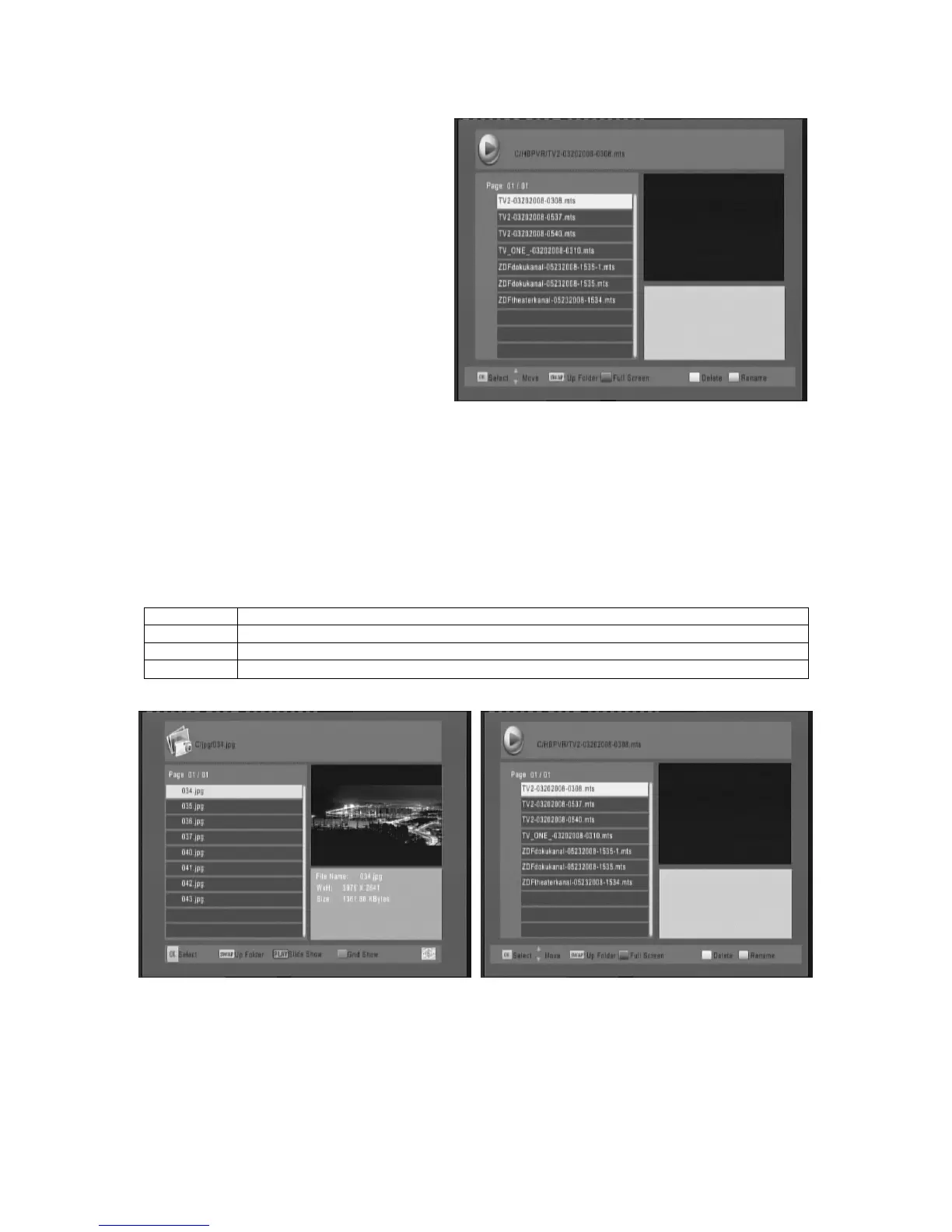
Press PVR key to display the recorded
program. Follow the help information to
preview, playback the recorded program and
edit the recorded program.
1. Press UP/DOWN key on the remote
control to move the cursor in the
recorded program list and press OK key
to play highlighted file.
2. Press Swap key to return to upper
folder/menu;
3. Press RED key to switch between
Preview/Full screen;
4. Press GREEN key to Rename the
current file while the file is not playing;
5. Delete highlight the file then press the
Yellow key while the files is not playing.
6.10.6 Multimedia player
A multimedia player feature also has been integrated on the receiver. Press the MENU key and select
USB using the UP/DOWN arrow keys. Press the OK key and select Multimedia to display the
multimedia player window. In this window you have a choice of MUSIC, PHOTO, MOVIE AND PVR.
Select your preference using the UP and Down arrow keys and press the OK key. Supported files are
listed below. NTFS, FAT32 file systems are supported. PVR key to display multimedia player window.
You could show your preference photo, playing music and movie on multimedia player. Known
supported files are listed below. NTFS, FAT32 file system could be supported at the moment.
Player Supported file
Photo JPEG, BMP, PNG
Music *.wma, *.mp3, *.m4a, *.aac
Movie
*.
avi, *.mpg, *.dat, *.vob, *.div, *.mov, *.mkv, *.mjpeg, *.ts, *.trp, motion jpeg



 To Next Page