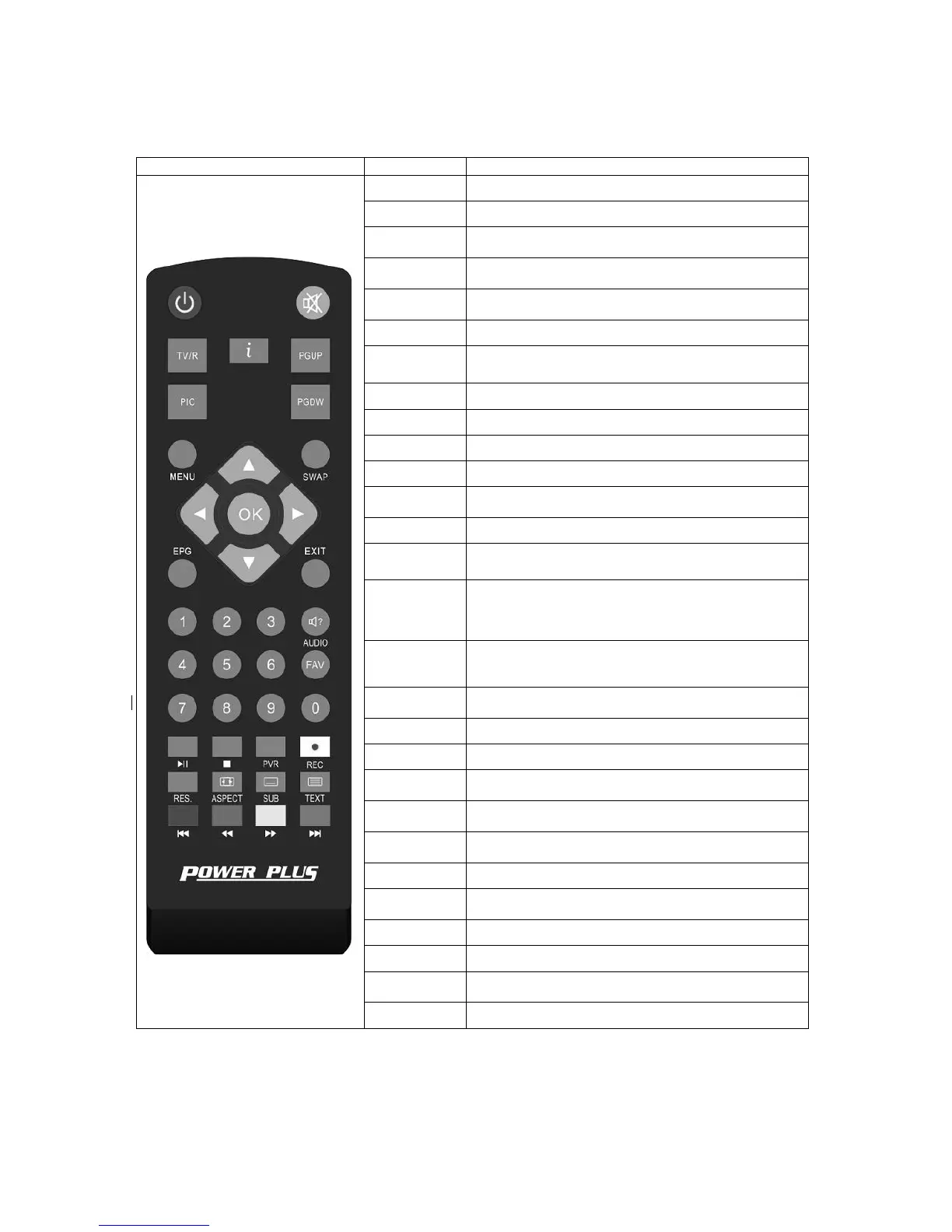
3 THE
REMOTE
CONTROL
Photograph Key Function
MUTE
Disable Audio output
STANDBY Standby/on
0…..9
0-9 numeral buttons, for input of numbers or for
selecting a TV channel
S
Recall last channel while watching digital TV or listening
to radio.
TV/ R
Press TV/R key to switch between TV program and
Radio program.
RED
Function key in different page.
GREEN
Function key in different page.
YELLOW
Function key in different page.
BLUE
Function key in different page.
MENU
Display menu, press again to exit current menu
EXIT
Press INFO. Key to display the information bar during
watch program.
Press EPG key to display 7 days EPG information.
UP / DOWN
Move selection up/down within menus and lists,
Select
next/previous channel
LEFT / RIGHT
While watching a channel, the LEFT/RIGHT buttons
decreases or increases the audio output volume.
Within a menu, press the LEFT button to return to
previous menu and the RIGHT button to next menu
OK
Call up a program list for the current channel while
watching digital/TV or listening to the radio. In a menu,
this button serves to confirm a selection.
PGUP/ PGDW
Display favorites channel
Press REC key to record the current program during
watch TV program
Press STOP key to stop recording program or stop
program during watch PVR program.
PLAY/
Playing or pause the program during watch PVR
program
Press PIC. key to select the picture settings
Press ASPECT key to select suitable aspect ratio of the
video output
TELETEXT
TELETEXT function key
SUBTITLE
Switch between different subtitles
AUDIO
Press AUDIO key to set the audio track and audio
mode
RES.
Switch resolutions of video output



 To Next Page