6 PowerBox-Systems − World Leaders in RC Power Supply Systems
c) Settings
This menu is used to enter your name, set the time display format and select your preferred language. At
this point you will also nd the Display settings such as background and icon colour, and the Audio menu for
setting the various volume levels.
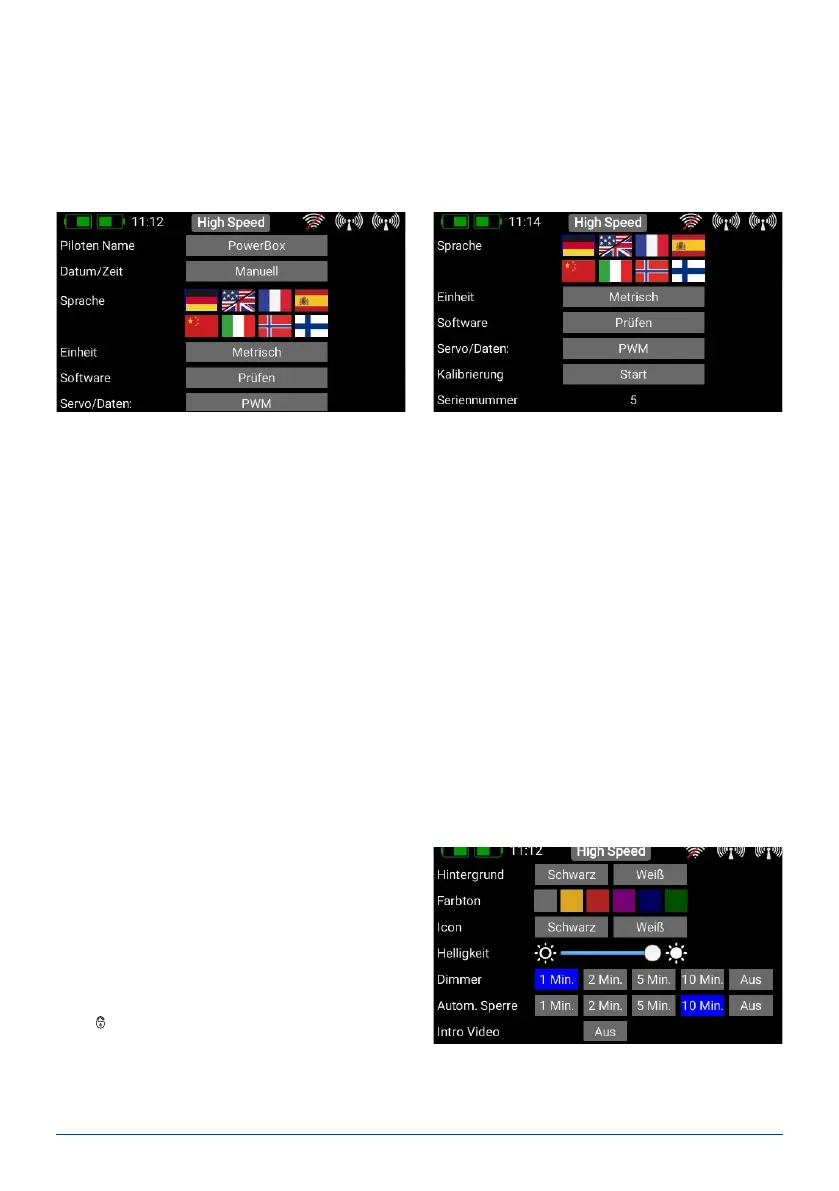
- System
The System sub-menu is used to enter your name and select your preferred language.
It is very important to set the correct Time of day and Date, as the telemetry data log les cannot be assigned
unambiguously without that information. Please be sure to set the date and time of day. A later update will
activate the internal GPS of the CORE, and at that time the clock will set itself automatically.
It is also important to set your preferred units of measurement: the system sends your choice of Metric or
Imperial to the telemetry sensors, and the sensors then deliver all telemetry values using your preferred units,
such as kilometres / miles or litres / gallons.
The Software menu will be discussed later; the transmitter and receivers can be updated at this point.
The Servo / Data setting determines whether the 3-pin output under the cover generates a PWM servo signal
to act as a servo tester, or a real-time telemetry output in the P²BUS format. The latter makes the telemetry
data from the model accessible at the transmitter itself for further processing. Typical uses of this would be for
recording devices or variometers with expanded functions used for Triangle competitions.
In a future update this port will also serve as an S.BUS input, making it possible to set up Teacher / Pupil ope-
rations with other radio control systems.
Another important point is the Calibration menu; this is described in full at a later stage.
- Screen
In the Screen sub-menu you can select the background colour and icon colour.
The brightness control should be set to a value
which enables you to see the screen content clearly
and distinctly. Please note that the screen bright-
ness does have a perceptible effect on battery dura-
tion!
The Dimmer time setting determines the point at
which the screen is automatically darkened. The
automatic screen lock can be released again using
the
- button (quick-select button, bottom left). The
Intro Video setting enables you to switch the brief
CORE logo sequence on or off when the system is
switched on. Disabling it shortens the initial boot
time by a few seconds.



 To Next Page