21
3 OPERATIONS continued
Interface Setting
Parameter 2: Set the charging current by pressing the
Down key or Up key.
For 1KVA model, there are four options, 2A, 3A, 4A and
5A. (Default: 5A)
For 2KVA model, there are six options, 2A, 3A, 4A, 5A, 6A,
8A and 10A (Default: 10A)
For 3KVA model, there are six options, 2A, 3A, 4A, 5A, 6A,
8A and 10A (Default: 10A)
Interface Setting
Parameter 2: Enable or disable auto restart function.
You may choose the following two options.
ENA: auto restart enable(Default)
DIS: auto restart disable
Interface Setting
Parameter 2: Set the minimum battery capacity by
pressing the Down key or Up key.
There are four options: 0%, 15%, 50%, 90% (Default: 0%)
15%: When 15% is selected, the UPS is discharged
until battery automatically shut down during power
failure. After the utility power is restored, the UPS will
automatically restart when battery capacity is greater
than 15% again.
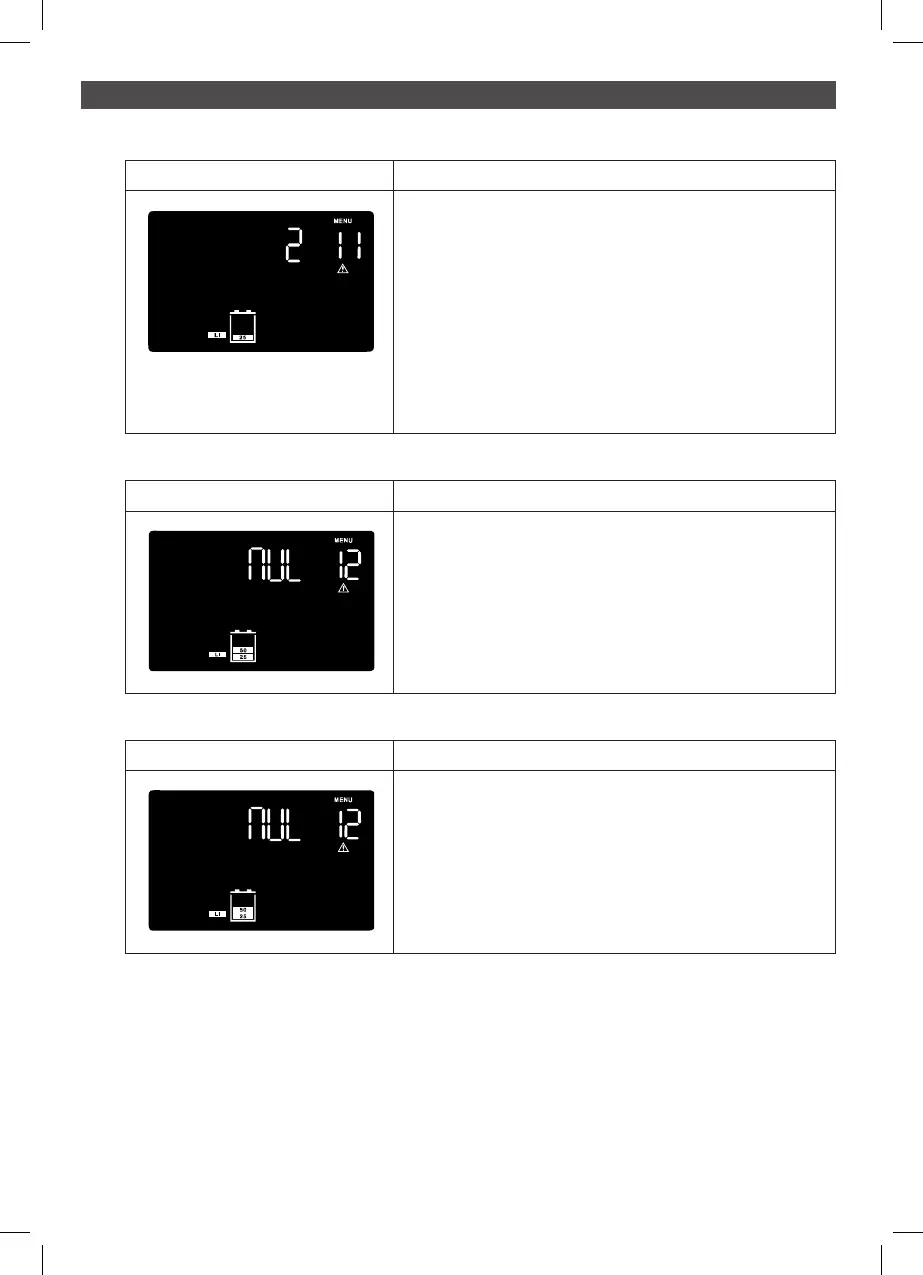
Interface Setting
Parameter 2: Set the remaining battery time to trigger the
low battery warning by pressing the Down key or Up key.
There are four options: 2 min, 5 min, 7min, 10min
2min: When 2min is selected and the remaining battery
discharge time in battery mode is less than 2min, the
UPS will activate “Battery Low” alarm. The alarm will
continuously sound for 2 minutes.
Note: If “Battery Low” alarm is triggered, the alarm will
continuously sound until the setting time is achieved.
11: Low battery state indication setting
Interface Setting
Parameter 2: Shield EOL warning of lithium battery.
You may choose the following two options:
NUL: Do nothing (Default)
CLO: Shield lithium battery EOL warning for one week.
Note: EOL means the end of life for a battery.
12: EOL alert setting
Interface Setting
Exit the setting mode.
00: Exit setting



 To Next Page