INDEX
8
T-SERIES | SERVICE MANUAL
5. Description of The Amplifer Parts
5.1 External
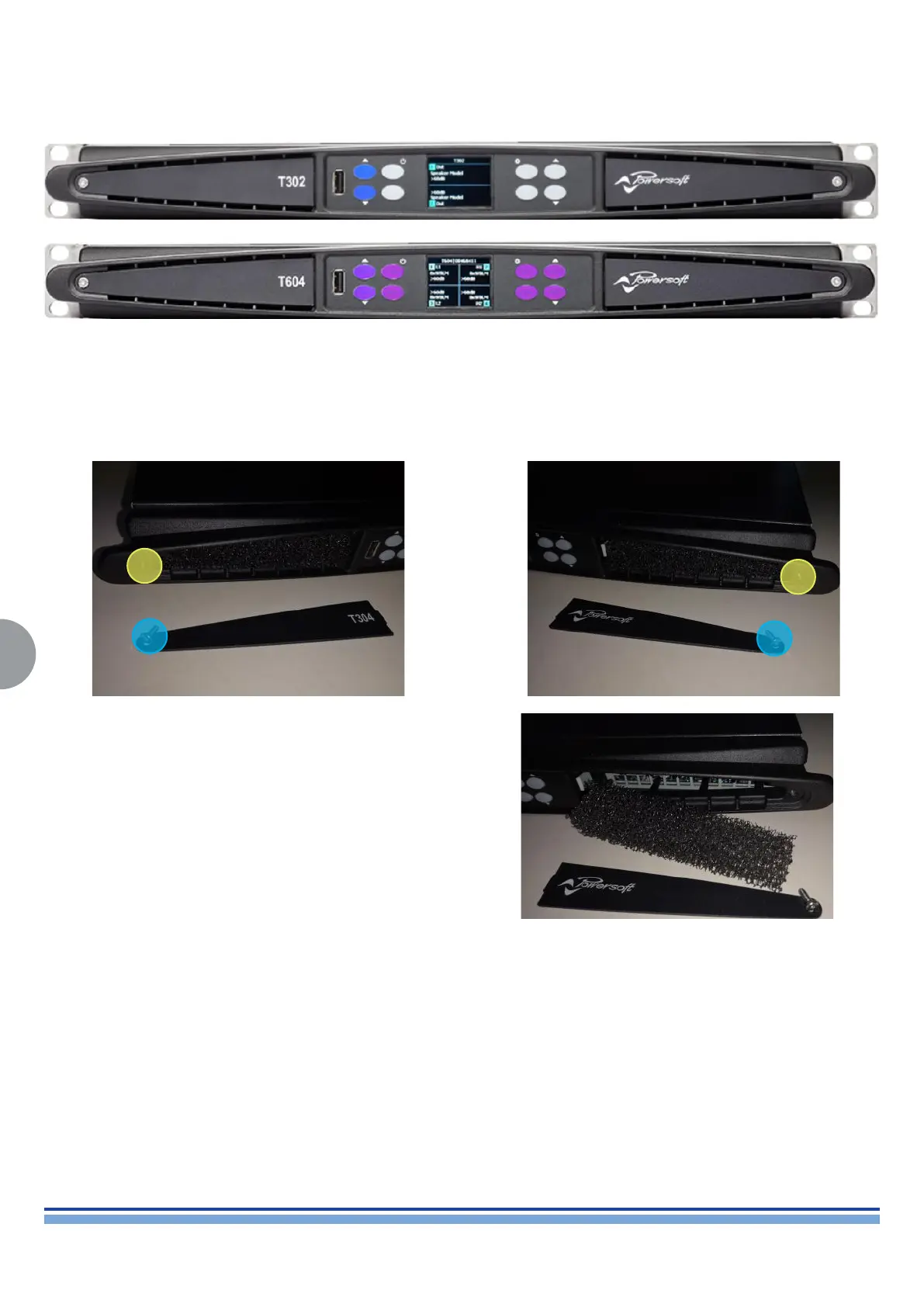
The left side and right side panels can be extracted by unscrewing
the screw with a T9 Torx Screwdriver on both side of the Amplier,
releasing them which holds them in place.
In order to clean the lters, soak them in a mild soap and water
solution, rinse them out thoroughly and let them dry.
Please note that this is the only action that may be performed
by the user, any other evidence of tampering will result in the
immediate termination of the warranty.
5.1.1 Replacing the Filters



 To Next Page
 Loading...











