◆ Switch ON the output breaker of the module.
◆ Switch ON the input breaker.
The UPS powers from the static bypass instead of the maintenance bypass, then
the bypass LED will light up.
◆ Switch OFF the maintenance bypass breaker, then the output is supplied by the
static bypass of the UPS.
◆ Put on the maintenance switch cover.
The rectifier will operate normally after 30 seconds. If the inverter works normally,
the system will be transferred from bypass mode to normal mode.
4.2.4 Black(Cold) start procedure
CAUTION!
Follow these procedures when the input AC Utility Failure, but
battery is normal
◆ Turn on the battery switch.
The battery will feed the Auxiliary power board.
◆ Turn on the Output switch.
◆ Switch ON the power breaker (power will feed to auxiliary power board).
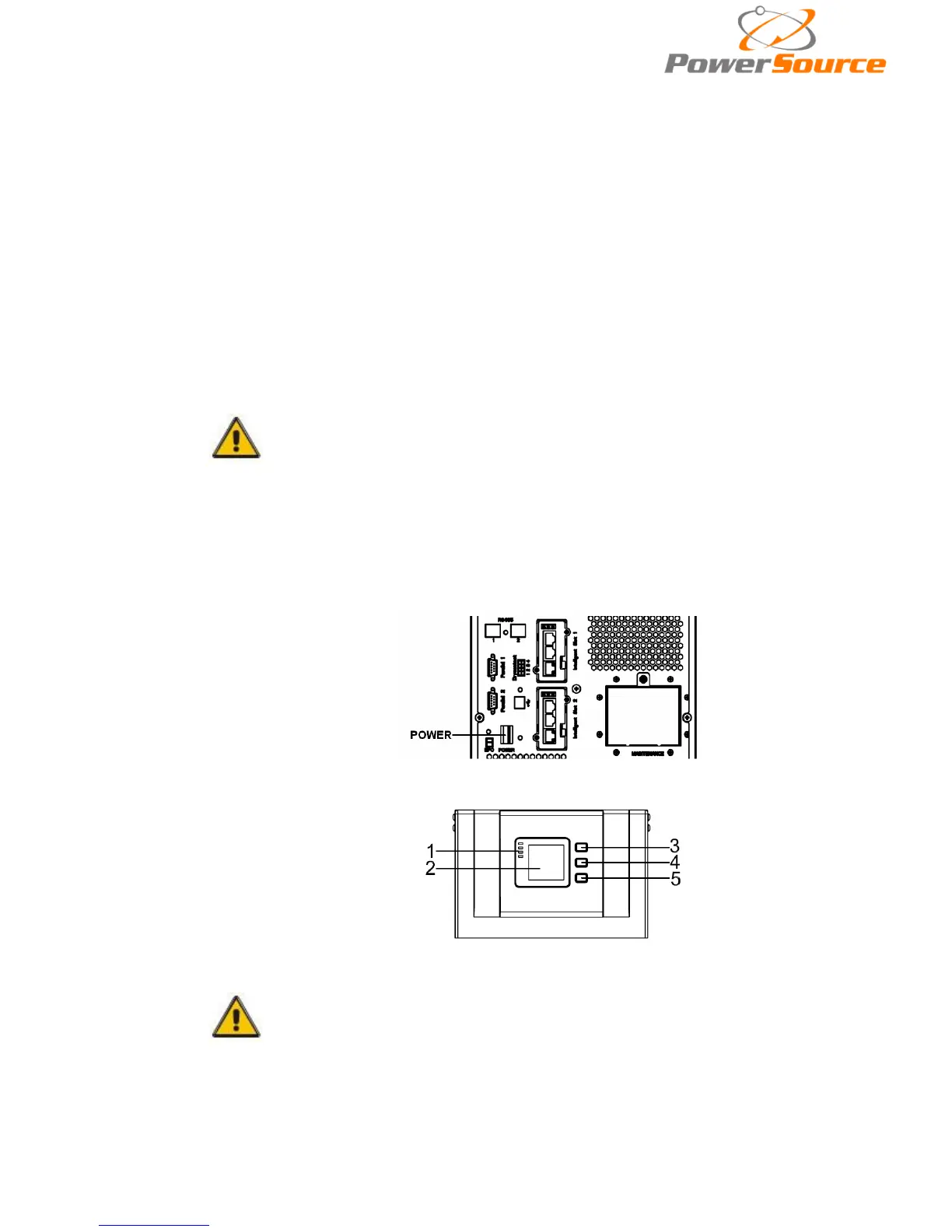
◆ Trigger the cold start button as the position 5 of the below drawing.
When battery normal, rectifier starts operation, 30s later, inverter starts and
operates and battery LED on
CAUTION!
Please press the close start button after 30 seconds until closing
the battery switch.


 To Next Page