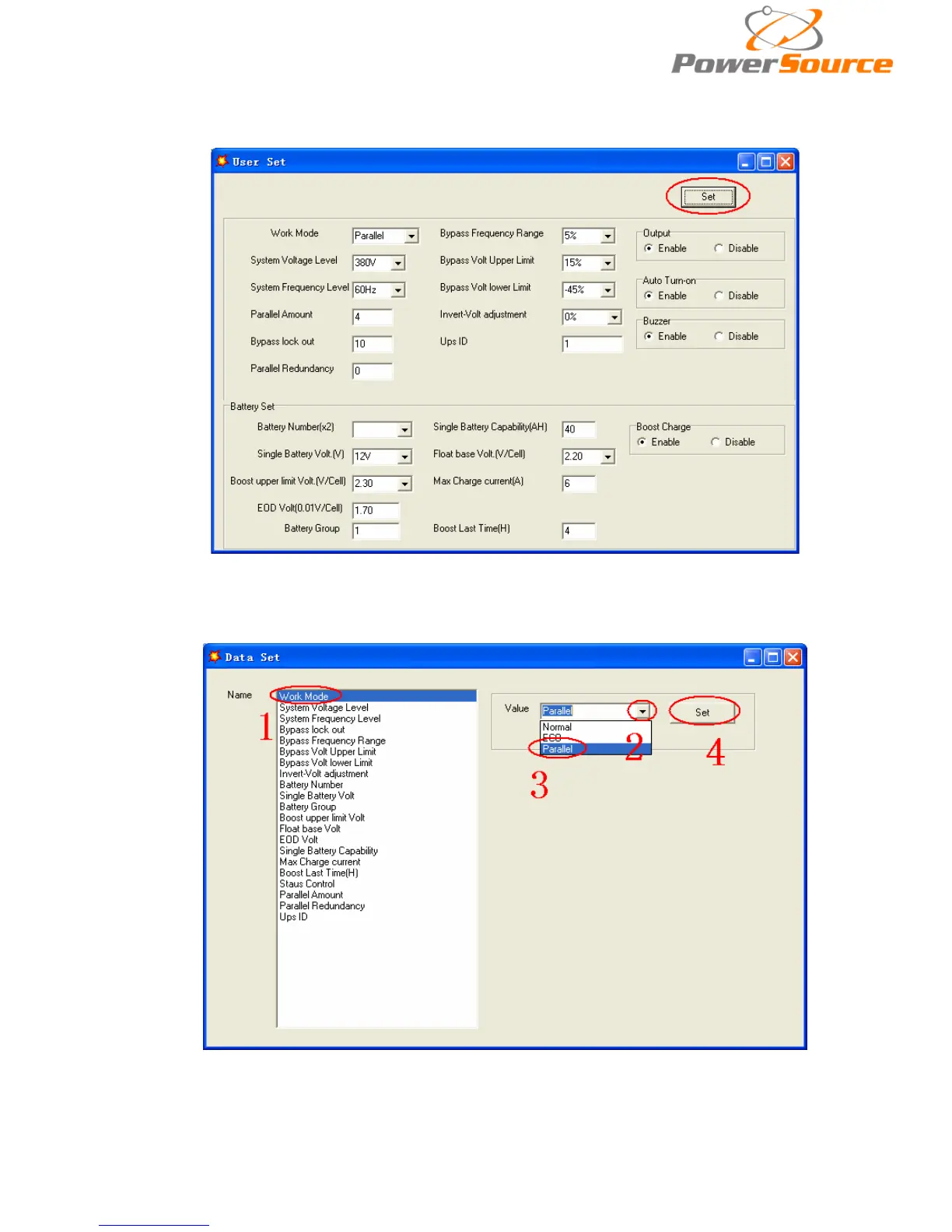
◆Click ‘Set” at “User Set” window;
◆At the window of “Data Set”, click “Work Mode”,, choose “Parallel” for the value, then click
“Set” as shown in below picture. If the UPS sounds a “beep”, that means the setting is correct.
◆At the window of “Data Set”, click “Ups ID”, write a value for the parallel UPS ID at the right
side, such as “1”, then click “Set” as shown in below picture. If the UPS sounds a “beep”, that


 To Next Page