EasyManua.ls Logo

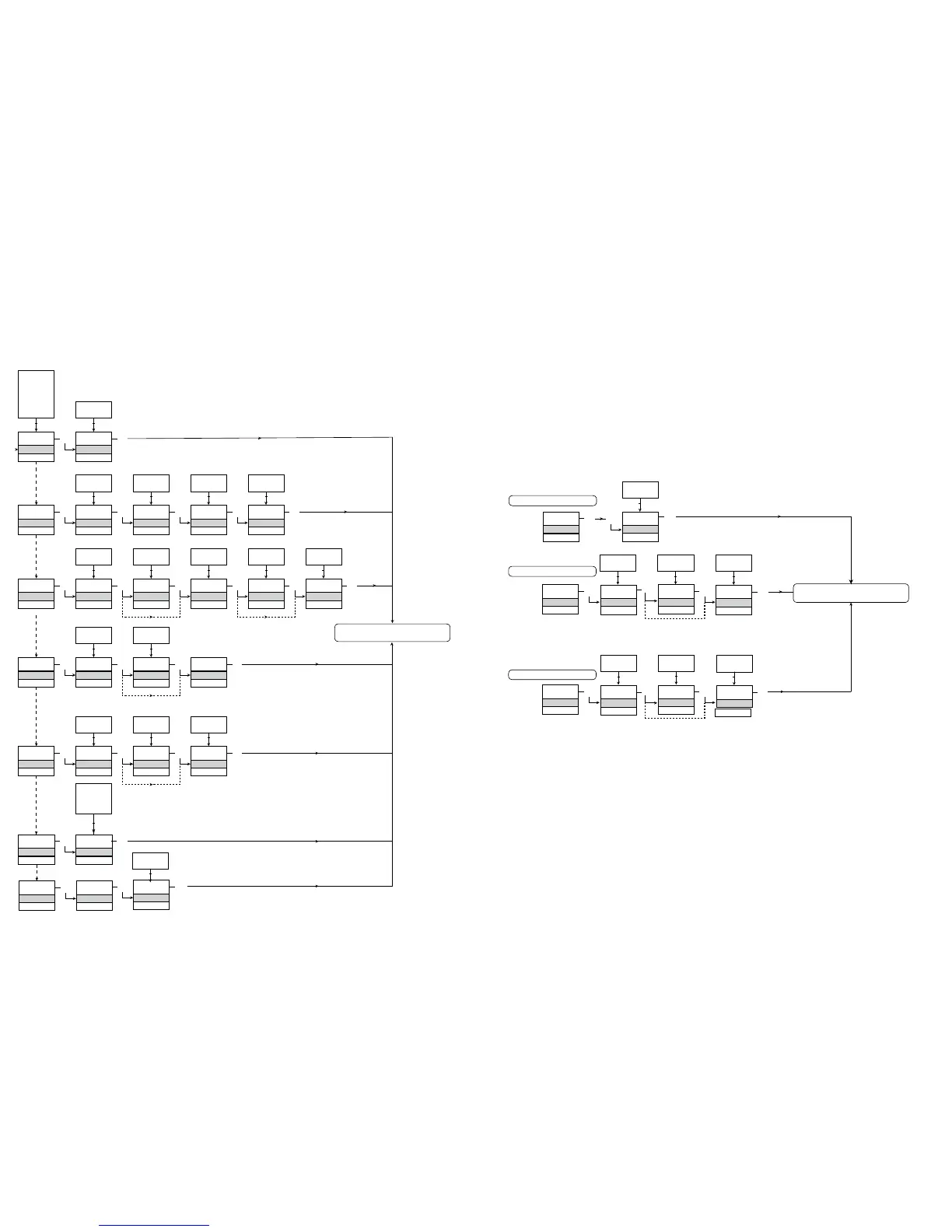
PR PReasy 4116 - Routing Diagram: Advanced Settings; Memory, Display, and Calibration Setup; Simulation, Password, and Language; Relay Latch and Reset Configuration

PR PReasy 4116
Print Icon
To Next Page IconTo Next Page
To Previous Page IconTo Previous Page
Loading...
SAVE
MEMORY
Txt 44
3
SAVE
LOAD
1 2
MEM
SETUP
Txt 43
MEM
DISP
CAL
SIM
PASS
LANG
1 2
3
DISP
SETUP
Txt 43
3
3
CONTRA
Txt 45
3
9
0
1 2
9
LIGHT
Txt 46
3
9
0
1 2
VALVE 5
Txt 47
3
9
A
1 2
A.OUT
LINE 3
Txt 48
3
TAG
A.OUT
1 2
CAL
SETUP
Txt 43
3
YES
CAL.LO
Txt 49
3
YES
NO
1 2
2.0
%
Txt 61
3
100.0
0.0
1 2
NO
YES
CAL.HI
Txt 50
3
YES
NO
1 2
90.0
%
Txt 62
3
100.0
0.0
1 2
NO
YES
USE.CAL
Txt 60
3
YES
NO
1 2
SIM
SETUP
Txt 43
3
YES
EN.SIM
Txt 51
3
YES
NO
1 2
25.0
%
Txt 52
3
100.0
0.0
1 2
NO
REL.SIM
Txt 53
3
LANG
SETUP
Txt 43
3
UK
LANGUA
Txt 59
DE, DK,
ES, FR,
IT, SE,
UK
1 2
PASS
SETUP
Txt 43
3 3
YES
EN.PASS
Txt 54
3
YES
NO
1 2
NO
0000
NEW.PAS
Txt 55
3
9999
0000
1 2
YES
EN.FAST
Txt 56
3
YES
NO
1 2
2.0
LATC
3
NO
3
3
NO
3
SETUP
Txt 43
R1.LATC
Txt 64
R2.LATC
Txt 64
YES
NO
1 2
40.0
R1.LATC
Txt 65
3
0000
PASSW
Txt 1
3
40.0
R2.LATC
Txt 65
3
0000
PASSW
Txt 1
3
NO
R1.RLSE
Txt 66
3
YES
NO
1 2
NO
R2.RLSE
Txt 66
3
YES
NO
1 2
0000
9999
1 2
0000
9999
1 2
1.5
40.0
R1.LATC
Txt 65
40.0
R2.LATC
Txt 65
0000
9999
2
0000
9999
1 2
1
1
2
NO
ENT.SET
Txt 67
40.0
Rx.LATC
Txt 65
3
3
YES
NO
1 2
3
1.1
1.1 1.5
58
59
ROUTING DIAGRAM
Advanced settings (ADV.SET)
To default state 1.0
2.0 In the submenu simulation (SIM) you must
press 3 to return to the default state 1.0.
ROUTING DIAGRAM
Manual deactivation of the latch function
To default state 1.0
R1 reset
R2 reset
To setup menu

Table of Contents

Related product manuals