8.4
a)
b)
8.4
a)
.2.5 Order
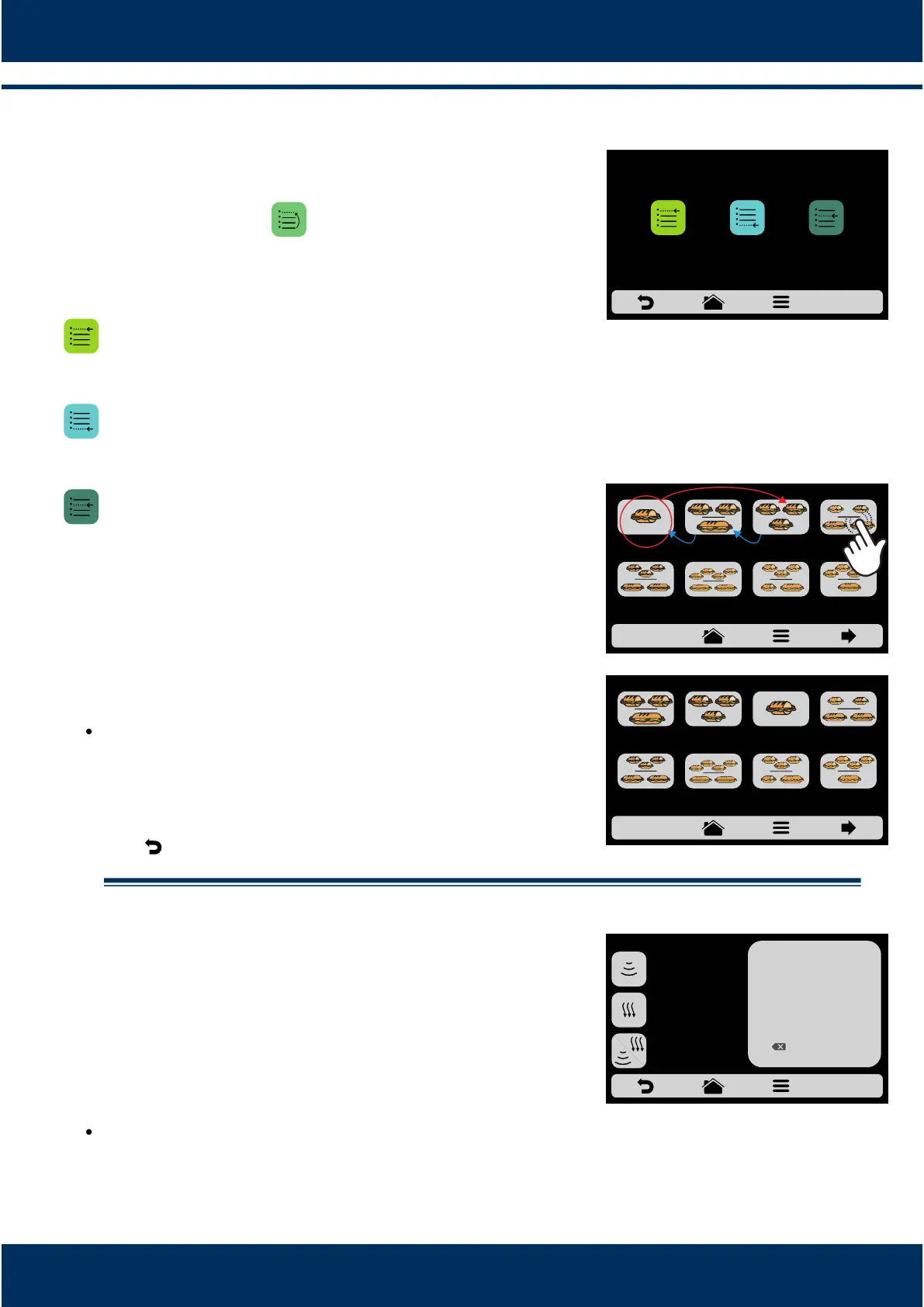
The Order funcon , enables to change the sequence
in which the groups will appear on the groups screen.
This screen is composed by three buons:
Place at the list start: The recipe is moved to the
beginning of the groups list.
Place at the list end: The recipe is moved to the end
of the groups list.
Choose place in the list: The operator will be directed
to the recipes screen to choose the locaon he/she
wants. according to adjacent example, if the chosen
recipe at the beginning of the eding process is ‘1
SUB 15cm ‘2 ’ and the user wishes to place it before
SUB 15cm 2 SUB 30cm’, just click on the icon of the
desired locaon.
Observe by the example that the origin and
desnaon locaon are not replaced, the soware
just reorders the recipes.
Use to return to the recipe eding opons.
.2.6. Edit Cook/Brown More.
The Cook/Brown More funcon is defined by recipe,
that is, it is not a fixed value for all of them, the user
may define the me he/she wishes for each one of
the opons.
Remember that:
Brown More - Only acvates HOT AIR.
Cook More - Acvates only the MICROWAVE.
Cook/Brown More - Merges both elements.
INSTALLATION AND OPERATION MANUAL
30
CHOOSE LOCATION IN THE LIST: AFTER
2 SUB 15cm
2 SUB 30cm
1 SUB 15cm2 SUB 15cm
1 SUB 30cm
3 SUB 15cm
3 SUB 15cm
2 SUB 30cm
SUBS - page 1
4 SUB 15cm
2 SUB 30cm
3 SUB 15cm
or 1 SUB 15cm
and 1 SUB 30cm
4 SUB 15cm
1 SUB 30cm
2 SUB 15cm
2 SUB 30cm
1 SUB 15cm 2 SUB 15cm
1 SUB 30cm
3 SUB 15cm
3 SUB 15cm
2 SUB 30cm
SUBS - page 1
4 SUB 15cm
2 SUB 30cm
3 SUB 15cm
or 1 SUB 15cm
an 1 SUB 30cm
4 SUB 15cm
1 SUB 30cm
CHOOSE LOCATION IN THE LIST: BEFORE
EDIT COOK/BROWN
1
4
7
2
5
8
0
3
6
9
OK
__s
BROWN MORE
__s
COOK/BROWN MORE
__s
COOK MORE
CHANGE ORDER
PLACE AT THE
LIST START
PLACE AT THE
LIST END
CHOOSE PLACE
IN THE LIST



 To Next Page