page 33
COMMERCIAL PRODUCTS DIVISION
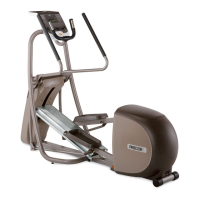
The EFX
®
lets you choose between seven variable programs. This section pro-
vides information about the special features and functions of the EFX programs
and how to best utilize the:
• Heart Rate and SmartRate
®
features • Manual program
• Cross Country and Hill Climb programs • Cross Training program
• Interval program • Weight Loss program
Programs
Diagram 17
Label
explains
workout
instructions
and shows
the programs
and profiles.
A label, on the accessory tray, explains how to begin a workout and shows the
profiles of the available programs. Refer to Diagram 17.
To choose a program, begin at the Precor banner and press ENTER. User-friendly
prompts guide you through the program selections. Refer to
Quick Steps to Work-
ing Out
on page 31.
THE HEART RATE FEATURE
To use the heart rate features, you must hold onto the touch-sensitive grips on the
handrails while working out. While in the process of detecting your heart rate, the
blinking letters “HR” appear in the display. Within a few seconds, your heart rate
appears. This lets you see what your heart rate is doing even when the display is
presenting other workout statistics.
Note: The SmartRate display does not appear if you use the QUICKSTART key
to access a program. Refer to QUICKSTART on page 28.
Important: An optional POLAR
®
chest strap can be worn and it will transmit your
heart rate signal to the receiver installed in the display console. The POLAR
®
chest
strap can be purchased through your dealer. Refer to Optional Equipment on page 9.


 To Next Page