CONTROLS AND CONNECTIONS
41 | PreSonus 2008
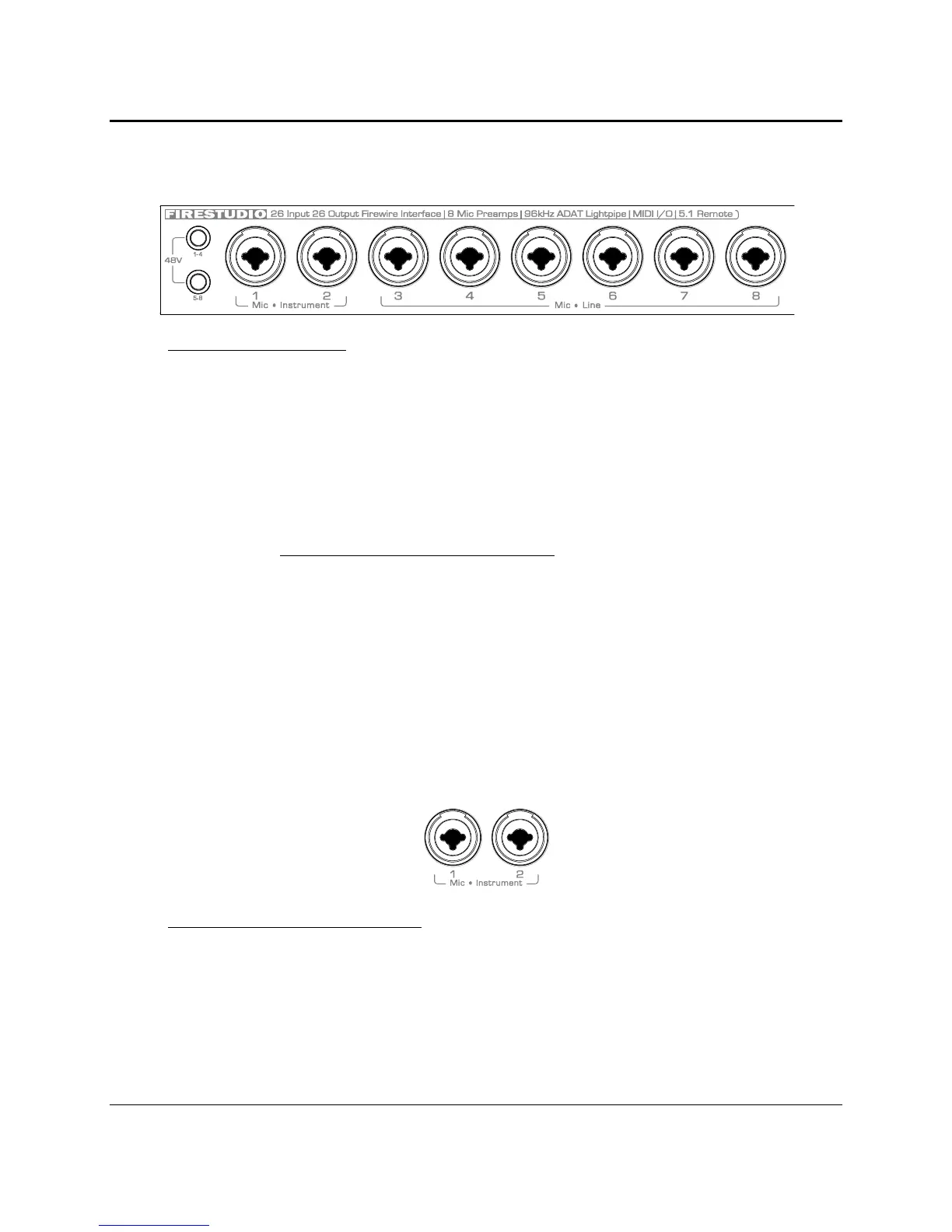
3.5 FRONT PANEL LAYOUT
Microphone Pre-Amplifier.
Your FireStudio is equipped with eight custom designed PreSonus X-MAX
microphone preamplifiers for use with all types of microphones including Dynamics, Condensers and
Ribbons as well as instruments and line level signals. The award winning PreSonus preamplifier design
is a Class A input buffer followed by a dual servo gain stage. This arrangement results in ultra low
noise and wide gain control allowing the FireStudio user to boost desirable signal without increasing
unwanted background noise.
o
48 Volt Phantom Power.
The FireStudio has 48V phantom power available in two groups via
push button switches on the front panel. The top button activates phantom power for channels
1-4, the bottom button activates phantom power for channels 5-8.
XLR connector wiring for Phantom Power
Pin 1 = GND
Pin 2 = +48V
Pin 3 = +48V
o
+22dBu Headroom.
The FireStudio microphone preamplifier has +22 dBu headroom. This
feature gives you wide dynamic range and excellent transient response characteristics.
o
Neutrik Combo Connectors.
Each channel of the FireStudio has a Mic/Line connector using
the Neutrik Combo connector. This revolutionary style connector lets you use either ¼” phone
or XLR connectors in the same female input. The ¼” input on channels 3-8 are line level
inputs. When these inputs are engaged, the microphone preamp circuit is bypassed.
Instrument Inputs (Channels 1 and 2).
The ¼” TS connector on channels 1 and 2 are for use with an
instrument (guitar, bass, etc.). When an instrument is plugged into the ¼” input, the microphone
preamp is bypassed, and the FireStudio becomes an active instrument preamplifier.
NOTE: Active instruments are those that have an
internal preamp
or a
line level output
. Active
instruments should be plugged into a line input rather than into an instrument input. Plugging a line
level source into the instrument inputs on the front of the FireStudio not only risks damage to these
inputs but also results in a very loud and often distorted audio signal.
(In other words, don’t plug a line level source into the combo jacks of channel 1 or 2.)















 To Next Page