APS25Z_RevA_08/18
4
Detailed Descripons: External Components & Opperaon
Shock Sensor
The shock sensor plugs into a 4-pin connector on the Presge module. It should be securely aached to a vehicle surface
or sturdy wire harness. Tesng takes place aer all connecons are made and the system is powered up. Refer to Quick
Reference: System Diagnoscs on page 10 for instrucons on tesng and adjusng the shock sensor.
LED / Valet Programming Port
The LED / Valet Programming port is used to for feature programming and Valet Override.
1. Find a suable locaon to mount the supplied LED / Valet Programming buon. Locate a clear spot on the vehicle’s
dashboard that will be seen from the outside of the vehicle.
2. Drill a 5/16 inch hole and mount the LED / Valet buon. Route the wires to module and plug into proper locaon.
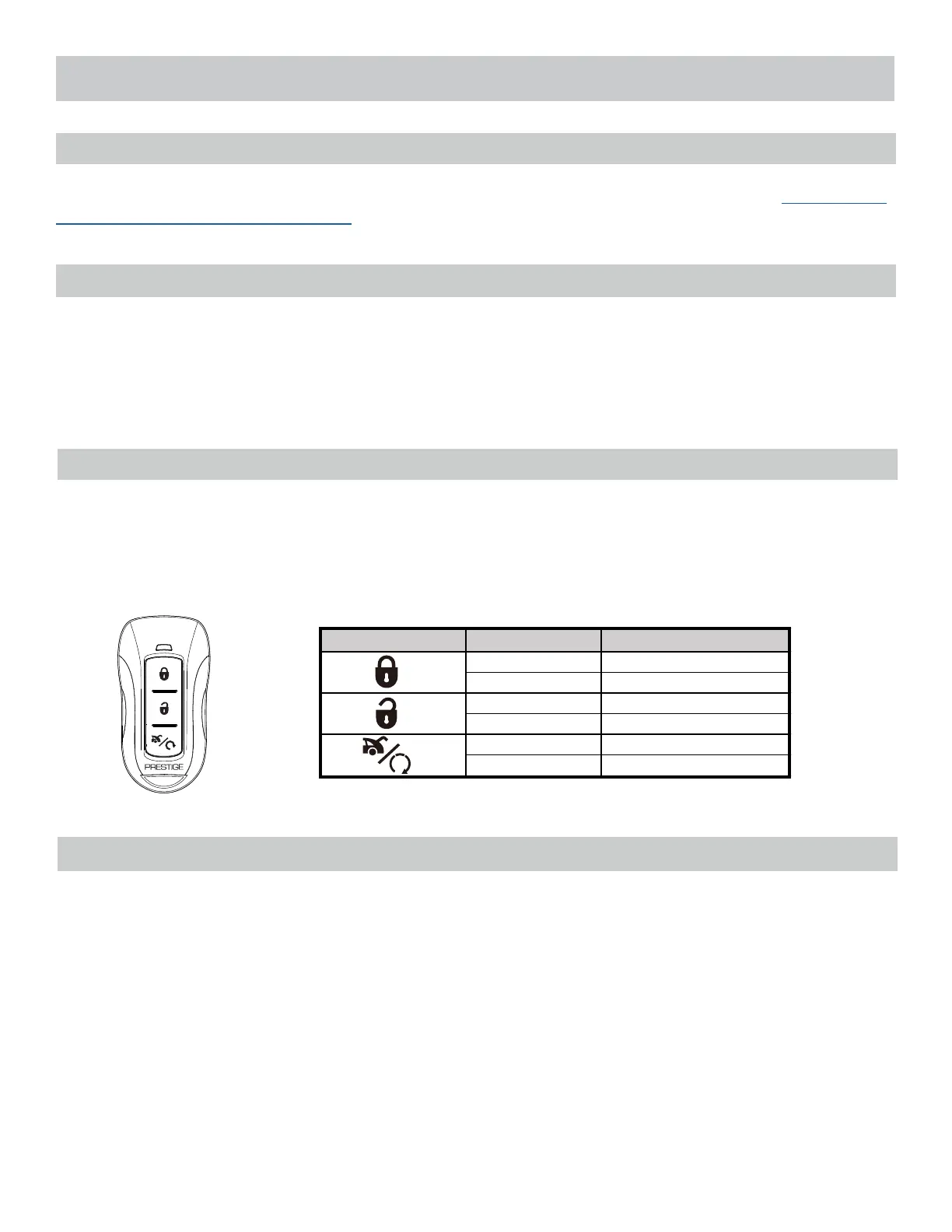
Three Buon Remotes (1-Way)
Press 1x Lock
Hold 3 Seconds Panic ON/OFF
Press 1x Unlock
Hold 3 Seconds Panic ON/OFF
Press 2x No Funcon
Hold 3 Seconds Trunk Release
Remote Control Operaon
This system includes two (2) 1-Way three (3) buon remotes. The matrix below describes the basic funcons of each
remote. See Owners Guide for complete remote operaon matrix.
The Valet Override procedure will disable the alarm when the remote is not available or has become inoperave. If the
vehicle door is opened without disarming, the alarm will sound and the vehicle will not start when aempng to start
with the key. To disable the alarm:
1. Turn the vehicle ignion to ON.
2. Within 5sec, press and release valet buon on Antenna 1x.
The alarm will silence and the vehicle will now start normally with the key.
Valet Alarm Override



 To Next Page