10
DVD30 UNIVERSAL DISC PLAYER
ADVANCED FEATURES
Switching camera angles
DVD
Some DVD Video discs feature scenes shot from two or
more angles- check the disc box for details: it should be
marked with a icon if it contains multi-angle scenes.
•To switch the camera angle, press ANG. If the disc was
paused, playback starts again with the new angle.
•To hide the TV angle indicator, choose Angle
Indicator -> Off from the Video 2 menu (see page 27 ).
Switching subtitles
DVD
Many DVD Video discs have subtitles in one or more lan-
guages- the disc box will usually tell you which subtitle
languages are available. You can switch subtitle language
anytime during playback.
•To display/switch the subtitle language, press BAL/ST
repeatedly.
The current subtitle language is shown on-screen.
•To switch off subtitles, press BAL/ST then C.
•To set subtitle preferences, see page 28.
Switching audio language
DVD-Video
When playing a DVD Video disc recorded with dialog in
two or more languages, you can switch audio language
anytime during playback.
•To display/switch the audio language, press MODE
repeatedly.
The current audio language is shown on-screen.
•To set audio language preferences, see page 27.
DVD
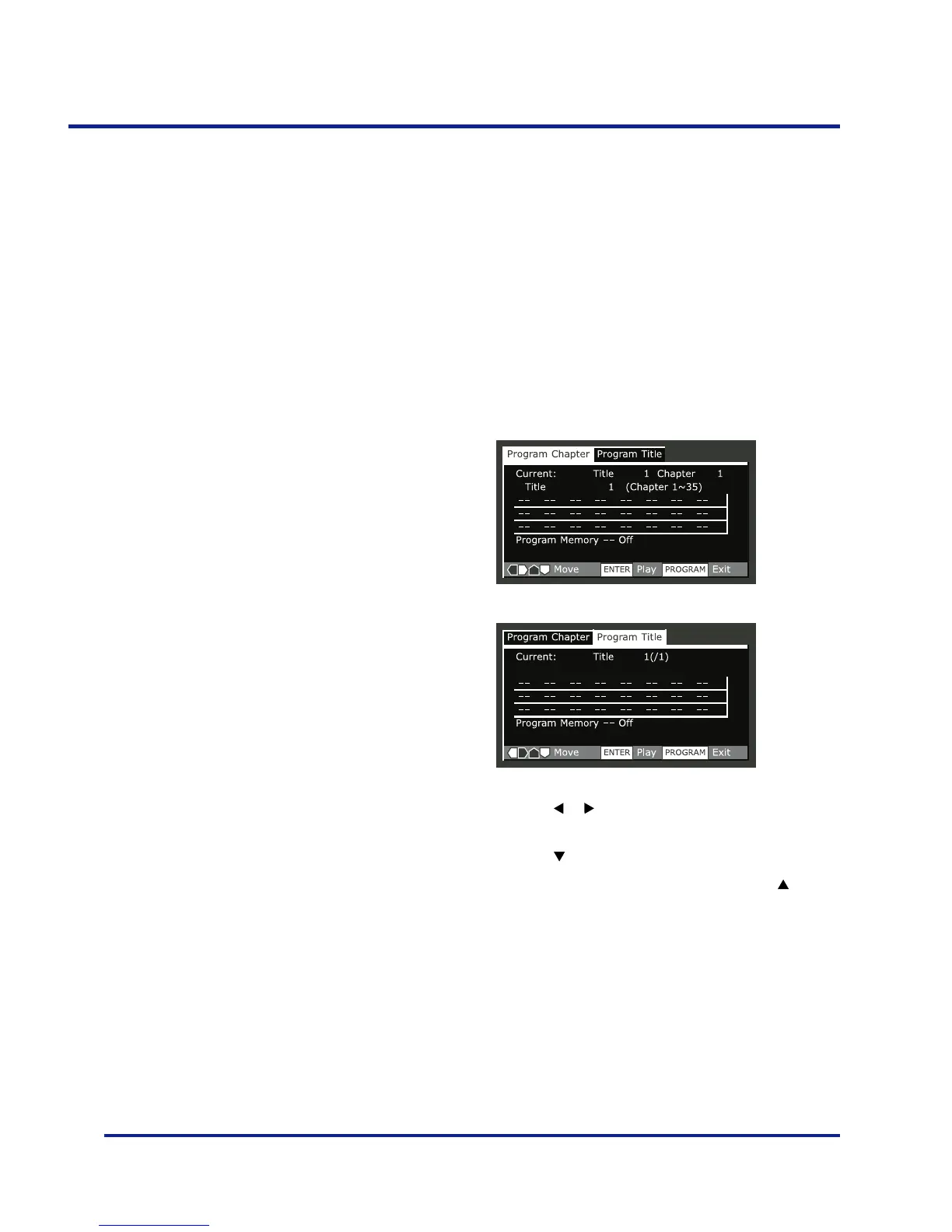
•Press PROG.
•Press the or buttons to select ‘Program Chapter’ or
‘Program Title’.
•Press the button to the program list window.
–If you selected Program Chapter, press the button
and enter a title number (all the programmed
chapters will come from this title).
•Enter the title/chapter numbers for your program list.
For titles/chapters 1 –9, use the corresponding number
buttons. For 0 and over, use the +10 button (+10, +10,
4 for 24, etc.).
–You can program a pause instead of a title/chapter:
press 8 instead of entering a number in the program
list.(A pause can’t be the first or last step in the list.)
A program list can contain up to 24 steps.
Making a program list
This feature lets you program the play order of titles
groups/chapters/tracks on a disc. You make a program list
via an on-screen display, using the cursor buttons to
navigate and the number buttons to enter titles/chapters/
tracks.
NOTE that programmed playback is not available for
DVD-RWs.



 To Next Page