3
DVD30 UNIVERSAL DISC PLAYER
HOW TO GET STARTED
This chapter provides a quick overview of how to
connect the DVD30 player and how to start
playing discs. More detailed explanations of all the
various functions are explained in the following
chapters.
Power connection
WARNING: Before connecting power
check that the required supply voltage,
indicated on the back panel, corresponds
to your local AC supply. If a different voltage is stated on
the type plate do not connect the DVD30 to the mains
power, and seek advice from your dealer.
Connect the mains power using the enclosed mains cable.
NOTE: Always disconnect the DVD30 from the mains
power before connecting or disconnecting any of the
cables.
Switching on and off
To switch on
•Use the main switch on the back panel.(D).
During normal operation you can leave the DVD30
switched on and in standby mode.
To switch on from standby or to standby
•Pressing on the front panel or on the remote
control, will change the standby mode.
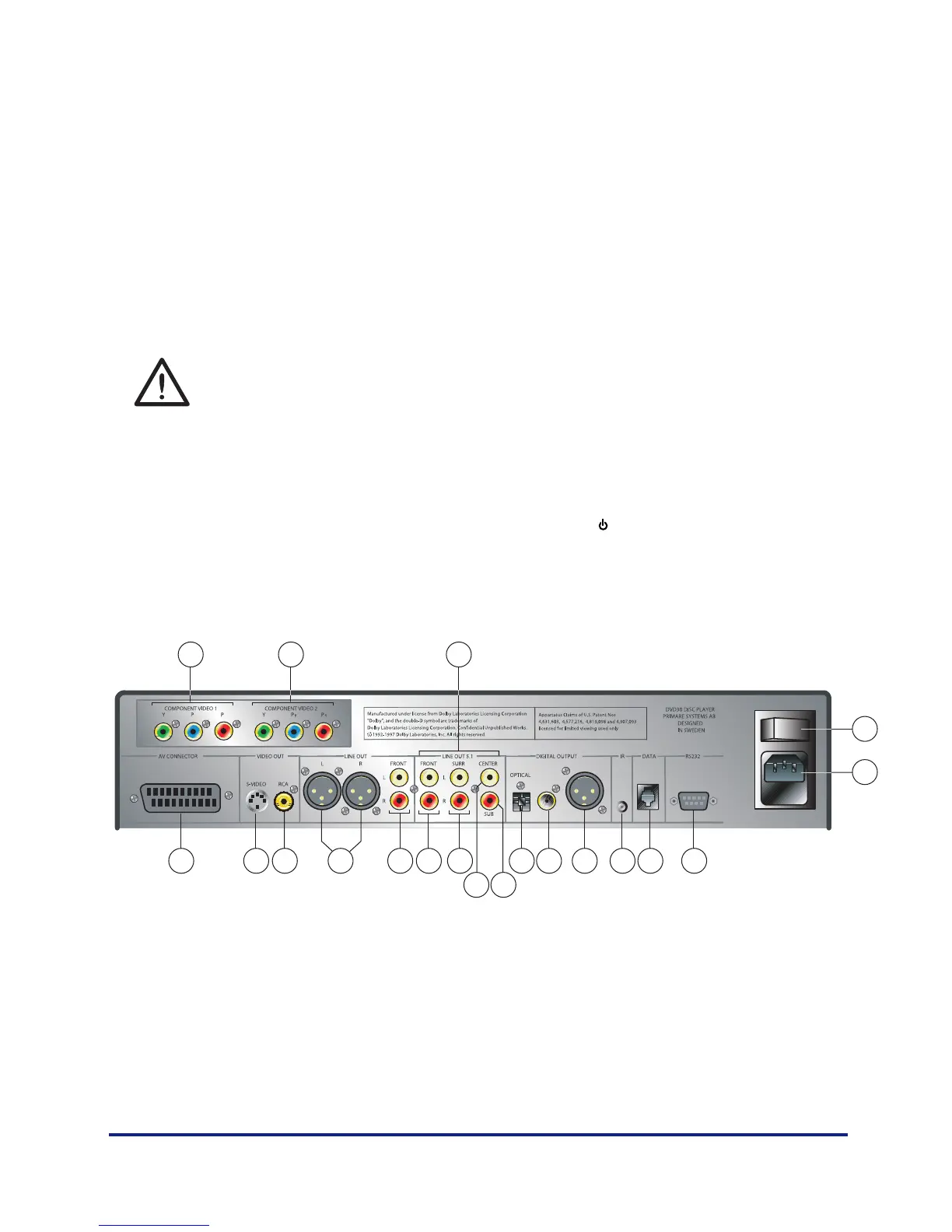
Back panel connections
A. Component video output 1
B. Component video output 2
C. 5:1 output
D. Mains switch
E. Main power input and fuse
F. RS232 port
G. Data port
H. External IR-input
I. Digital AES/ EBU output
J. Digital SPDIF output
K. Digital TOSlink output
L. Sub analog output
M. Center analog RCA output
N. Analog RCA surround outputs
O. Analog RCA front outputs
P. Analog RCA front outputs
Q. Analog XLR front outputs
R. Composite output
S. S-video output
T. S c art
D
CB
A
E
L
FGHIJK
M
NOPQRST



 To Next Page