4
DVD30 UNIVERSAL DISC PLAYER
HOW TO GET STARTED
Front panel- and basic playback
controls
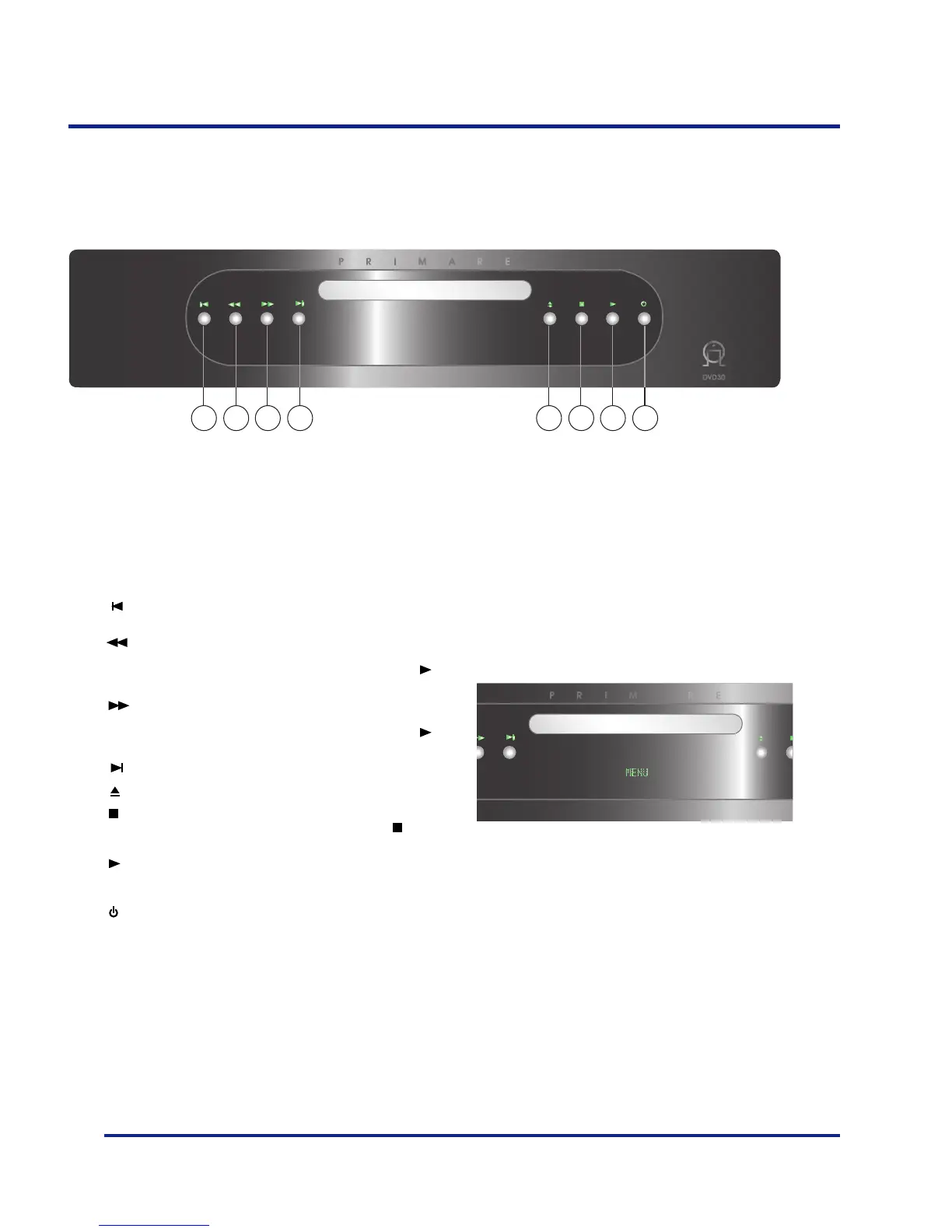
A Skips to the start of the current track or chapter, then to
previous tracks/chapters.
BPress once to start reverse scannning.
Press again to increase the scan speed. (SACD, CD and
Video CD have two scan speeds; DVD has three). Press
to resume normal playback.
CPress once to start forward scannning.
Press again to increase the scan speed (SACD, CD and
Video CD have two scan speeds; DVD has three). Press
to resume normal playback.
D Skips to the next track or chapter.
E Opens/ and closes the disc tray.
F Stops playback.
DVD and Video CD: Display shows RESUME. Press
again to cancel the resume function.
G Starts playback.
DVD and Video CD: if the display shows RESUME,
playback starts from the resume point.
H Changes the standby mode.
Front panel display
The front panel display shows what’s in progress:
ABCD EFGH



 To Next Page