35
DVD30 UNIVERSAL DISC PLAYER
PLAYING MP3’S
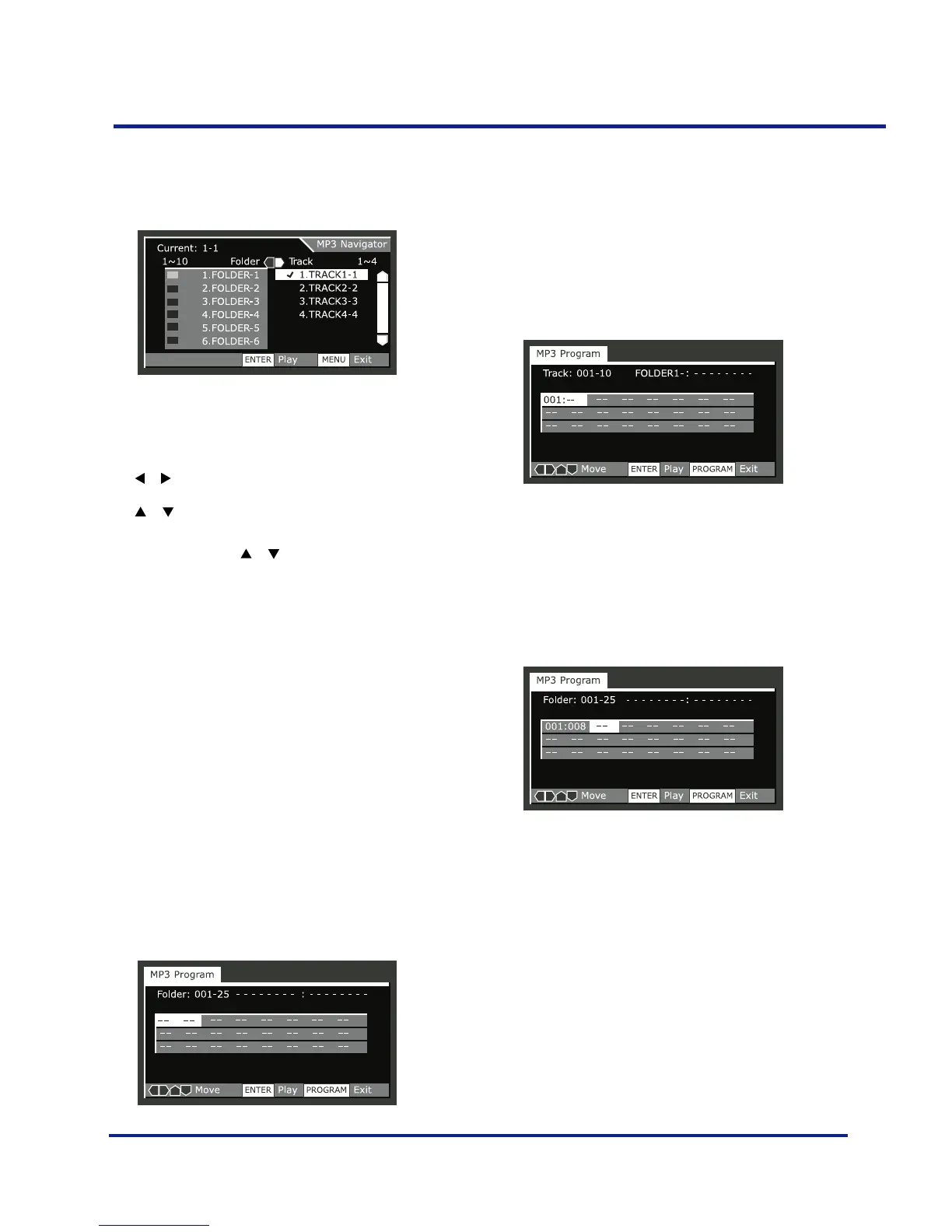
–On the right side is a list of MP3 tracks from the
first folder in the list.
Navigate using the following controls:
The or buttons Select folder and tracks from the current
screen.
The
or buttons Select the previous/next of folders and
tracks. To move rapidly up or down a long list
of folders or tracks, press and hold one of the
or buttons down.
ENTER Play the currently selected folder or track.
MP3 tracks that are unplayable on this player
are automatically skipped and the display
shows ‘UNPLAYABLE MP3 FORMAT’.
MENU Exit the MP3 Navigator
PROGRAM Add the currently selected track to the
program list. (Tracks in the program list are
marked X) Pressing PROG repeatedly will add
the track to the program list repeatedly. See
‘Making a program list of MP3 tracks’ below
for how to use program play.
Making a program list of MP3
tracks
•Press PROG to enter the MP3 Program screen.
If you added tracks to the program list from the ‘Using the
MP3 navigator’ (see page 34), the tracks are displayed
here.
From this screen you can enter folder and track numbers
directly to build up a program list.
•Use the number buttons to enter a three-digit folder
number.
The number of folders on the disc is displayed in the top-
left of the screen. Once you’ve entered a valid folder
number, the name of the folder appears.
•Use the number buttons to enter a three-digit track
number.
The number of tracks in the current folder is displayed in
the topleft of the screen. Once you’ve entered a valid track
number, the name of the track appears.
Navigate using the following controls:
The cursor buttons Navigate the program list.
SELECT Start playing the program list.
PROG Exit the MP3 Program screen.



 To Next Page