25
DVD30 UNIVERSAL DISC PLAYER
SETUP MENUS
Video Adjust
There are several preset picture quality settings that suit
different kinds of display device (TV, Plasma display, etc.).
Alternatively, set up your own and save them in the
player’s memory.
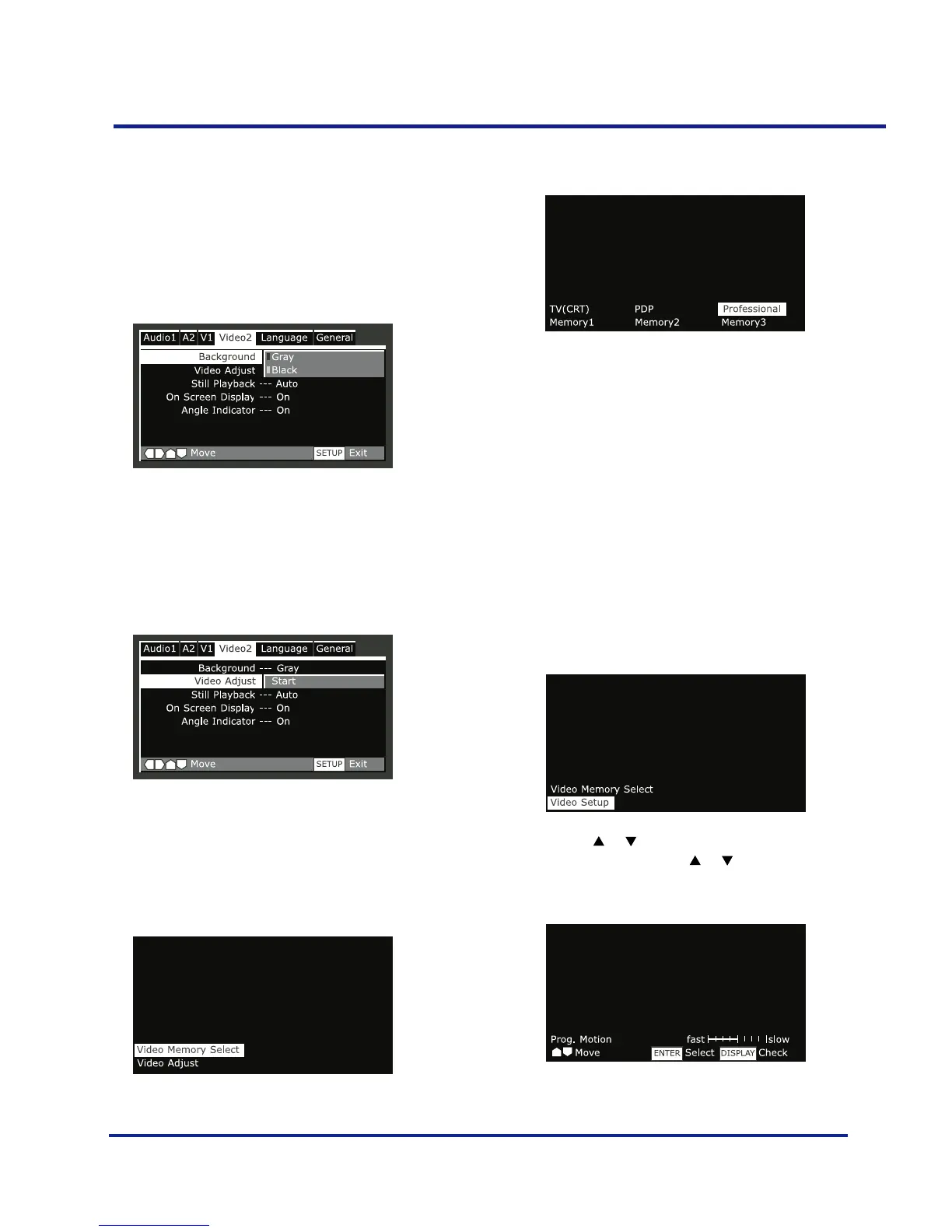
Background
•Default setting: Black
Determines the background color of Setup menu screens
when resume or stop mode is activated. The video output
signal appears behind Setup menu screens when playback
or pause mode is activated.
Selecting a preset
•Select ‘Start’.
•Select ’Video Memory Select’
•Select a preset.
Option Description
TV (CRT) optimized settings for a standard television set.
PDP optimized for a plasma display.
Professional (default setting) optimized for a profes sional
monitor.
Memory 1, 2, 3 User presets (see the following pages)
You can highlight a preset while a disc is playing (before
you press SELECT to select it) to see the effect on the
picture immediately.
Creating your own setting 1
•Select ‘Start’.
•Select ‘Video Setup’
•Use the or butons to select a picture quality
parameter, then use the or buttons to adjust that
parameter.



 To Next Page