17
DVD30 UNIVERSAL DISC PLAYER
SETTINGS IN THE GENERAL MENU
All options (except Not Connected) assume PCM com-
patibility. The PCM option means only compatible with
PCM. Consult the manual that came with your amplifier
if you’re unsure about compatibility with any of these
formats.
Consult the manual that came with your amplifier if
you’re unsure about compatibility with any of these
formats.
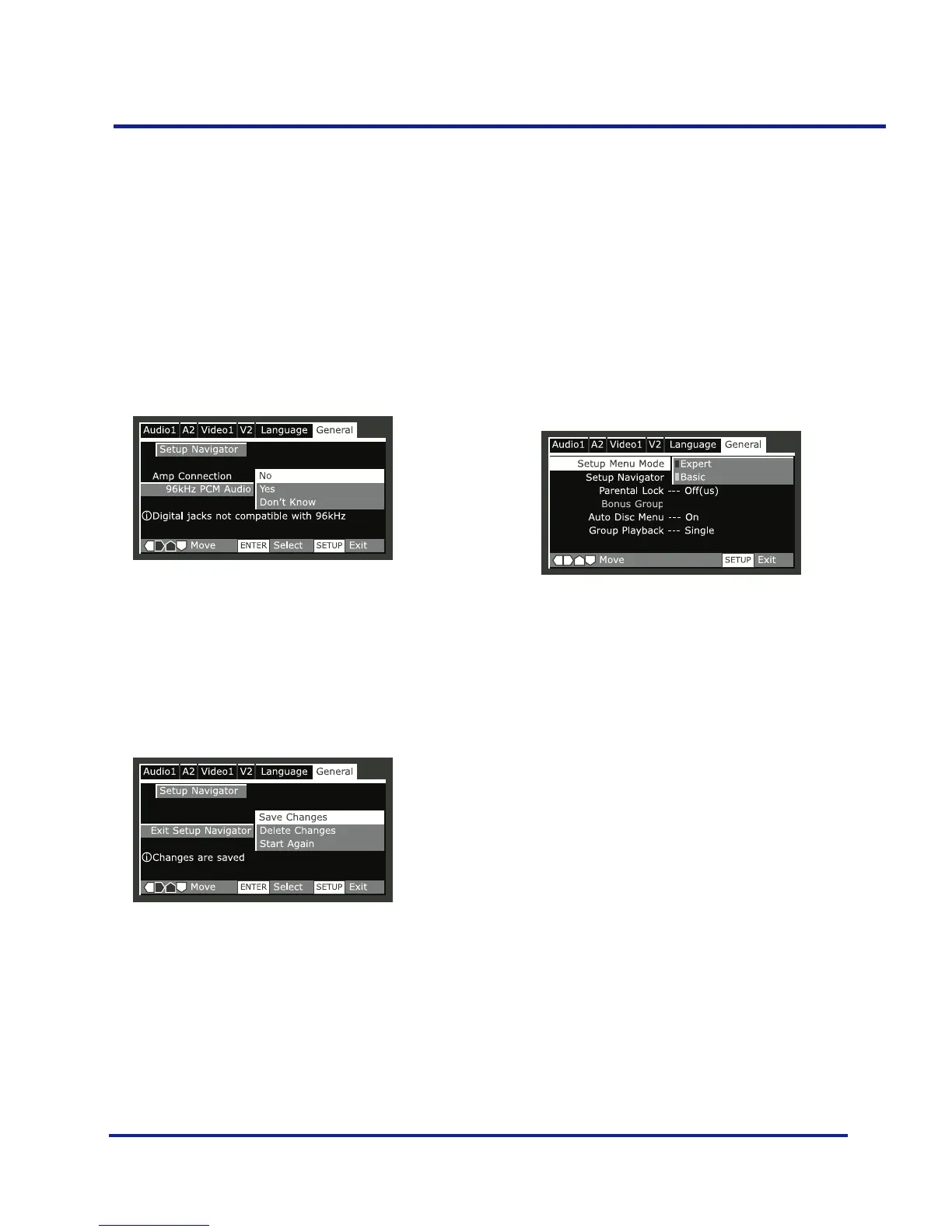
• Confirm whether your amplifier is compatible with
96kHz audio.
–You won’t see this screen if you selected ’Not
Connected’ above. Selecting ’Don’t Know’ has the
same effect as selecting No: any 96kHz audio will be
downsampled to 48kHz. This is a more compatible
sampling frequency.
•Select ‘Save Changes’ to make the settings.
Setup Menu Mode
Default setting: Expert
The Expert setup menu gives you access to all the player’s
settings.
•Switch to ’Basic’ for a reduced set of more commonly
used settings. The Basic menu also features an informa-
tion bar which tells you more about what the currently
highlighted option means.
Sections below marked with EXPERT are available only in
Expert mode.



 To Next Page