28
DVD30 UNIVERSAL DISC PLAYER
SETUP MENUS
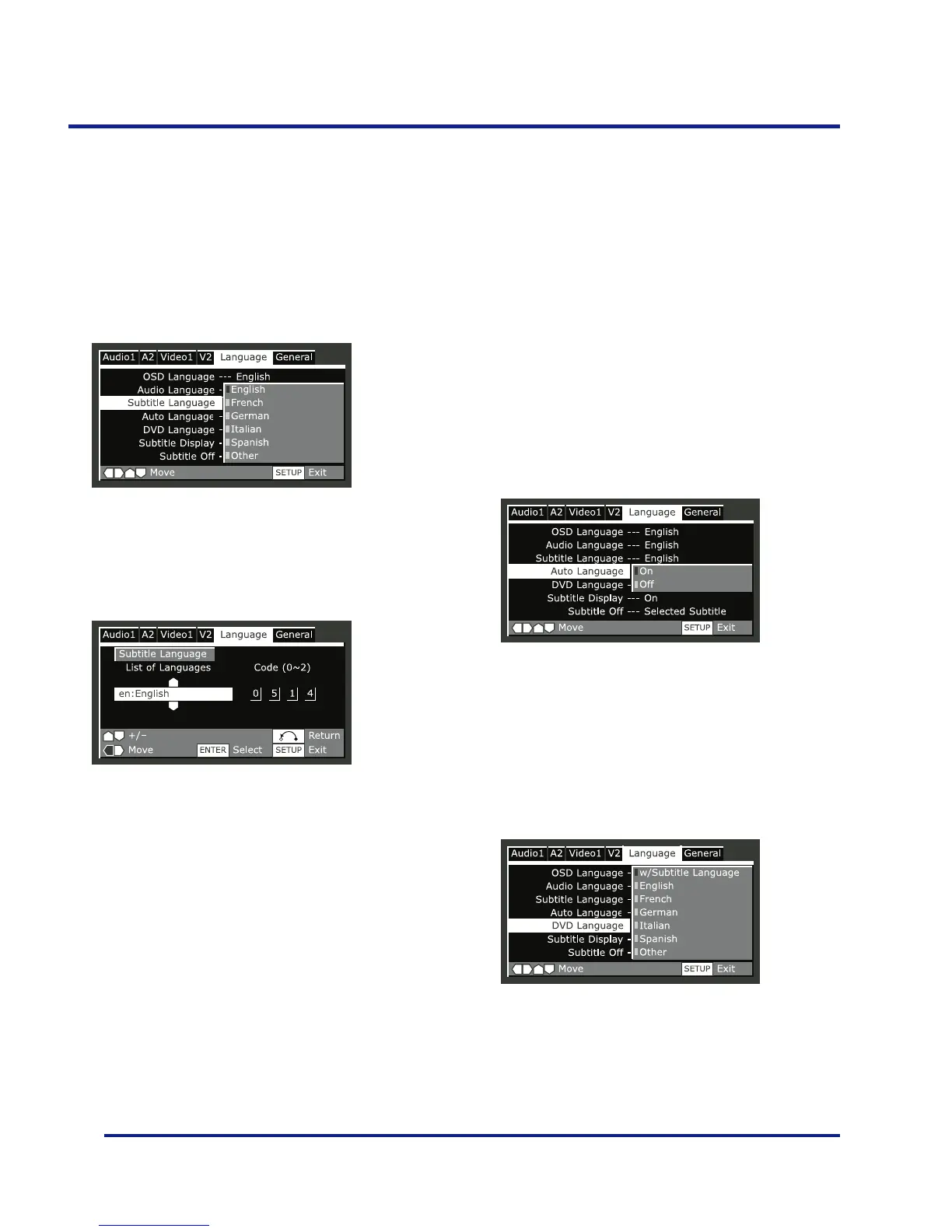
Subtitle Language
•Default Setting: English
This setting is your preferred subtitle language for DVD
discs. If the language you specify here is recorded on a
disc, the system automatically plays the disc with those
subtitles (although this depends on the Auto Language
setting–see page 29).
The DVD format recognizes 136 different languages.
Choose Other if you want to specify a language other than
those listed, then follow the on-screen display to select a
language.
Auto Language
•Default Setting: On
When set to ‘On’, the player always selects the default
audio language on a DVD disc (French dialog for a French
movie, for example), and displays subtitles in your
preferred subtitle language only if that is set to something
different. In other words, movies in your native language
won’t have any subtitles, while foreign language movies
will be shown with subtitles.
Set to ‘Off’ to have the system play discs strictly according
to your Audio Language and Subtitle Language settings.
For Auto Language to work, the Audio Language and
Subtitle Language settings must be the same– see pages
27-28.
DVD Language - EXPERT
•Default Setting: w/Subtitle Language
Some multilingual discs have disc menus in several
languages. This setting specifies in which language the disc
menus should appear. Leave on the default setting for
menus to appear in the same language as your Subtitle
Language– see above.



 To Next Page