26 Creating Discs on a PC
B. CREATING A PRINT LABEL USING SURETHING
The SureThing Disc Labeler software included with your
Publisher is a great tool for creating professional looking discs.
You can use SureThing's Smart Designs to quickly label a disc,
or easily import your own design in many popular file formats.
The Help section included with the software will provide
complete instructions on all the features in this package. (Go to
the Help Menu - Choose Contents) The following is a tutorial
on creating a basic disc design:
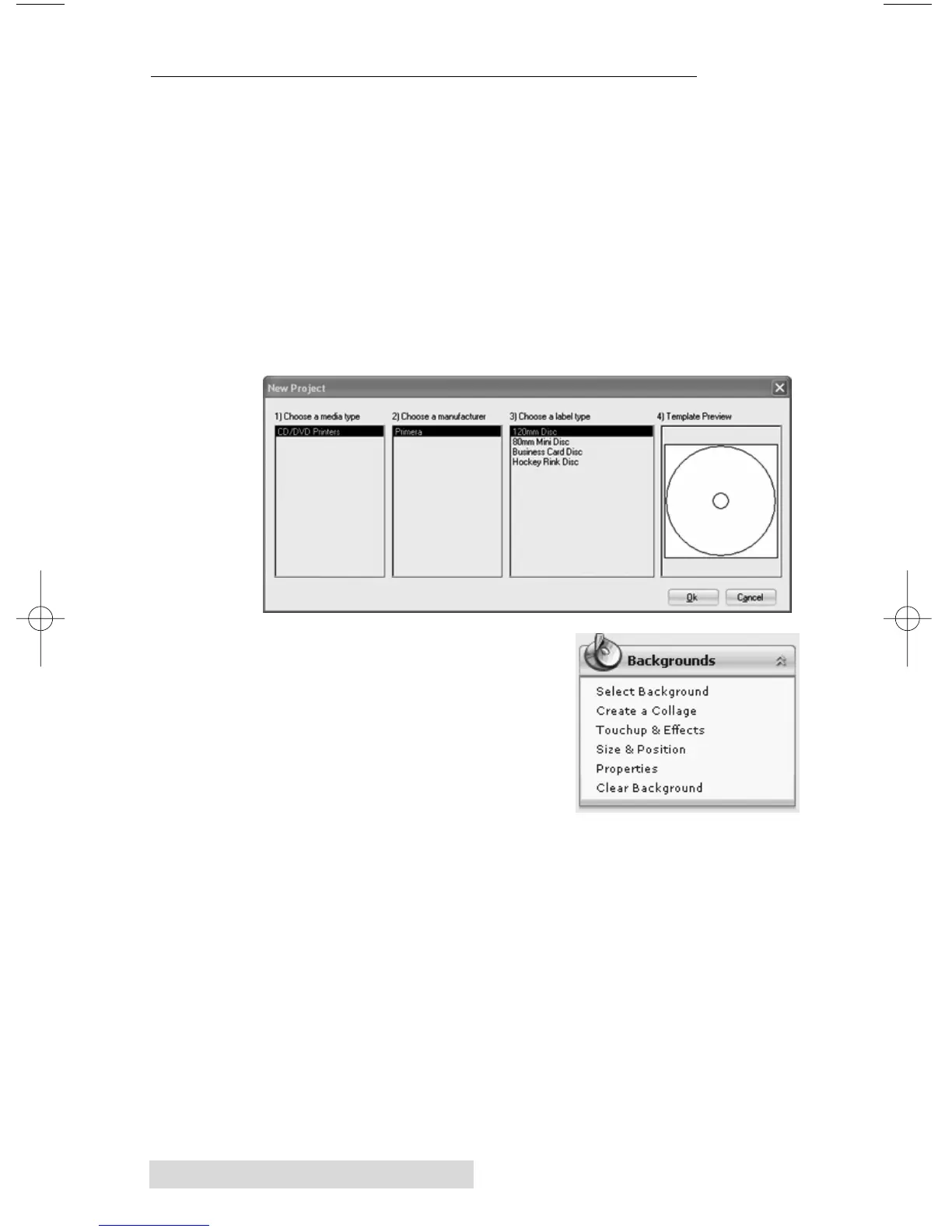
1. Open the SureThing program. Choose the 120mm
DiscTemplate from the window that appears.
2. Open the background panel by
click the arrow on the back-
ground button. Add your own
background to the label by
choosing Select Backgound.
3A. Browse to the location of your
background image. To avoid
skewed or blurry printing make sure your image is
120mm square and of sufficient resolution. We recommend
300 dpi.














 To Next Page