Creating Discs on a PC 33
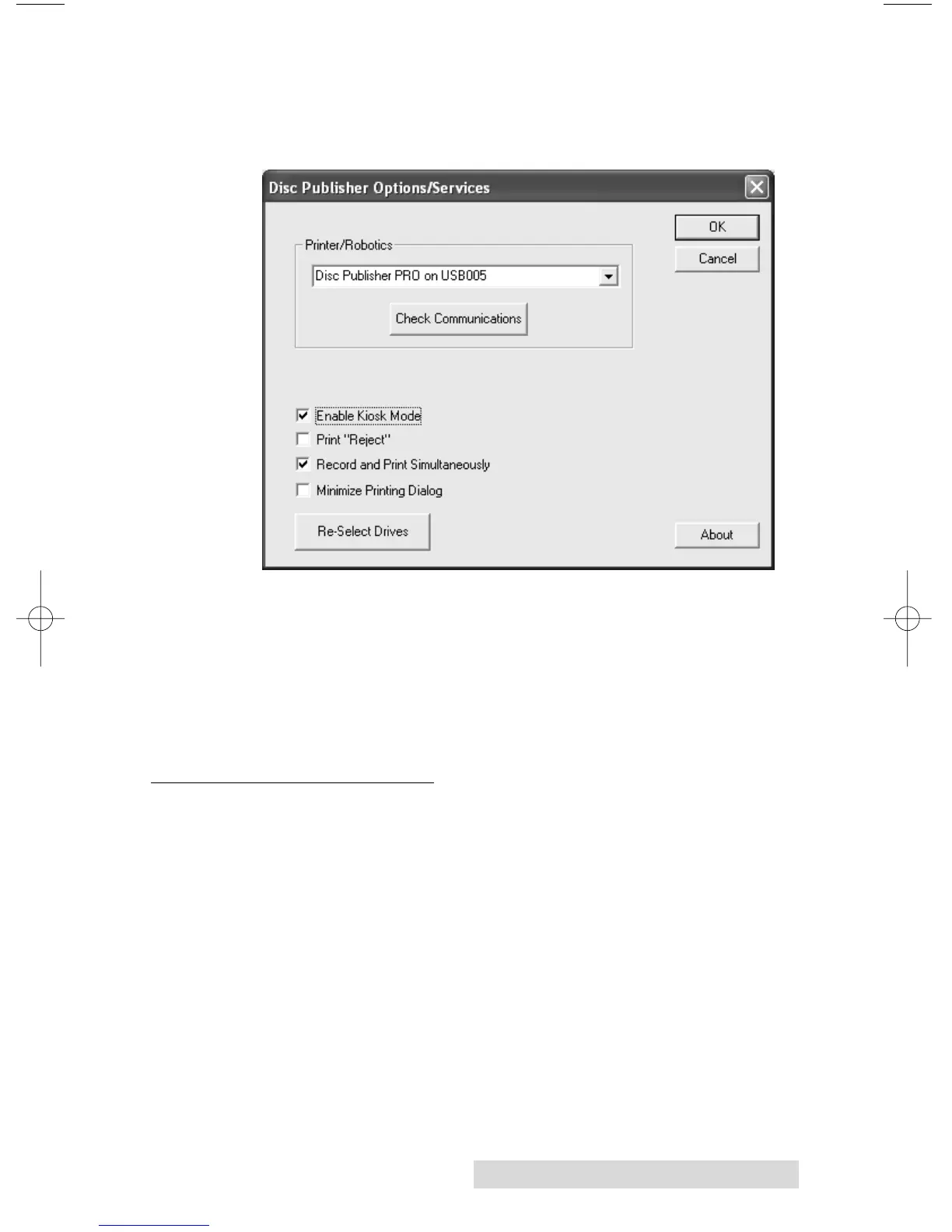
Kiosk mode is enabled as follows:
1. In PrimoDVD 2.1 click Robotics then Options from the
main menu.
2. In the Options dialog box, check the option labeled Enable
Kiosk Mode.
3. If you would like the Publisher to physically print the
word "Reject" on rejected discs, select the Print "Reject"
option. Otherwise, rejected discs will simply be ejected
with no printing at all.
F. COPYING A CD OR DVD
Now, you're ready to start an actual recording job. In this
example, we'll perform a simple disc to disc copy. More
detailed information regarding other types of jobs (data discs,
Audio CD, etc.) can be found in the Primo DVD Help files
under the Help Menu - Get Help.
Disc to Disc copy can be used to copy any CD or DVD master.
This job type reads the master disc from a specified CD/DVD
drive on your system to the hard drive of your computer.
(This assumes you have checked "Make a temporary image on
hard drive and copy from there") The master is stored in the
Primo Global Image format (*.gi) in a temporary location on














 To Next Page