PrintHub 19
A: MONITORING INK LEVELS
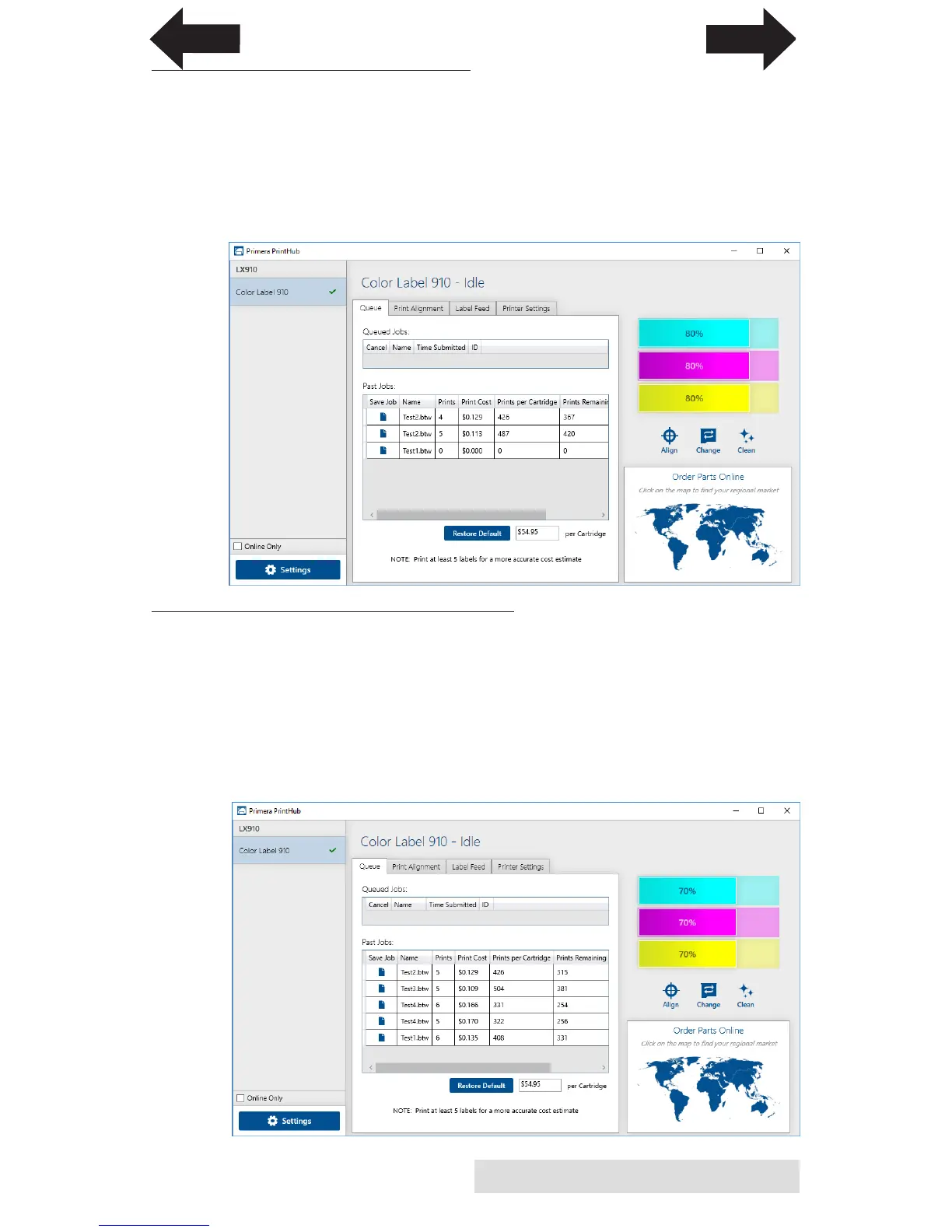
Ink levels can be monitored at any time by using the PrintHub.
Immediately after printing starts the PrintHub will display the
ink levels in the upper right corner of the application. Ink is
displayed in 10% increments. Example 100% to 90% to 80%
etc.
B. USING THE COST ESTIMATOR
The cost estimator is found under the queue on the first tab of
the PrintHub. The last five job costs are stored in the list. Each
job will show the cost per label based on the cost per cartridge
entered below the list. Enter the actual cost of the cartridge you
paid. Prints remaining on this cartridges and total prints on
new cartridge are both displayed.
INDEX
TOC



 To Next Page