22 PrintHub
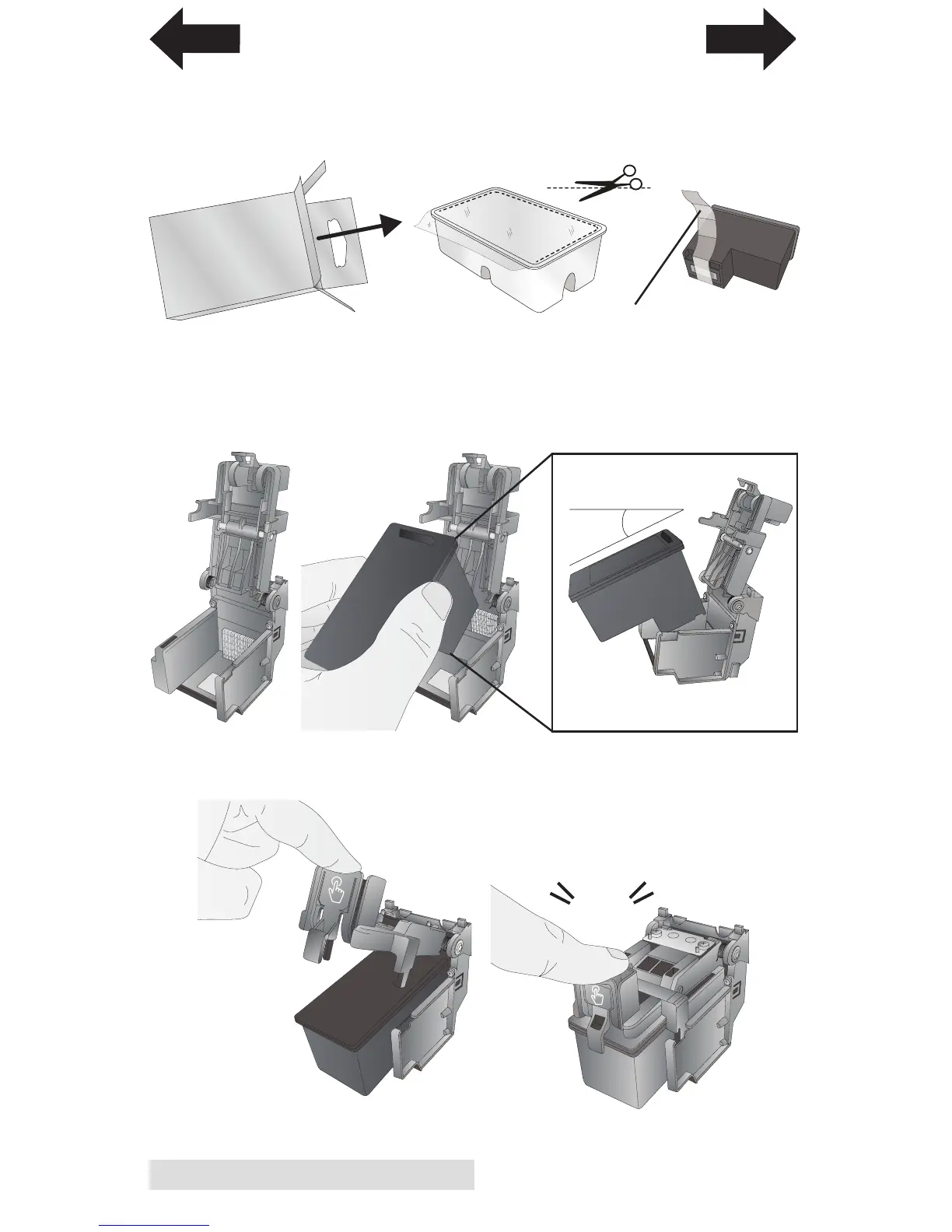
4. Locate a new cartridge and remove it from its packaging.
Remove the foil outer package and the tape covering the
nozzles.
5. Place the new cartridge into the empty carriage. Note:
When installing the cartridge, tilt the cartridge at a slight
backward angle of approximately 30 degrees.
6. Close the lid on the cartridge by lightly pressing down
from the top until you hear a click
30
o
Side View
Click
Remove Tape
INDEX
TOC



 To Next Page