Printing from a PC 37
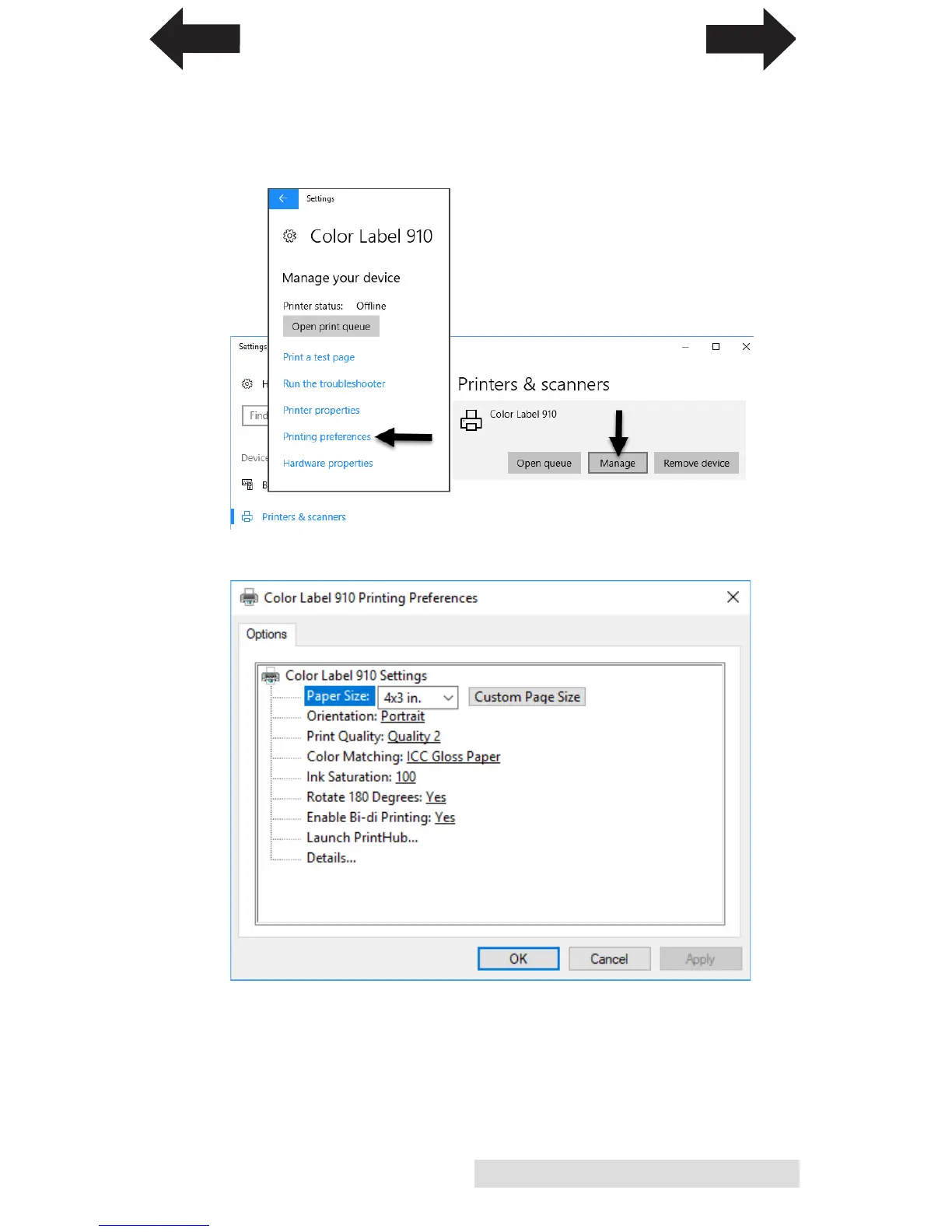
To find Driver Settings:
Click the Start button, search for "Printers". Select Printers and
Scanners. Select the Color Label 910. Choose Manage. Select
Printing preferences.
The preferences screen will appear.
Note on PC Settings:
Most applications allow you to change these same printer driver
options from their "Print" and/or "Printer Setup" screens. Some
applications such as BarTender save your settings with the label,
others use settings only for the current print job just sent to the
printer.
INDEX
TOC



 To Next Page