56 Printing from a Mac
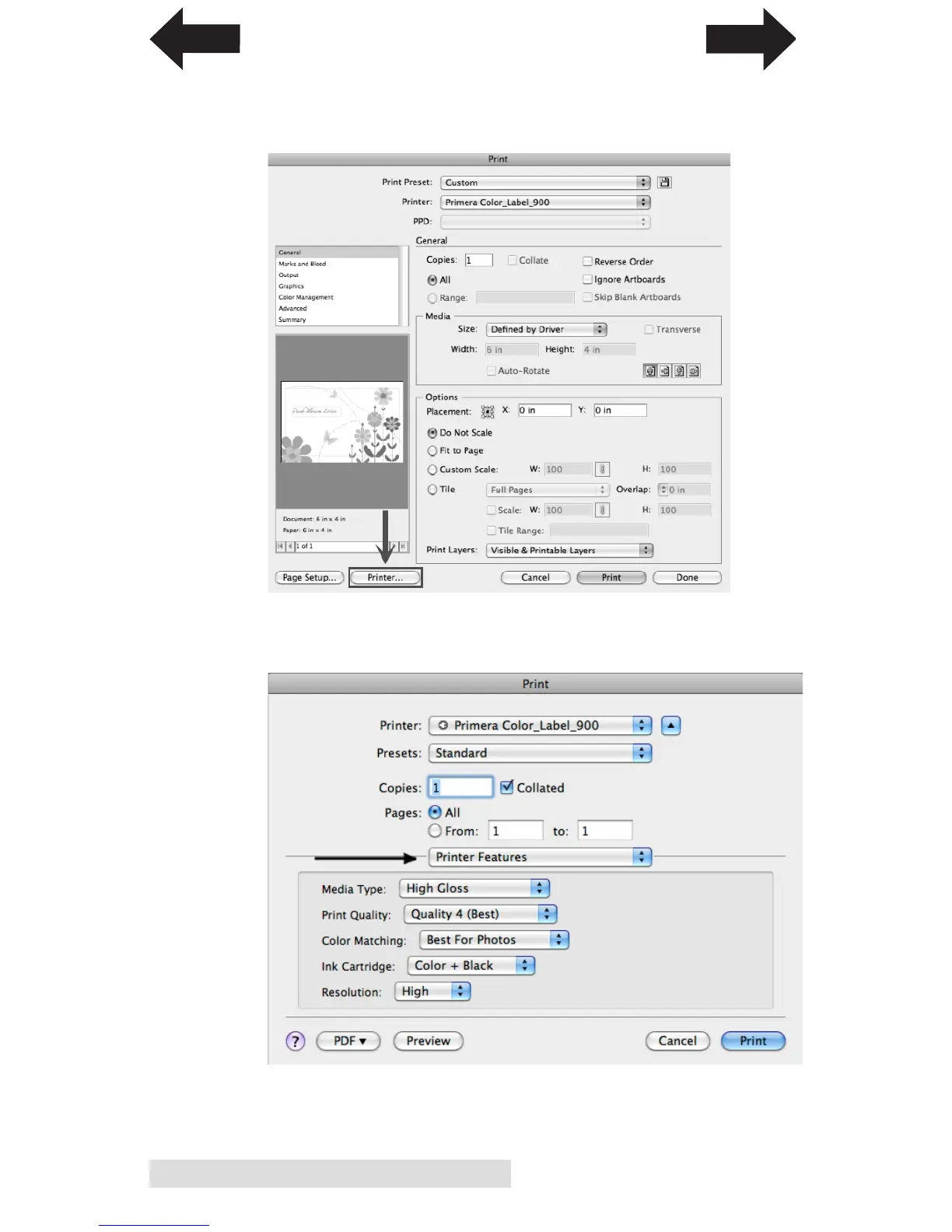
4. Set the Print Quality Settings. After selecting your paper
size, click the Printer button to change the print quality
settings for this print.
Select Label Printer Settings from the drop down selection.
Change your printer settings to the desired quality.
When you have finished adding your page size and
selecting your print quality settings, press Print.
INDEX
TOC


 To Next Page