41
Label Rewinding
The printer can be set up to automatically rewind labels into a roll by using the
label rewinder.
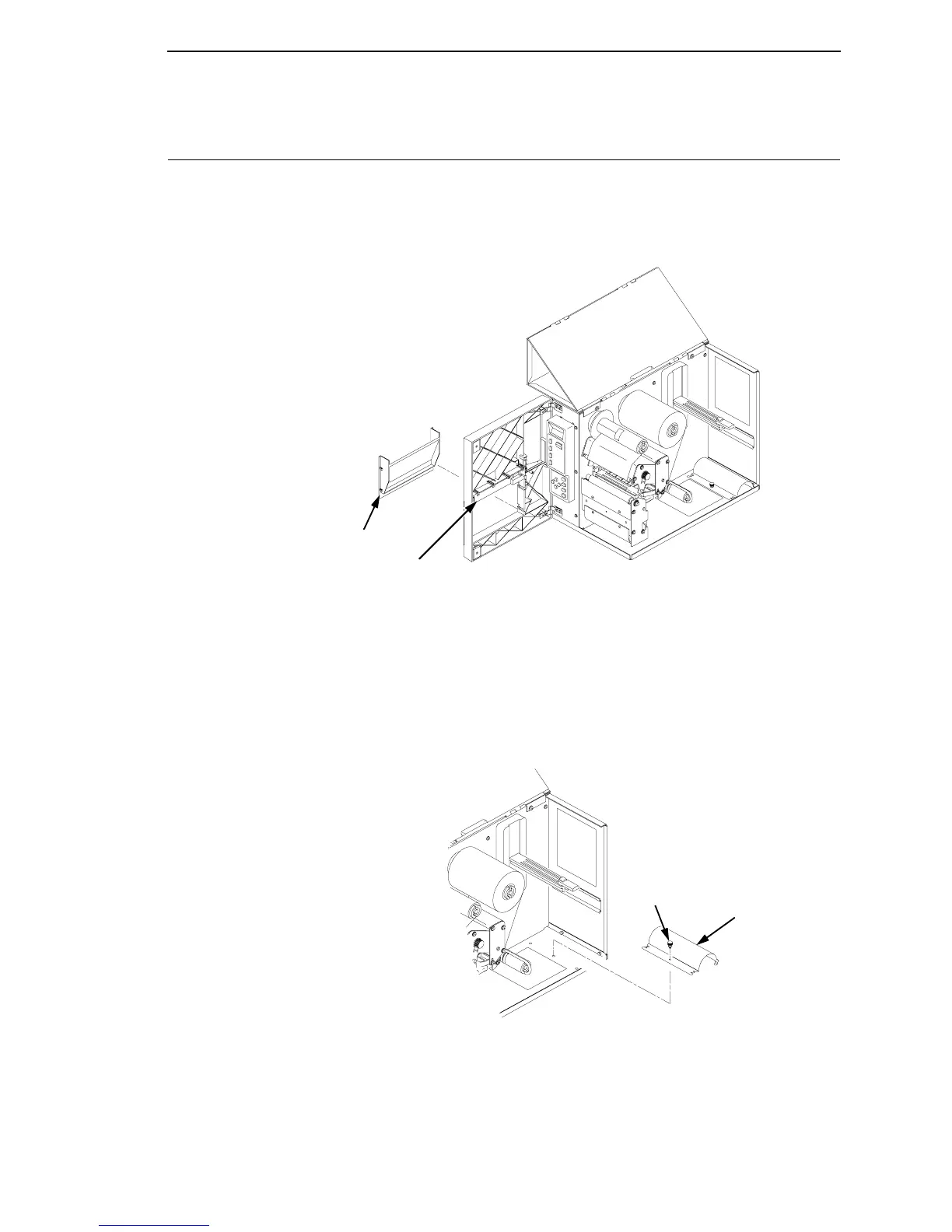
1. Remove the front door insert cover from the front door by sliding the insert
cover up to unlock it, then pushing it out of the front of the door assembly.
Legend:
1) Front Door Insert Cover
2) Label Taken Sensor Gate
2. Remove the label rewinder bracket from inside the printer. Turn the
thumb screw holding the bracket to the printer chassis counter-clockwise
to loosen. The screw is used for mounting and storing the bracket.
Legend:
1) Label Rewinder Bracket
2) Thumbscrew
1
2
1
2



 To Next Page