44
Chapter 2 Label Peel Off
Label Peel Off
The printer can be set to automatically peel off labels from the backing liner
and dispense them one at a time while rewinding the liner. This configuration
requires use of the printer’s label rewinder.
1.
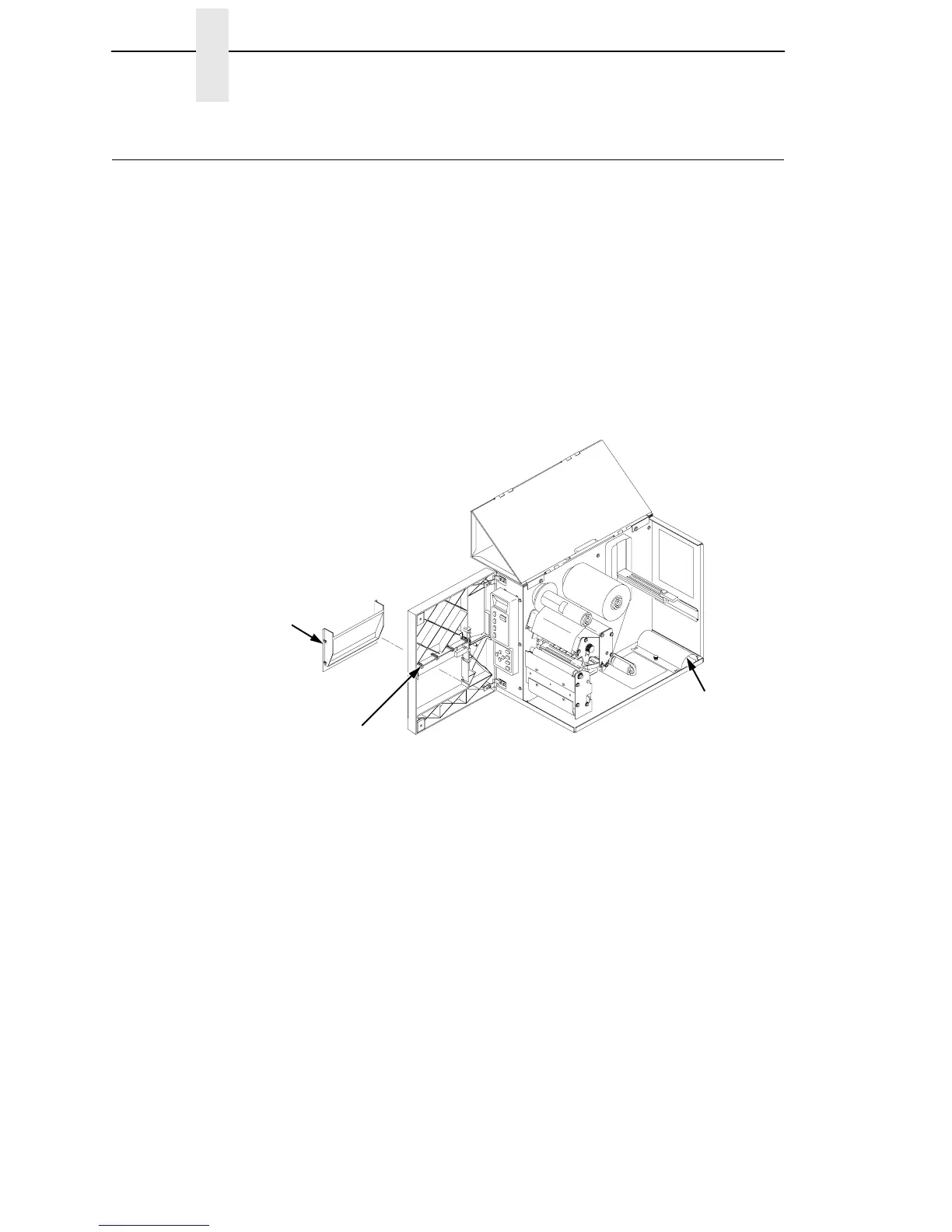
Remove the front door insert cover from the front door of the printer. Slide
the insert cover up to unlock it, then push it out of the front of the door
assembly.
2.
For Peel-Off mode, flip the label taken sensor gate down.
3.
If the label rewinder bracket is mounted on the platen tear bar assembly
at the front of the printer, remove it and secure it in the stored position as
shown.
Legend:
1) Front Door Insert Cover
2) Label Taken Sensor Gate
3) Label Rewind Bracket
4.
With the label stock already loaded and the front door open (To load
labels, see “Loading Roll Media” on page 29) thread the label liner around
and below the platen roller assembly.
1
2
3



 To Next Page