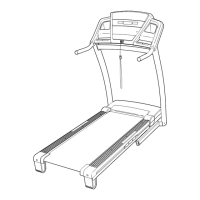
HOW TO USE IFIT.COM CD PROGRAMS
When you use an iFIT.com CD program, a certified
personal trainer will guide you through your workout as
the program interactively controls the speed and in-
cline of the treadmill.
Note: To purchase iFIT.com
CDs, visit our Web site at www.iFIT.com.
Follow the steps below to use an iFIT.com CD program.
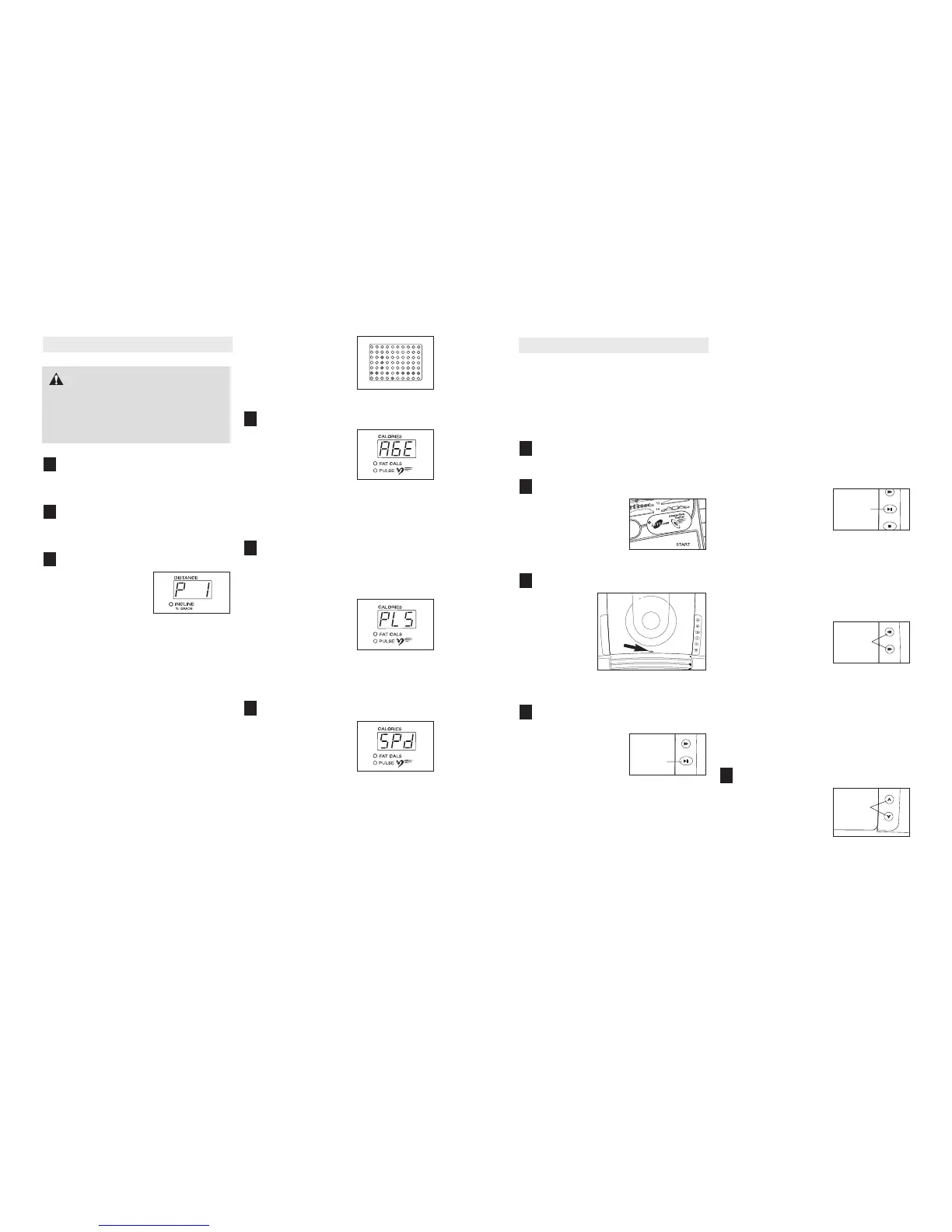
Insert the key into the console.
See HOW TO TURN ON THE POWER on page 12.
Select the iFIT.com mode.
When the key is in-
serted, the manual
mode will be selected.
To use iFIT.com CDs,
press the iFIT.com but-
ton. The indicator on
the button will light.
Insert an iFIT.com CD into the CD player.
To open the
CD player,
press the lid of
the CD player
in the indi-
cated location.
Carefully in-
sert an
iFIT.com CD
into the CD
player and close the lid.
Press the Play/Pause button to start the
program.
To start the CD pro-
gram, press the Play/
Pause button beside
the CD player. A mo-
ment after the button is
pressed, your personal
trainer will begin guiding you through your workout.
Simply follow your personal trainer’s instructions.
Note: If the Time/Pace display is flashing, press
the Start button or the Speed + button on the con-
sole. The treadmill will not respond to a CD pro-
gram whilst the Time/Pace display is flashing.
During the CD program, an electronic “chirping”
sound will alert you when the speed and/or incline
of the treadmill is about to change. CAUTION:
Always listen for the “chirp” and be prepared
for speed and/or incline changes. In some in
-
stances, the speed and/or incline may change
before the personal trainer describes the
change.
If the speed or incline settings are too high or too
low, you can manually override the settings at any
time by pressing the Speed or Incline buttons on
the console. However, when the next “chirp” is
heard, the speed and/or incline will change to
the next settings of the CD program.
To stop the program at
any time, press the Stop
button on the console
and then press the
Play/Pause button be-
side the CD player. The
Time/Pace display will begin to flash. To restart
the program, press the Play/Pause button and
then press the Start button or the Speed + button
on the console. After a moment, the walking belt
will begin to move at 1 mph. When the next
“chirp” is heard, the speed and incline will
change to the next settings of the CD program.
When the CD program is
completed, the walking
belt will slow to a stop
and the Time/Pace dis-
play will begin to flash.
Note: To select a differ-
ent program on the CD, press the Skip/Search
buttons beside the CD player.
Note: If the speed or incline of the treadmill
does not change when a “chirp” is heard, make
sure that the iFIT.com indicator is lit and that
the Time/Pace display is not flashing. If the
Time/Pace display is flashing, press the Start
button or the Speed + button on the console.
Adjust the volume if desired.
To adjust the volume,
press the Volume but-
tons beside the CD
player.
5
4
3
2
1
Play/
Pause
Play/
Pause
Volume
HOW TO USE
PULSE PROGRAMS
Put on the chest pulse sensor.
You must wear the chest pulse sensor to use a
pulse program. See the instructions on page 9.
Insert the key fully into the console.
See HOW TO TURN ON THE POWER on
page 12.
Select a pulse program.
When the key is in-
serted, the manual
mode will be selected.
To select a pulse pro-
gram, press the
Program Select button
repeatedly until a “P 1,” “P 2,” “P 3,” or “P 4” ap-
pears in the Distance/Incline display.
The diagrams numbered 1 through 4 on the left
side of the console show how the target heart rate
will change during the programs. During pulse
program 1, your heart rate will reach approxi-
mately 85% of your estimated maximum heart
rate; during pulse programs 2 and 3, your heart
rate will reach approximately 80% of your esti-
mated maximum heart rate; during pulse program
4, your heart rate will remain near a level that you
select
.
Note: Your estimated maximum heart rate is de
-
termined by subtracting your age from 220. For
example, if you are 30 years old, your estimated
maximum heart rate is 190 beats per minute
(220 – 30 = 190).
During pulse programs,
the matrix will show a
moving graphic that rep
-
resents your heart rate.
Each time a heartbeat is
detected, an additional
peak will appear.
Enter your age.
When a pulse program
is selected, the word
“AGE” and the current
age setting will flash in
the Calories/Pulse dis-
play. If you have already
entered your age, simply
press the Enter button. If you have not entered
your age, press the + and – buttons beside the
Enter button to enter your age. Then, press the
Enter button.
Enter a target heart rate.
If pulse program 1, 2, or 3 is selected, go to
step 6. If pulse program 4 is selected, follow
the instructions below.
After you have entered
your age, the letters
“PLS” and the target
heart rate setting for the
program will flash in the
Calories/Pulse display. If
desired, press the + and
– buttons beside the Enter button to adjust the tar-
get heart rate setting. When the desired setting is
shown, press the Enter button.
Enter a maximum speed.
Next, the letters “SPd”
and the maximum speed
setting of the program
will flash in the Calories/
Pulse display. If desired,
press the + and – but-
tons beside the Enter
button to adjust the maximum speed setting.
When the desired setting is shown, press the
Enter button.
6
5
4
3
2
1
16 21
CAUTION: If you have heart prob-
lems, or if you are over 60 years of age and
have been inactive, do not use the pulse pro-
grams. If you are taking medication regularly,
consult your physician to find whether the
medication will affect your exercise heart rate.
Skip/
Search


 To Next Page
 Loading...