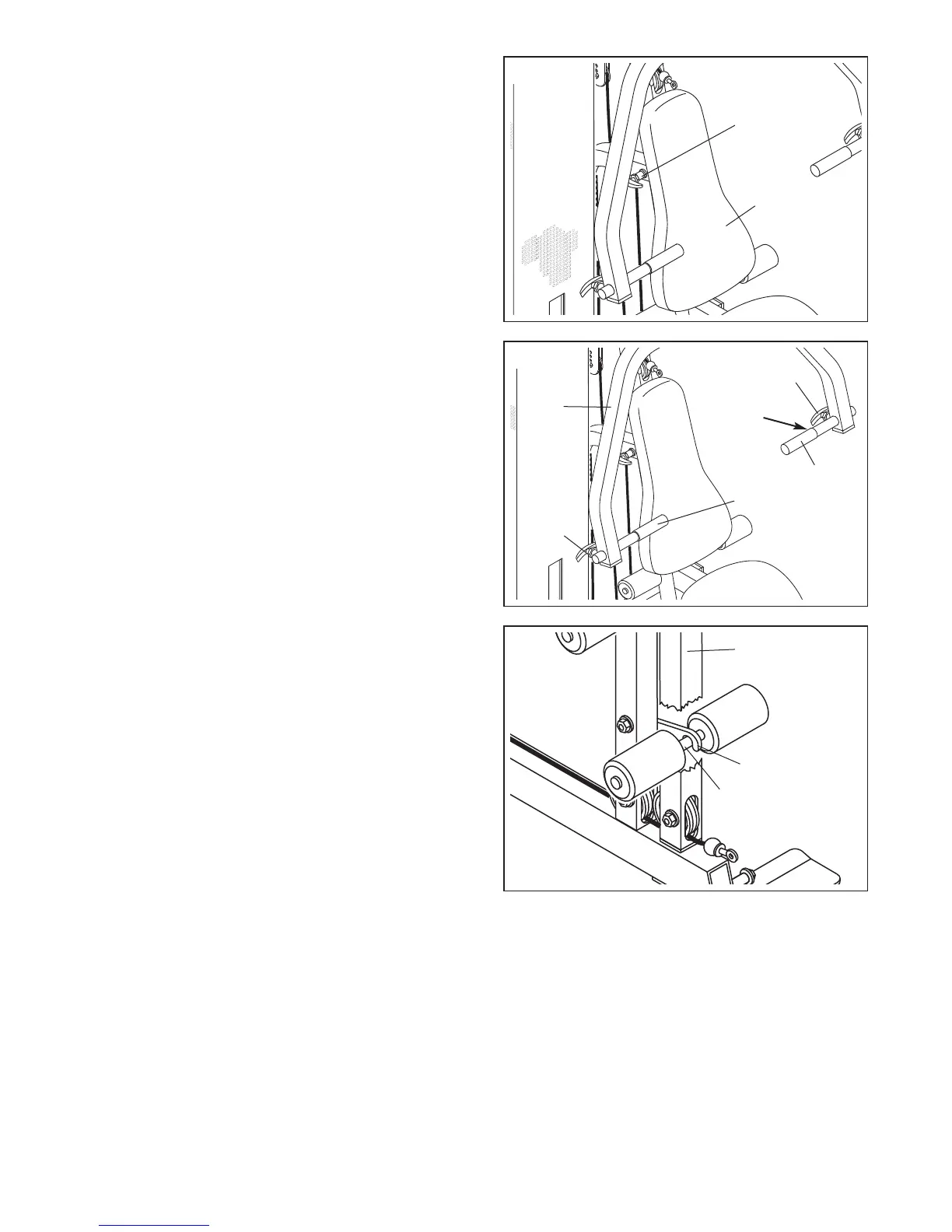
ADJUSTING THE POSITION OF THE BACKREST
To adjust the position of the Backrest (41), unscrew the
i
ndicated Adjustment Knob (9) until it is loose. Pull out the
Adjustment Knob as far as it will go and slide the
B
ackrest Frame (15, not visible) to the desired position.
Release the Adjustment Knob and let it snap into one of
the adjustment holes in the Backrest Frame. Then,
retighten the Adjustment Knob.
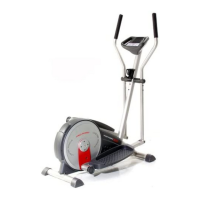
ADJUSTING THE POSITION OF THE PRESS FRAME
HANDLES
To adjust each Handle (20) on the Press Frame (46),
unscrew the Adjustment Knob (9) until it is loose. Pull out
the Adjustment Knob as far as it will go and slide the
Handle to the desired position. Release the Adjustment
Knob until it snaps into one of the adjustment holes in the
Handle. Then, retighten the Adjustment Knob.
Note: Both Handles (20) should always be in the
same position.
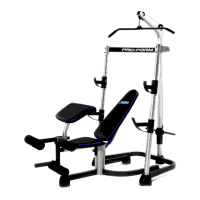
USING THE LEG LEVER LOCK
Some exercises, such as sit-ups, can be performed more
comfortably with the Leg Lever (29) locked.
To lock the Leg Lever (29), turn the Leg Lever Lock (11)
until it engages the Pad Tube (28) on the Leg Lever.
18
9
20
20
9
41
Adjustment
Holes
46
11
28
29
9





 To Next Page