16
HOW TO USE THE MANUAL MODE
1. Begin pedaling or press any button on the
console to turn on the console.
When you turn on the console, the display will turn
on. The console will then be ready for use.
2. Get ready for the workout.
To wear a heart rate monitor, see HOW TO
USE AN OPTIONAL HEART RATE MONITOR on
page 19.
3. Change the resistance of the pedals as desired.
As you pedal, change the resistance of the pedals
by pressing the increase and decrease buttons.
Note: After you press a button, it will take a
moment for the pedals to reach the selected
resistance level.
If the message CH0 or CH1 appears in the display
when you press the increase and decrease but-
tons, you must recalibrate the resistance system.
First, see assembly step 11 on page 11 and
remove the batteries from the console. Next, press
and hold any button on the console for 20 seconds.
Then, release the button and reinsert the batteries
into the console; the exercise bike will adjust to the
lowest resistance level.
4. Follow your progress with the display.
The display can show the following workout
information:
Scan (scan arrow icon)—This mode displays the
speed, pulse, RPM, time, and distance modes, for
a few seconds each, in a repeating cycle.
Speed (rabbit icon)—This mode displays your
pedaling speed, in miles per hour.
Pulse (heart icon)—This mode displays your heart
rate in beats per minute when you are using an
optional heart rate monitor (see HOW TO USE AN
OPTIONAL HEART RATE MONITOR on page 19).
RPM (circular arrow icon)—This mode displays
your pedaling speed, in revolutions per minute
(RPM).
Time (clock icon)—This mode displays the
elapsed time that you have pedaled during your
workout.
Distance (road icon)—This mode displays the dis-
tance that you have pedaled during your workout,
in miles.
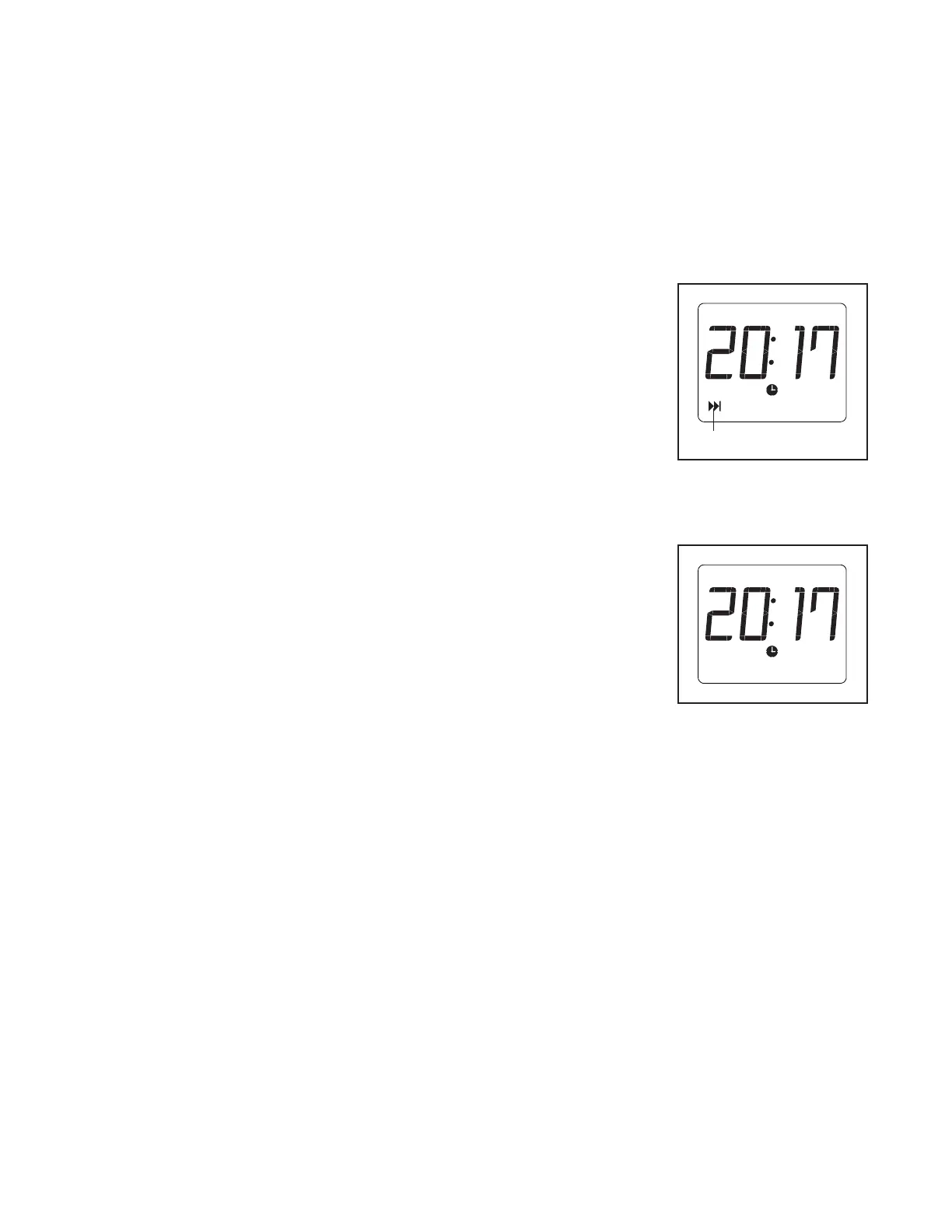
Scan mode—
When the console
is turned on, the
scan mode will
automatically be
selected. The
scan arrow icon
(A) will appear in
the display when
the scan mode is
selected. Note: If
a different mode is selected, select the scan mode
again by pressing the Display button repeatedly.
Speed, pulse,
RPM, time, and
distance mode—
To select one of
these modes for
continuous display,
press the Display
button repeatedly.
The mode icons
will show which
mode is selected. Make sure that the scan arrow
icon does not appear.
5. Pause or end the workout.
To pause the console, simply stop pedaling. The
console will pause for up to a few minutes. To con-
tinue your workout, simply resume pedaling.
To end your workout and reset the display to zero,
simply stop pedaling and wait for a few minutes for
the console display to reset.
A



 To Next Page