All Info Copyright © Pro Spot International Inc.
4 - Operation
Page 12
4.2.3 i5 Touch Screen Control
i5
Global Settings
Continued on next page >
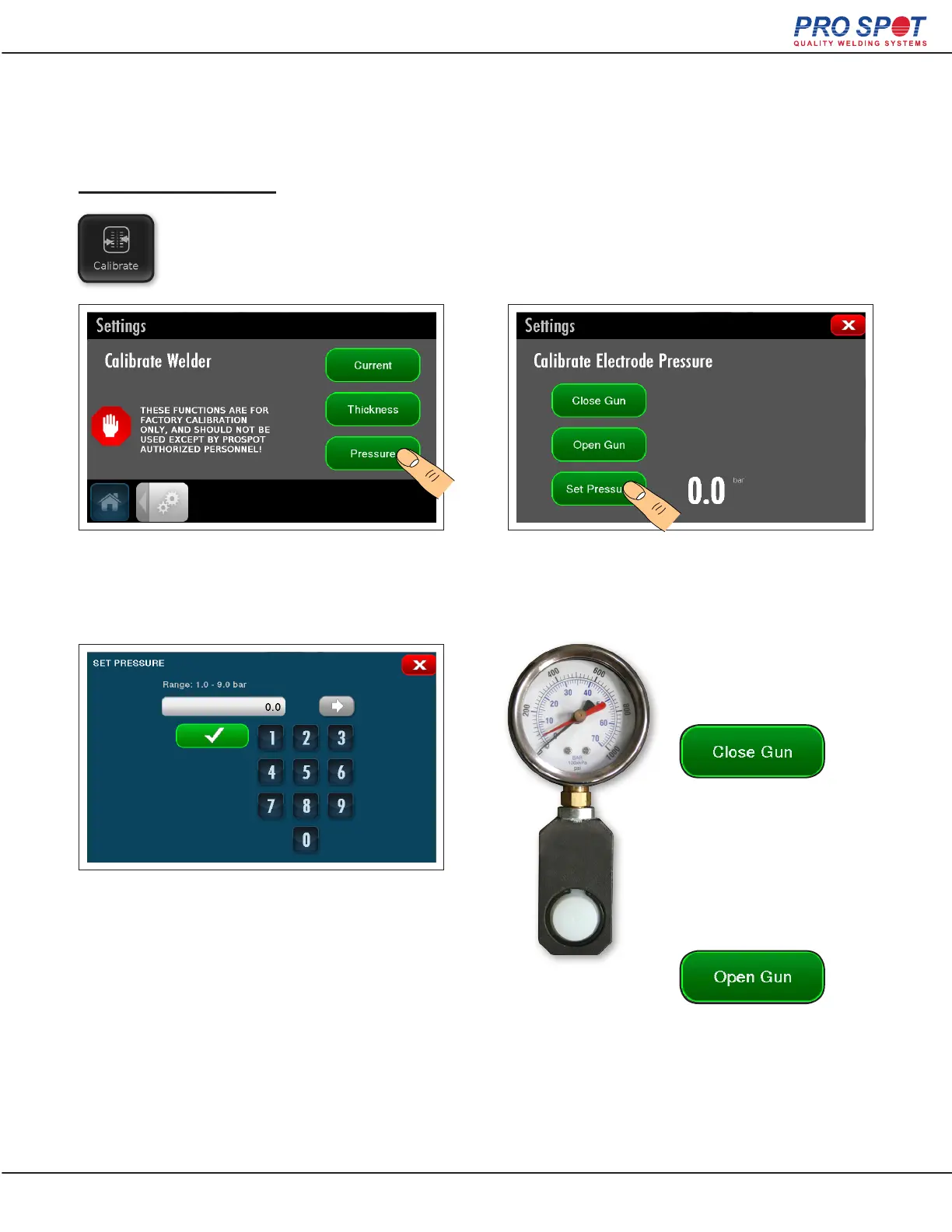
Pressure Calibration
The electrode pressure calibration setting is to verify that there is sufcient air pressure
going to the welder.
To navigate to the pressure calibration
screen, press the “calibrate” button in global
settings.
Press the “set pressure” button to set a
pressure to test.
Insert a pressure gauge in
between the electrodes of
the Trans. Gun.
Press the “close gun”
button and the electrodes
will close. Then take a
reading from the pressure
gauge and verify that it
matches the set pressure.
Press the “open gun”
button to release the
pressure gauge.
A numerical key pad screen will open. Enter
the desired test pressure in bars and then
press the green check button to accept.
17



 To Next Page