All Info Copyright © Pro Spot International Inc.
4 - Operation
Page 12
4.2.3 i5 Touch Screen Control
i5
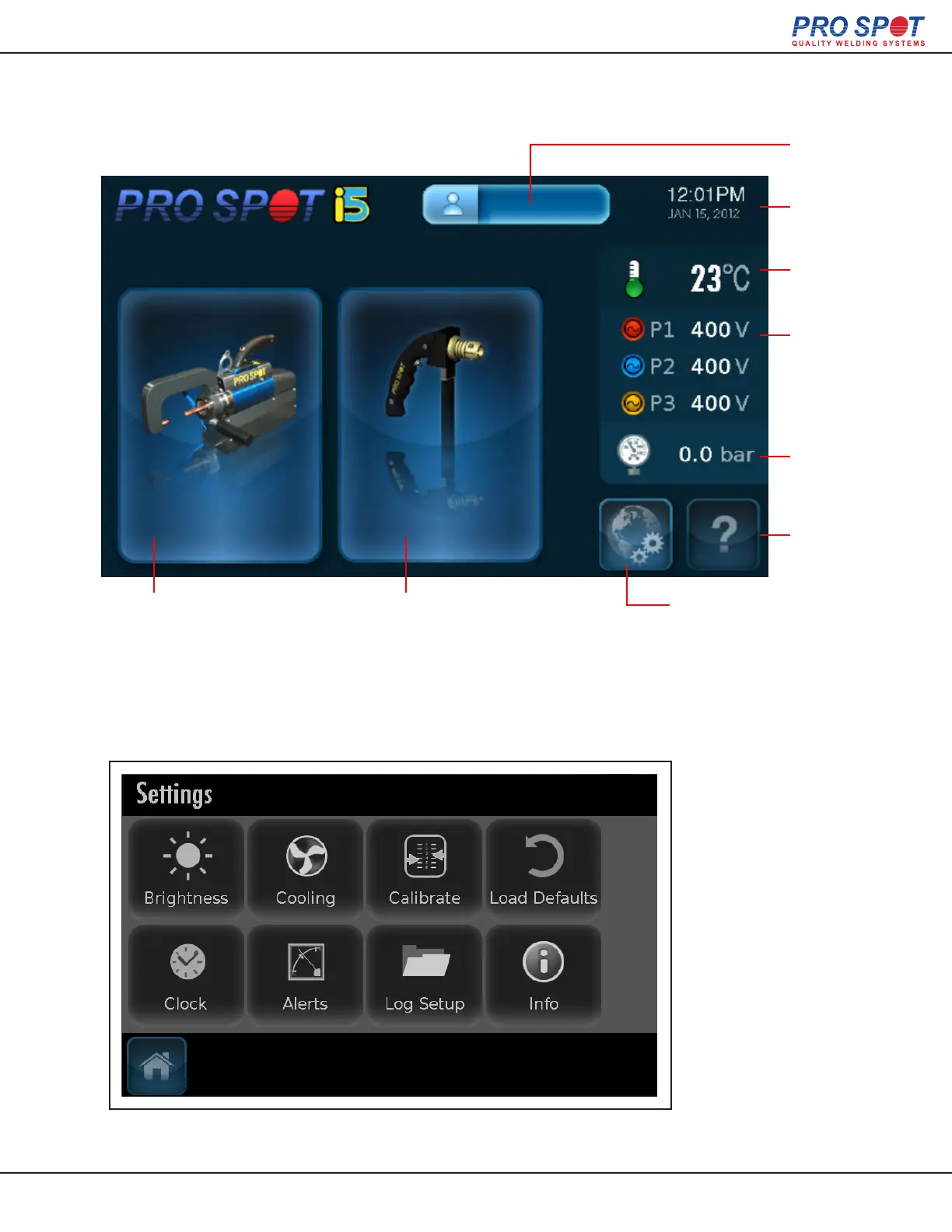
i5 Status Screen
Global Settings Screen
Two Sided welding
Brings the user to Auto Mode
by default. Use the Carousel
to navigate to Semi-Auto and
Manual modes.
Single Sided welding
Trans-Gun
Temp.
Indicator
3-Phase
Power
Indicator
Help
Time /
Date
Login
Status
Global Settings
• Temperature Control
• Welder Calibration
• Brightness Control
• Factory Default
Air Pressure
Indicator
Accessed from the Status Screen (as pictured above).
16



 To Next Page