All Info Copyright © Pro Spot International Inc.
4 - Operation
Page 14
i5
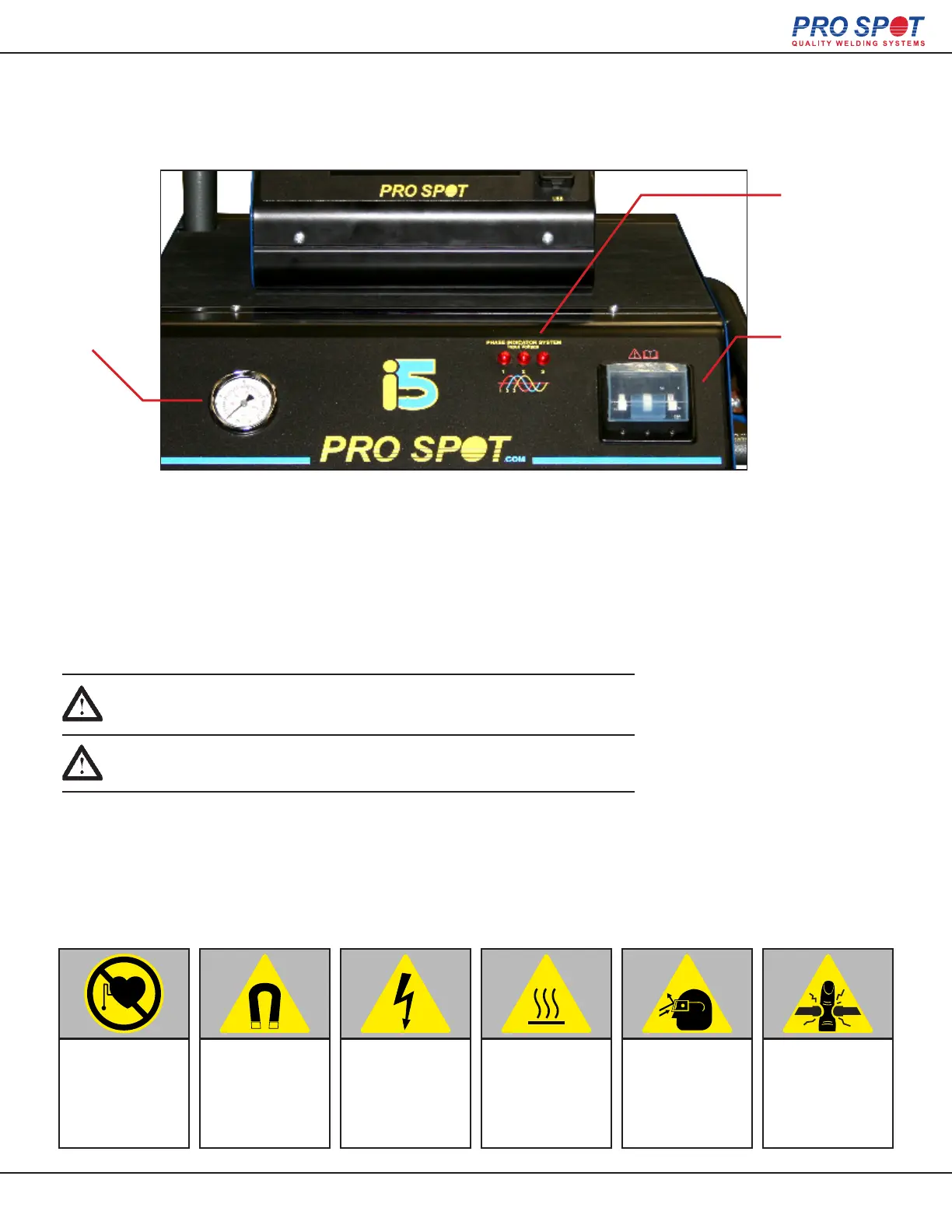
1. The 3-phase indicator (3 LEDs on the front panel) should always be illuminated while the welder is plugged in.
Verify this before turning on the power. Switch the circuit breaker on the front panel to “ON”.
2. The display will go through the start-up procedure.
3. The i5 is now ready to use.
IMPORTANT! Make sure to read the instruction manual before operating
the welder. Only trained personnel should use this welder.
IMPORTANT! Assurez-vous de lire le Mode d’Emploi avant d'opérer
le soudeur. Seul le personnel qualifié devrait utiliser ce soudeur.
4.2.2 Turning On the Welder
Air Pressure
Gauge
3 Phase
Indicator
Power Switch
CAUTION:
The i5 discharges a
large magnetic eld
when in use which can
negatively effect medi-
cal implant devices
such as pace-makers.
CAUTION:
The i5 discharges a
large magnetic eld
when in use which
can negatively effect
electronics and attract
metal to the gun.
CAUTION:
Unplug the welder
from the wall outlet
before servicing,
cleaning, or mainte-
nance. Risk for electri-
cal shock
CAUTION:
Some parts of the
welder may become
hot after prolonged
use.
CAUTION:
Always wear eye
protection when
welding. Periodically
showers of sparks will
y up from the material
being welded.
CAUTION:
Be wary of pinch
points on the i5 such
as the electrodes /
weld caps on the trans
gun.
14



 To Next Page