EN-12
• Hold the key for viewing the Synergic Welding
Curves available in the unit.
Turn the Right Regulation Key - 5 - or press
the Material Key - 6 - to choose the desired
Synergic Curve, suitable to the type of wire
and to the gas going to be used for welding;
• press the Mode Key - 1 - to go back to the
main screen and confirm your choice.
Once selected a Synergic Curve, Slope, In-
ductance, Wire Speed Balance and Mate-
rial thickness settings go back to their de-
fault values.
Left Regulation Knob
adjusts the welding current (A), wire speed, material
thickness
Navigation Key - Arc Dyn
Increase the Arc Dyn. value (+20%)
Save & Recall
for saving and recalling the points that the operator
can customize. Refer to the chapter “Save & Recall” .
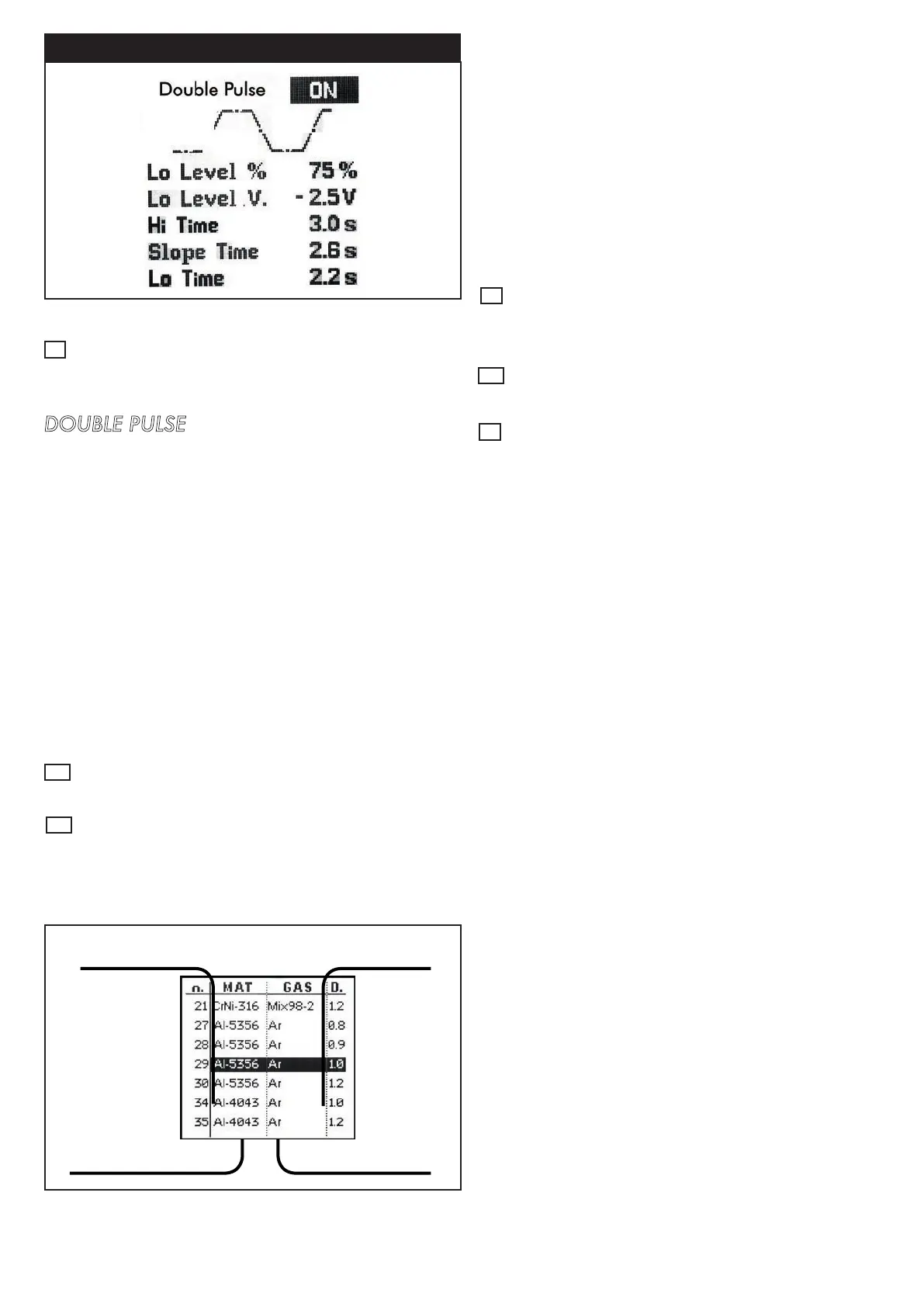
WIRE PULSE
Figure 19 - WIRE PULSE Setup View
3
Setup Key
For entering the Wire Pulse Setup Menu by pressing
the setup key -
3 -
from “setup menu”.
DOUBLE PULSE
Activate/Deactivate Wire pulse
Lo LEVEL %
Low welding current. It’s a percentage of welding
current
Lo LEVEL V.
Low welding current arc voltage compensation
Hi TIME
Welding time at high current
SLOPE TIME
Time needed to switch between high and low current
Lo TIME
Welding time at low current
Right Regulation Knob
Arc voltage Balance regulation (V)
Navigation / Material Key
• Decrease the Arc Dyn. value (-20%)
8
5
6
Material
GAS
Welding Wire
Thickness
Program
number
Figure 20 - Synergic Welding Curves View
4
7



 To Next Page