EN-17
SAVE & RECALL
Save & Recall Key
Use the Save & Recall Key to save and recall the pa-
rameters set by the operator. The available memories
are 10.
To save the parameters proceed as follows:
• Press the Save & Recall Key - 4 -
• Turn the Right Regulation knob - 5 - to choo-
se the program number to save in.
• To save the program push the SAVE Key - 6 -
To recall a saved program proceed as follows:
• Press the Save & Recall Key - 4 -
• Turn the Right Regulation knob - 5 - to choo-
se the desired program number.
• Press the LOAD Key - 8 -.
TIG - MMA
MIG MAG
Save & Recall Key
Use the Save & Recall Key to save and recall the pa-
rameters set by the operator. The available memories
are 80 for each torch. The reference of the torch
you are saving the parameters for is viewed on the
display.
To save the parameters proceed as follows:
• Press the Save & Recall Key - 4 - to enter in
memory selection
• Turn the Right Regulation knob - 5 - to choo-
se the program number to save in.
• To save the program push the SAVE Key - 6 -.
To recall a saved program proceed as follows:
• Press the Save & Recall Key - 4 - to enter in
memory selection
• Turn the Right Regulation knob - 5 - to choo-
se the required program number
• Press the LOAD Key - 8 -
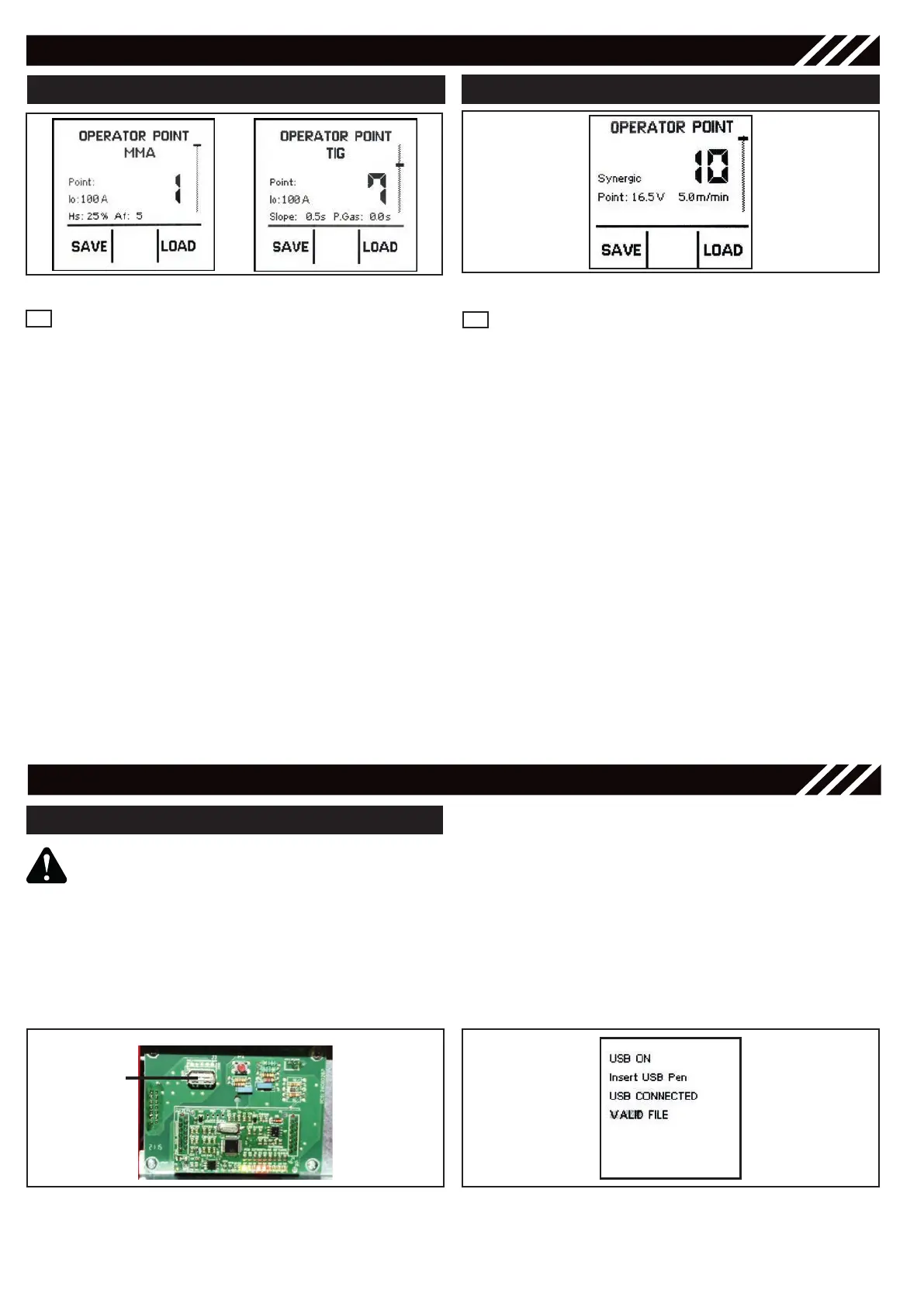
Figure 28 - Save & Recall Views for MMA/TIG
4
4
Figure 29 - Save & Recall View for MIG/MAG
SOFTWARE UPDATE
USB
Ensure unit is powered off and unpluged
from the mains.
• Get an empty USB drive with maximum capa-
city of 8GB. Format it in FAT 32. SAVE into the
USB drive the updated program.
• Locate on the right side of the power unit the
expansion PCB compartment and remove the
closing panel.
USB UPDATE
Figure 30 - USB
Figure 31 - “USB Connected” screen
• Insert the USB drive into the USB socket.
• Switch ON the machine holding MODE key
- 1 -. On the screen will appear USB CON-
NECTED.
• Release MODE key - 1 -.
• Once the software is updated a sound will
confirm you that the process is completed
• Remove the USB drive from the socket
• Close the expansion PCB compartment.



 To Next Page