36
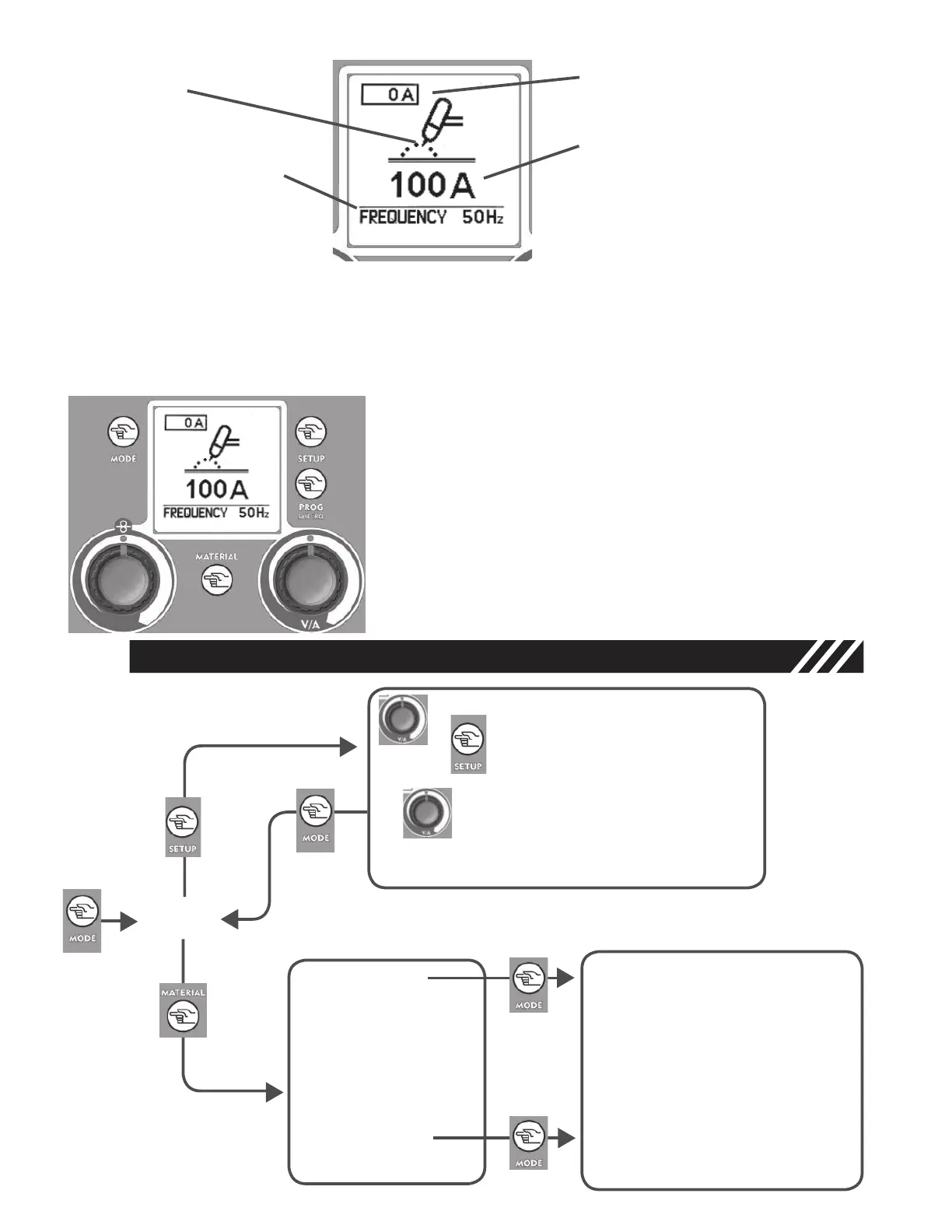
In PULSED Mode use the Regulation Knobs - 7.2 - and - 5 - to
adjust the following parameters on the main screen:
Left Knob - 7.2 - adjusts the Pulsation Frequency (20-250Hz).
Right Knob -
5 - adjusts the maximum value of the pulsation
current.
5
7.2
QUICK START CHART
TIG
• 2T / 4T
• SLOPE UP
• SLOPE DOWN
• CRATER Filler (4Stroke only)
• POST GAS
• PULSED :
Pulsation Frequency
Ton/T
I MAX
I MIN
• NORMAL
• DX -
I MAX/Peak Current
• SX -Pulsation Frequency
• DX - Welding Current
• SX-Slope Down
Graphic Display - 2 -
• TIG Mode
• Pulsation Frequency.
• Real Current
• Set Current
Tig Function Setup Key - 3.1 -
Follow instructions at paragraph 6.0 - Connection and Setup for TIG Welding
Use the Mode Key - 1 - to go back to the TIG main screen after desired parameters are adjusted.
5
5
Figure 16
Figure 17
14



 To Next Page