
 To Next Page
T
Todd VargasSep 12, 2025
Why is my ProAudio PP107234 Car Receiver not detecting Bluetooth devices?
- Aangela23Sep 12, 2025
If no Bluetooth device is detected: * Search from the Bluetooth device again.

Why is my ProAudio PP107234 Car Receiver not detecting Bluetooth devices?
If no Bluetooth device is detected: * Search from the Bluetooth device again.
Why is there echo during phone calls with my ProAudio Car Receiver?
If echo or noise is heard during a phone conversation: * Adjust the microphone unit’s position. * Check the [ECHO CANCEL] setting.
What to do if my ProAudio PP107234 Car Receiver displays “iPod ERROR”?
If the display shows 'iPod ERROR': * Reconnect the iPod. * Reset the iPod.
How to fix Bluetooth pairing issues with my ProAudio PP107234 Car Receiver?
If Bluetooth pairing cannot be made: * Make sure you have entered the same PIN code to both the unit and Bluetooth device. * Delete pairing information from both the unit and the Bluetooth device, then perform pairing again.
Why is the source not changing to “USB” on my ProAudio PP107234 Car Receiver?
If the source does not change to 'USB' when you connect a USB device while listening to another source: * Turn the power off and unplug the USB device. * Then, turn on the power and reattach the USB device. * If this does not solve the problem, turn the power off and on (or reset the unit) before replacing with another USB device.
Why can't I hear any sound from my ProAudio Car Receiver?
If you cannot hear any sound, try these steps: * Adjust the volume to the optimum level. * Check the cords and connections to ensure they are properly connected.
Why is sound being interrupted during Bluetooth playback on my ProAudio Car Receiver?
If the sound is being interrupted or skipped during playback of a Bluetooth audio player: * Reduce the distance between the unit and the Bluetooth audio player. * Turn off, then turn on the unit and try to connect again. * Other Bluetooth devices might be trying to connect to the unit.
What to do if my ProAudio PP107234 Car Receiver displays “DISCONNECTED”?
If the display shows “DISCONNECTED”, it means the USB is disconnected from the head unit. Please make sure the device is connected properly through USB.
What to do if my ProAudio Car Receiver displays “LOADING”?
If the display shows 'LOADING', the unit is still preparing the iPod/iPhone music list. It may take some time to load, so try again later.
What does “NA FILE” mean on my ProAudio PP107234 Car Receiver?
If the display shows 'NA FILE', make sure the media (disc/USB) contains supported audio files.
Explains how to interpret manual content, including displays and button operations.
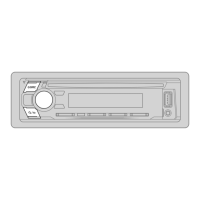
Details the front panel of the unit, identifying key controls and display elements.
Procedure for setting the current time and date on the unit.
Configure various system settings like audio control and tuner preferences.
Instructions on how to tune into radio stations using automatic or manual search.
Details additional settings available within the Radio function.
Step-by-step guide to connecting a USB storage device to the unit.
Instructions for connecting an Apple iPod or iPhone to the unit.
How to choose which drive to play music from when multiple USB devices are connected.
Setting to control iPod/iPhone directly or via the unit.
Methods to find and select audio files from folders or lists.
Efficiently find files on CD or USB by quickly browsing lists.
Navigate iPod lists by skipping files or searching by character.
Steps to begin playing music from Spotify via USB or Bluetooth.
How to save songs from Spotify to your music library.
Procedure to find specific songs or stations within the Spotify app.
Connect and play audio from an external device using the auxiliary jack.
Customize the display name for the connected auxiliary device.
Details on connecting the external microphone for hands-free calling.
Steps to establish an initial Bluetooth connection with a device.
Automatically pair supported devices when connected via USB.
How to answer, reject, or manage incoming calls via Bluetooth.
Adjust microphone settings, noise reduction, and echo cancellation for better calls.
Configure automatic call answering time for incoming calls.
Initiate calls via call history, phonebook, or voice command.
Access contacts and dial numbers via phonebook or direct input.
Use voice commands to initiate calls or control phone functions.
Save contacts to memory buttons for quick dialing and calling.
Configure Bluetooth connectivity, device selection, and PIN codes.
Check the connectivity and compatibility of Bluetooth profiles.
Stream audio from a Bluetooth-enabled device, including iPod/iPhone.
Control random playback modes for Bluetooth audio.
Detailed control over frequency levels for custom sound profiles.
Select from genre-specific presets or user-defined settings.
Adjust subwoofer output, bass boost, and loudness for enhanced audio.
Control audio balance between front/rear and left/right speakers.
Set initial volume levels for sources relative to FM volume.
Enhance audio with effects like sound reconstruction, space, and stage EQ.
Select speaker dimensions for accurate crossover and sound output.
Adjust frequency cutoffs for tweeters, rear speakers, and subwoofers.
Configure subwoofer low-pass filter slope, phase, and gain.
Turn the display dimmer on or off by pressing and holding the DISP button.
Navigate the FUNCTION menu to customize display options.
Adjust day/night brightness and set dimmer on/off times.
Configure display text scrolling behavior (once, auto, or off).
Enable or disable the clock display when the unit is turned off.
Instructions on how to safely remove the unit from the dashboard.
Diagram and list of external components and their connection points.
Detailed wiring diagram for connecting the unit to the vehicle's power and speakers.
Lists supported audio file formats for discs and USB devices.
Specifications and usage notes for USB, iPod, and iPhone devices.
Information on Spotify application support and potential limitations.
How to cycle through different information displayed on the screen.
Solutions for common issues like no sound or incorrect wiring.
Resolving problems related to radio reception and static noise.
Fixing playback order, reading errors, and device compatibility issues.
Resolving issues with Spotify connection, login, and playback.
Solutions for pairing failures, poor call quality, and audio interruptions.
Explains specific error messages and their potential causes.
Technical details for FM/AM tuners and CD player performance.
Laser diode, digital filter, spindle speed, and audio playback specs.
Details on USB standards, file systems, and auxiliary input technical data.
Bluetooth version, range, profiles, and audio output power details.
Operating voltage, installation size, and net weight of the unit.
 General
| Brand | ProAudio |
|---|---|
| Model | PP107234 |
| Category | Car Receiver |
| Language | English |