© 2016 by Proceq SA 18
7. Data Evaluation
7.1. Statistics
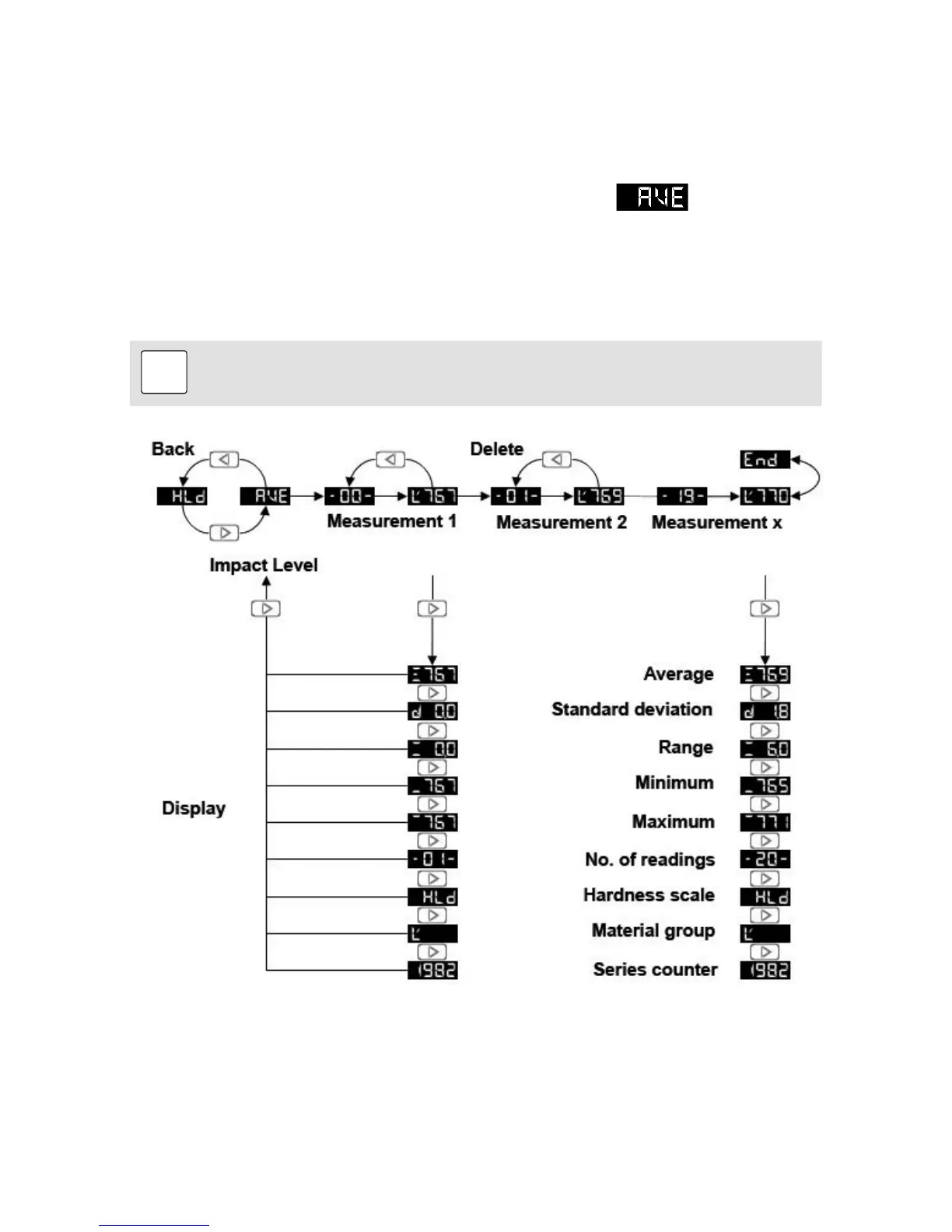
Statistics for measurement series of up to 99 impacts can be calculated automatically:
• To enter the averaging mode, press the key at the Impact level.
appears.
• Perform the desired number of impacts.
• To cancel the last reading, press the key while the measurement is shown on the display.
• Press the key to close the series. The instrument will display the arithmetic average of the
measurement series.
• Press the key to cycle through the statistics. Equotip Bambino 2 can only display the average,
the number of readings, the hardness scale and the material group.
Note:
The measurement series is automatically completed when n = 99 is exceeded. The
following measurement is the first value of a new measurement series.
7.2. PC Application Software Piccolink (Equotip Piccolo 2 only)
More Equotip functionality is available through the Piccolink software (see “Piccolink Software”).




 To Next Page