- 19 -
5.2. Attaching the mounting adapter
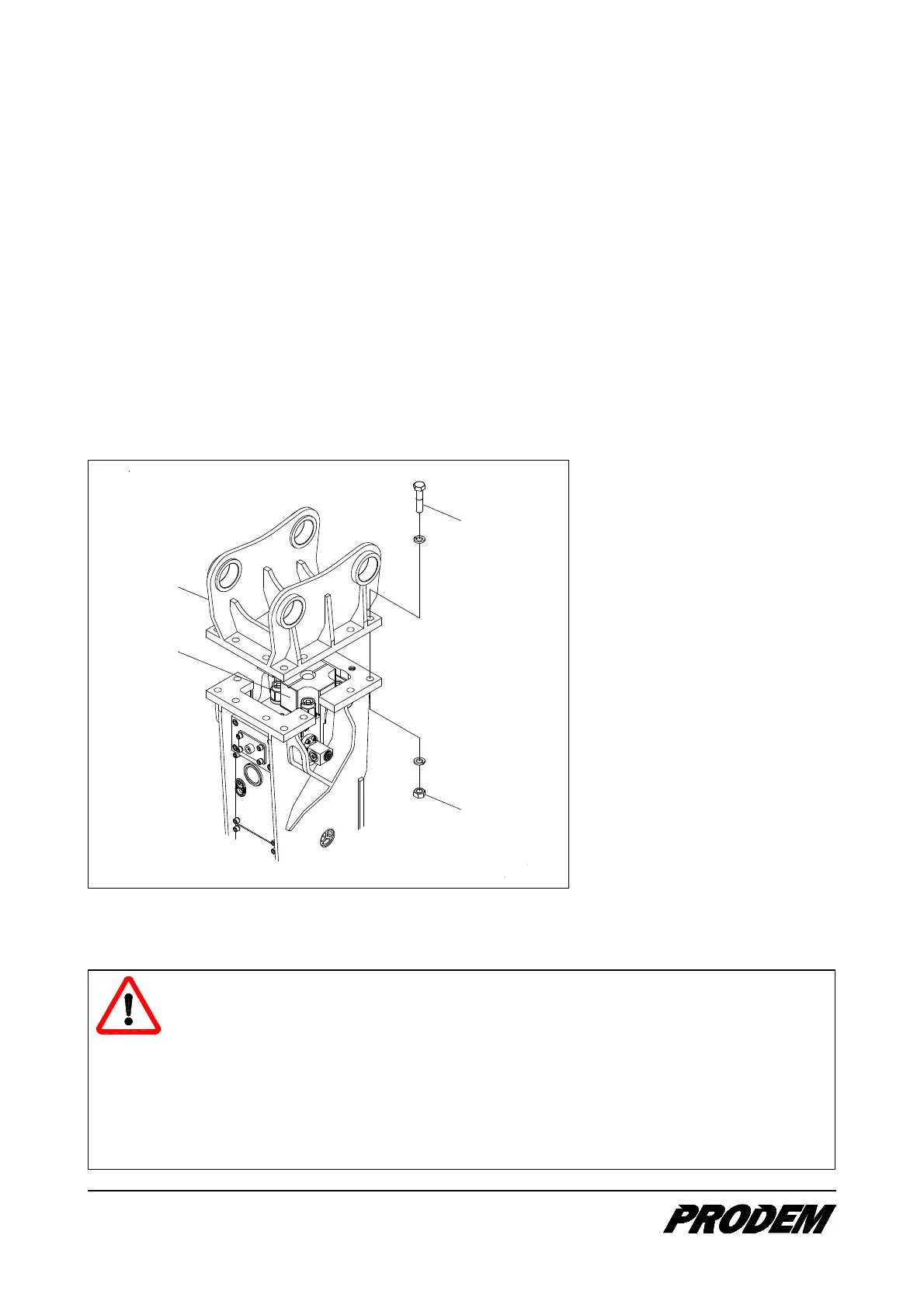
1. Stand the hammer on the flat and stable base or lay the hydraulic hammer on squared beams or a pallet
with the service window of the hammer box facing upwards.
2. Fix the adapter (1) to the hammer box with two screws.
For silenced hammer, insert the upper damper (2) in the hammer box before fixing the adapter.
3. Then fit all screws (3) and tighten to the specified torque. The sizes of screws for different hammer types
are as follows;
PRB008 ~ 030
PRB040 ~ 150
PRB170 ~ 300
PRB400 ~ 700
: 12 mm
: 20 mm
: 30 mm
: 36 mm
3
4
1
2
1. Adapter
2. Upper damper
3. Screw and washer
4. Nuts and washer
(Number of nuts -single or double-
may vary on different hammer
models)
5.3. Mounting the hydraulic hammer on the carrier
DANGER!
While mounting the hammer or removing the bucket, make sure that there are no persons in
the vicinity of the carrier.
When moving the carrier, do not touch any part of the carrier or hydraulic hammer. Keep
hands away from linkage area and pin-bores.
When aligning pin-bores, never put a finger into the bore, align only by sight or with using drift
pin.
Agree with the assistant on clear hand signals.


 To Next Page